
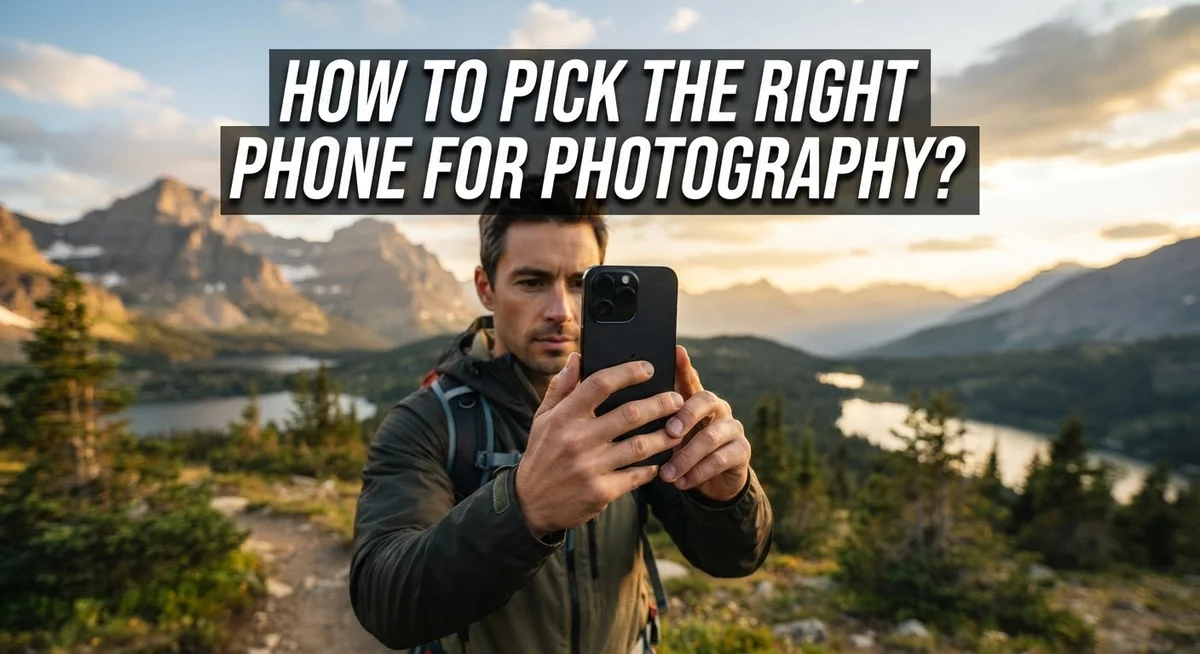
How to Pick the Right Phone for Photography?
Your phone camera can capture amazing photos. But not every phone is built the same way for photography.
Picking the right phone feels tricky with so many specs and marketing terms. Megapixels, lenses, and zoom numbers can confuse anyone.
The good news? You do not need to be a tech expert to choose well. You just need to know what actually matters.
Mobile photography today rivals DSLR quality in many situations. The right phone helps you capture sharp, clear, and beautiful images every time.
This guide breaks down the real factors that affect photo quality. We will cover optical zoom versus digital zoom and why it matters.
You will learn about low light performance and multi lens setups. We will also share simple techniques like using grid lines and tapping to focus.
By the end, you will know exactly what to look for in a camera phone. You will also avoid common mistakes that hurt your photos.
Let’s find the perfect phone for your photography needs.
In a Nutshell
Picking the right phone for photography comes down to a few key things. Here’s a quick summary to keep in mind:
-
Optical zoom matters more than digital zoom. A phone with real optical lenses gives sharper photos than one that just zooms digitally.
-
Low light performance separates good phones from great ones. Check how a phone handles night shots and dim rooms before you decide.
-
Multi lens setups add creative options. Wide angle, telephoto, and macro lenses let you capture different types of shots easily.
-
Manual controls give you more power. Adjusting focus, exposure, and ISO yourself often beats relying on auto mode alone.
-
Battery size does not equal camera quality. A phone with a huge battery is not always the better photography choice.
-
Simple habits improve every shot. Clean lenses, steady hands, and good composition matter just as much as specs.
Keep these points in mind. They will help you choose a phone that actually takes great photos, not just one with impressive numbers on paper.
Understanding Key Camera Specifications
When you’re shopping for a phone camera, you’ll encounter several technical terms. Understanding these specs helps you make a smart choice without getting confused by marketing language.
Megapixels matter less than you think. A 12-megapixel camera often takes better photos than a 48-megapixel one. What matters is how large each pixel is and how well the sensor captures light. Bigger pixels gather more light, which means clearer images in various conditions.
Aperture controls how much light enters the lens. You’ll see numbers like f/1.8 or f/2.0. Lower numbers mean wider openings and more light. This helps your phone capture better shots when it’s dark outside or in dim indoor spaces.
Sensor size directly affects image quality. Larger sensors collect more light information. They help your phone create sharper, more detailed photos. When comparing phones, check the sensor size rather than just counting megapixels.
Optical zoom uses real lenses to magnify images. A 2x or 3x optical zoom means the phone has physical lenses that zoom in. This keeps your photos sharp and clear. Digital zoom just crops and enlarges pixels, which makes images look blurry.
ISO controls sensor sensitivity to light. Higher ISO settings help in dark conditions but can add graininess. Good phones manage ISO well, keeping photos clean even when light is low.
Shutter speed determines how long the sensor captures light. Faster speeds freeze movement. Slower speeds work well for still subjects but need steady hands or a tripod.
Focus technology varies between phones. Phase detection autofocus and laser focus systems lock onto subjects quickly. This matters when you’re photographing moving subjects or trying to capture sharp details.
Check these specs side by side when comparing phones. Real world testing through sample photos reveals more than specs alone.
Why Optical Zoom Matters More Than Digital Zoom
Optical zoom and digital zoom work very differently. Understanding this distinction helps you make smarter choices when picking a photography phone.
Optical zoom uses real glass lenses inside your phone. When you zoom optically, the phone physically moves these lenses to magnify your subject. The result is a sharp, clear image with no quality loss. A 2x or 3x optical zoom means your phone has actual telephoto lenses built in.
Digital zoom works the opposite way. Your phone takes a photo and then crops and enlarges it using software. This process stretches pixels, making images look blurry and grainy. Digital zoom is essentially just zooming into a photo you already took on your screen.
Here is why this matters for your purchase decision. A phone with 3x optical zoom will give you crisp photos of distant subjects. A phone relying only on digital zoom will produce soft, pixelated results in the same situation.
The best approach is stepping closer to your subject whenever possible. This beats using any zoom method. If you cannot move closer, optical zoom becomes your next best option. Digital zoom should be your last resort.
When comparing phones, check the camera specs carefully. Look for terms like “2x optical” or “3x optical.” These indicate real lenses. Avoid phones that only advertise digital zoom capabilities.
Many flagship phones now include multiple optical lenses. You might find a standard lens, a 2x telephoto, and a wide angle option. This setup gives you flexibility without sacrificing image quality.
Remember, optical zoom preserves detail while digital zoom destroys it. A phone with solid optical zoom options will serve your photography much better than one without it. This single feature often matters more than megapixel count or other fancy specs when you want sharp, professional looking photos.
Evaluating Low-Light and Night Photography Performance
Low light and night photography separates phones that take decent photos from phones that take exceptional ones. When you’re comparing devices, this performance area reveals the real quality differences between models.
Start by checking the phone’s sensor size and aperture rating. Larger sensors collect more light information, which means your photos stay clear even when conditions are dark. An aperture of f/1.8 or wider lets more light reach that sensor, giving you better results in dim environments.
ISO performance matters significantly in low light situations. Your phone’s ability to raise ISO without creating excessive grain determines how usable your night shots become. Test this by looking at sample photos taken in actual dim rooms and outdoor night settings. Real world examples show you what to expect.
Optical zoom capabilities become even more valuable in low light. When you need to zoom, optical methods preserve detail and light information. Digital zoom degrades both, making your night photos look soft and unclear.
Before purchasing, request to see sample photos taken by the phone in genuinely dark conditions. Many retailers have demo units you can test yourself. Take shots in a dimly lit store section or outside at night. Pay attention to how the phone handles shadows and whether fine details remain visible.
Night mode features vary between phones. Some devices process multiple exposures automatically to brighten dark scenes. Others use advanced computational photography. Check whether the phone offers manual control over these features, allowing you to adjust results based on your preferences.
Battery performance in low light mode also matters. Night photography modes consume extra power. Confirm the phone maintains decent battery life even when using these features frequently.
Compare at least two to three flagship models side by side in actual low light environments. This hands on comparison reveals performance differences that specs alone cannot show you. Your final choice should feel confident based on real world testing.
The Role of Multi-Lens Setups in Versatile Shooting
A multi-lens setup gives you flexibility that single-lens phones simply cannot match. Most modern flagship phones include two, three, or even four separate cameras. Each lens serves a specific purpose in your photography.
The primary lens handles everyday shooting. It captures standard wide-angle views that match what your eye sees. This lens usually sits at a 1x magnification level.
The telephoto lens provides optical zoom capabilities. A 2x or 3x telephoto lens lets you zoom closer without losing image quality. This matters because optical zoom preserves detail, while digital zoom destroys it. You can frame distant subjects without stepping closer or cropping later.
The ultra-wide lens expands your creative options. It captures much broader scenes than the standard lens. Landscapes, architecture, and group photos all benefit from ultra-wide capabilities. This lens typically offers around 0.5x to 0.6x magnification.
Some phones include a macro lens for extreme close-ups. This lens focuses on tiny subjects from just a few inches away. Flowers, insects, and small objects come alive with macro photography.
The real advantage is versatility without compromise. Instead of choosing between zoom and wide-angle, you get both. You can shoot the same scene from multiple perspectives instantly. This reduces the need for digital zoom, which degrades image quality.
When selecting a phone, examine how many lenses it offers. More lenses mean more creative freedom. Check if those lenses include optical zoom rather than just digital zoom. Test sample photos taken with each lens to understand their strengths.
Multi-lens setups work best when you understand your phone’s lens options. Take time to explore what each camera does. Practice switching between lenses as you compose shots. This knowledge transforms a basic phone into a serious photography tool that handles virtually any situation you encounter.
Mastering Composition, Focus, and Exposure Basics
Composition, focus, and exposure are the three pillars of great phone photography. Mastering these basics transforms ordinary snapshots into compelling images. Let’s break down each one so you understand what to look for when choosing your phone.
Composition means arranging elements in your frame. Enable grid lines on your phone’s camera app. These lines help you follow the rule of thirds, which places your main subject off center for more interesting photos. A phone with a clear, responsive screen makes it easier to see your composition before you shoot.
Focus determines which part of your image appears sharp. Most phones let you tap the screen to focus on your chosen subject. Look for phones that respond quickly to tap commands. Your phone should show you a focus indicator when you press the screen. Manual focus control is valuable because it gives you precision over what stays sharp.
Exposure controls how bright or dark your photo appears. After tapping to focus, swipe up or down on your screen to adjust exposure manually. This feature prevents underexposed or overexposed images. Phones with intuitive exposure controls let you make quick adjustments without complicated menus.
When comparing phones, test the camera app’s responsiveness. Does it feel smooth when you tap to focus? Can you easily adjust exposure? These practical features matter more than raw megapixel counts.
Clean your phone’s lens before every shoot. Dust and fingerprints reduce image quality significantly. Check that your horizon stays level by using the grid lines. Define a clear main subject in every frame rather than cluttering your composition.
Practice these basics with any phone first. Once you understand composition, focus, and exposure, you’ll know exactly which phone features matter for your photography style. This knowledge makes phone selection much simpler and more confident.
Step-by-Step: Testing a Phone’s Camera Before You Decide
Start by visiting a store or borrowing a phone you want to test. Spend at least 15 minutes taking photos in different conditions. This hands-on approach reveals how the camera performs in real situations.
Begin indoors under regular lighting. Take several photos of objects at different distances. Notice how the camera handles focus when you tap the screen. Check if the exposure adjusts smoothly when you move between bright and dark areas.
Move to a window with natural light. Photograph something with fine details like text or fabric. This shows whether the camera captures sharpness and clarity. Take the same shot from different angles to see how the phone handles various lighting directions.
Test the zoom feature next. Use the optical zoom first by tapping the zoom buttons. Then take a step closer to your subject instead of zooming. Compare the image quality between these two methods. Digital zoom often creates blurry, pixelated results, so avoid relying on it.
Go outside and photograph a landscape. Enable the grid lines in the camera app to help align your horizon. This simple tool makes a huge difference in composition. Take photos of both bright scenes and shaded areas.
Try the portrait or depth mode if available. Photograph a person or object with a background. Check whether the background blur looks natural or artificial.
Test the camera app’s speed. Does it respond immediately when you tap the shutter button? Does it focus quickly? Slow response times frustrate photographers and cause missed moments.
Finally, review all your test photos on a large screen. Look for sharpness, color accuracy, and proper exposure. Zoom in to check for noise or graininess. This reveals whether the phone’s camera truly meets your photography needs before you commit to purchasing.
Common Mistakes to Avoid When Choosing a Camera Phone
Many people make critical errors when picking a phone for photography. Understanding these mistakes helps you avoid wasting money on a device that won’t meet your needs.
Relying too heavily on digital zoom is one of the biggest pitfalls. Digital zoom simply enlarges pixels, which creates blurry, low quality images. Always choose a phone with strong optical zoom capabilities instead. Optical zoom uses actual lens elements to bring subjects closer without quality loss.
Another common mistake involves ignoring the lens cleaning habit. People assume their phone’s camera performs poorly when often the lens is just dirty. Dust and fingerprints drastically reduce image sharpness. Make cleaning your lens part of your routine before shooting.
Many shoppers assume larger battery capacity automatically means better performance. A bigger battery doesn’t guarantee good low light photography or fast camera app responsiveness. Test the actual camera performance in various lighting conditions rather than just checking battery specs.
People often skip hands on testing before purchase. Reading reviews online isn’t enough. Visit a store and take test photos yourself. Photograph subjects in different lighting situations. Check how quickly the camera app opens and responds to taps.
Not understanding your phone’s specific lens setup leads to regret. Some phones have three lenses, others have four or five. Each lens serves different purposes. Know what each lens does before buying.
Finally, many buyers overlook the importance of manual control options. Phones that let you adjust exposure, focus, and other settings manually give you far more creative control. Check if the camera app offers these features.
Taking time to test properly prevents expensive mistakes. Spend at least 30 minutes photographing with any phone before deciding. Try different subjects, distances, and lighting conditions. Your test shots reveal whether the phone truly matches your photography goals.
Final Thoughts
Picking the right phone for photography comes down to knowing what matters most to you. Camera quality should top your list, but it works alongside other features you use daily.
Think about how you shoot. Do you photograph landscapes, portraits, or close up details? Your answer points you toward the right lens setup and features.
Testing before buying makes a real difference. Numbers on a spec sheet only tell part of the story. Holding the phone and shooting real photos shows you how it actually performs.
Remember that skill matters as much as hardware. A skilled photographer with a basic phone often gets better results than someone with an expensive phone who ignores composition and lighting basics.
Focus on the fundamentals first. Learn to use grid lines, tap to focus, and adjust exposure manually. These skills transfer to any phone you choose.
Optical zoom and multiple lenses give you creative flexibility, but they won’t replace good technique. Master the basics before worrying about advanced features.
Avoid the common mistakes we covered. Skipping lens cleaning, relying on digital zoom, and assuming bigger batteries mean better cameras all lead to disappointment.
Take your time with this decision. Rushing into a purchase without proper testing often results in regret. A little patience upfront saves you money and frustration later.
Your perfect phone balances camera capability with practical daily use. It should fit your budget, your shooting style, and your comfort level with technology.
Trust your own testing results over marketing claims. Photos you take yourself tell you more than any advertisement or spec sheet.
Good photography starts with understanding light, composition, and focus. The right phone simply gives you better tools to express what you already see. Choose wisely, practice often, and your photos will keep improving over time.
Frequently Asked Questions
What’s the difference between optical and digital zoom?
Optical zoom uses the phone’s physical lenses to magnify your subject. This preserves image quality and detail. Digital zoom crops and enlarges pixels, which reduces sharpness and clarity.
Always choose optical zoom when available. Step closer to your subject instead of relying on digital zoom.
Should I prioritize megapixels when choosing a phone?
Megapixels measure image resolution, but they don’t determine photo quality. A phone with fewer megapixels but better lenses and sensors often produces superior images.
Focus on sensor quality, lens capability, and low-light performance instead. These factors matter far more than the megapixel count alone.
How important is manual control for phone photography?
Manual controls let you adjust exposure, focus, and ISO independently. This gives you creative power over your final image.
Many modern phones offer manual modes through their camera apps. Test whether your phone provides these options before purchasing.
Can I take professional-quality photos with any smartphone?
Yes, skill and technique matter more than having the latest phone. Composition, lighting, and focus are the true foundations of good photography.
However, phones with multiple lenses and strong low-light performance do make certain shots easier. Choose a phone that supports the types of photography you enjoy most.
What phone camera features matter most for beginners?
Start with a reliable autofocus system and clean image quality in normal lighting. Low-light capability becomes important if you shoot indoors or at night.
A multi-lens setup offers flexibility, but master basic technique first. You can always upgrade your phone later as your skills improve.

Dillip is the founder and editor of dillip.net, a passionate tech enthusiast and AI explorer dedicated to simplifying the world of artificial intelligence and technology for everyday users. With a keen eye for detail, he provides honest reviews, in-depth comparisons, and practical guides to help readers make smarter tech decisions.


