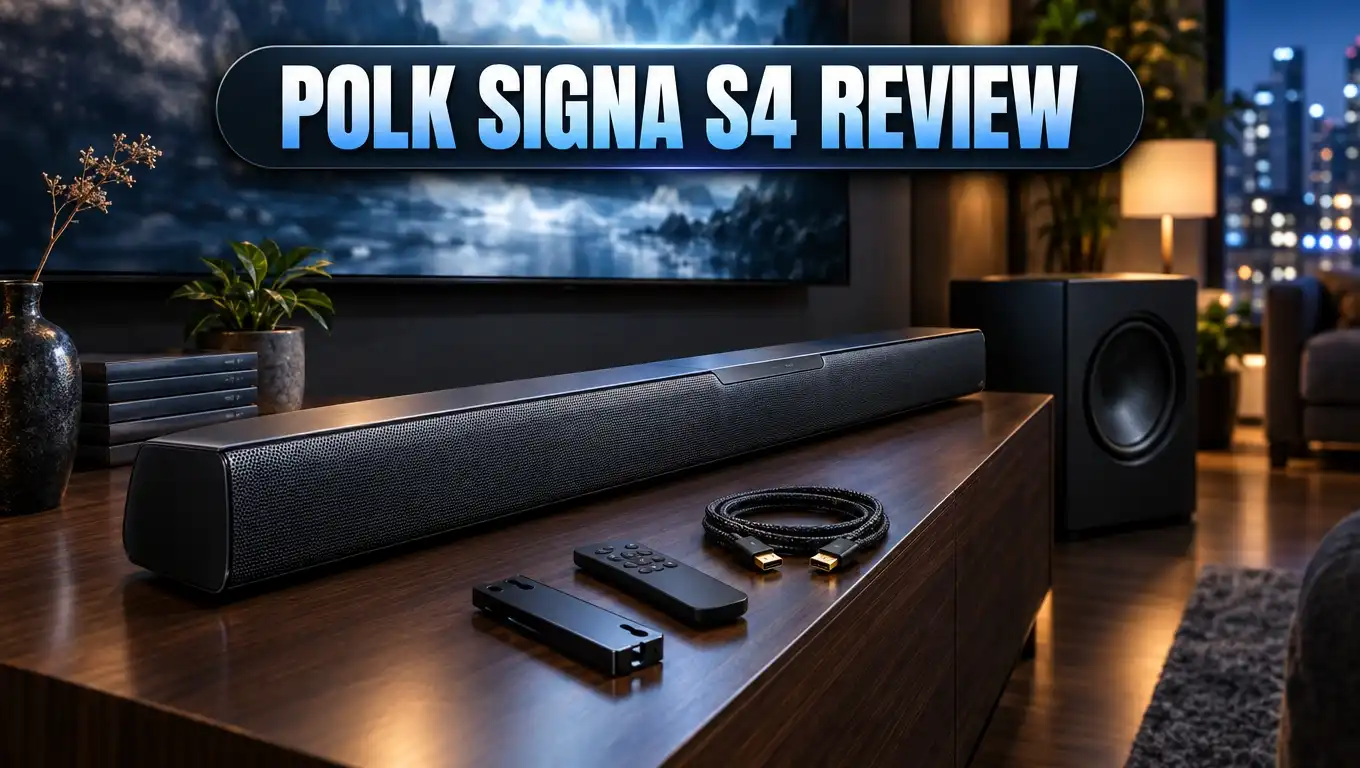
Polk Signa S4 Review: Real Dolby Atmos Sound on a Budget
Your TV looks amazing, but the sound feels flat and thin. Dialogue gets lost, explosions sound weak, and you keep reaching for the remote. That happens to almost everyone, because thin TV speakers cannot move much air.
The Polk Signa S4 sets out to fix this without costing a fortune. It is a 3.1.2 channel Dolby Atmos soundbar with real upfiring speakers and a wireless subwoofer. When it launched, it was one of the cheapest true Atmos systems you could buy.
In this review, we cover the sound, design, setup, features, and weak spots. We also look at three strong alternatives. By the end, you will know if this soundbar fits your room and your budget.
In a Nutshell
- True Dolby Atmos for less money: The Signa S4 uses two physical upfiring drivers that bounce sound off your ceiling. Many rivals at this price only simulate height with software, so this is a real advantage for movie fans.
- Clear dialogue with VoiceAdjust: Polk’s VoiceAdjust works with a dedicated center channel to lift voices above the mix. You get three levels of voice boost, right on the remote, so quiet dialogue is easy to follow.
- Wireless subwoofer included: A 5.9 inch downfiring subwoofer adds depth to action scenes and music. It connects wirelessly, so it only needs a power outlet.
- Simple setup: The bar connects with one HDMI eARC cable. Most people get it running in under 15 minutes, with no app and no account.
- Some limits to know: There is no WiFi, no streaming, and no voice assistant. You cannot add rear speakers later, and you cannot adjust the height channel levels.
- Great value overall: The Signa S4 suits medium sized rooms, apartments, and buyers who want cinema sound without paying for a premium system.
Polk Signa S4 at a Glance

- ADVANCED ULTRA-SLIM SOUNDBAR AND WIRELESS SUB - The Signa S4 Dolby Atmos soundbar, 7-driver array...
- UP-FIRING SPEAKERS FOR HEIGHT ELEVATION - As well as L/R Tweeters (0.98"), (2) Racetrack Mid Drivers...

Last update on 2026-11-26 / Affiliate links / Images from Amazon Product Advertising API
The Polk Signa S4 is a 3.1.2 channel soundbar system. That means it has left, right, and center channels, two height channels, and one subwoofer. It is the step up from the popular Signa S3, and it adds real Dolby Atmos support.
The soundbar is about 41 inches wide and very slim. It fits nicely under TVs from 43 to 65 inches. The system has a peak output of about 410 watts, which is plenty for most living rooms.
Polk launched the Signa S4 at around $399. On Amazon, it has recently sold for about $449, though prices change often. Even at that price, few systems give you real height drivers and a subwoofer together.
Here is a quick look at the key specs. The bar holds 25mm tweeters, oval midrange drivers, a dedicated center driver, and two upfiring Atmos drivers. The subwoofer uses a 5.9 inch driver that fires down at the floor.
For connections, you get HDMI eARC, optical, a 3.5mm analog input, and Bluetooth 5.0. A USB port handles firmware updates. That covers almost every TV made in the last decade.
The system decodes Dolby Atmos, Dolby Digital, and Dolby TrueHD content. It also upmixes regular stereo TV sound, so every show gets a fuller, wider presentation.
The Signa S4 is for people who want a big, plug and play upgrade over TV speakers. It is not for people who want a smart speaker or a multiroom streaming system. Keep that in mind as you read on.
Design and Build Quality
The Signa S4 looks clean and modern. A black fabric grille wraps around the front and top of the bar. The corners are gently rounded, so it blends into most living rooms without drawing attention.
The bar stands only about 2.4 inches tall. This low profile matters, because it will not block the bottom of your TV screen or the IR sensor in most cases. That is a common problem with taller soundbars.
Under the front grille, you will find five small LED lights. They show volume, input, and mode changes. They stay hidden when not in use, so they do not distract you during a movie.
A small control panel sits on the top rear edge. It has five buttons for power, volume, input, and Bluetooth pairing. You will rarely need them, but they help if you lose the remote.
Inside, the bar is split into three separate chambers. The center chamber holds the center speaker and the main circuit board. The left and right chambers each hold a tweeter, a midrange driver, and an upfiring Atmos driver.
The subwoofer has a matte black vinyl finish with rounded front corners. It sits on short feet, which leave space for the downfiring driver. You can tuck it beside a couch or next to your TV stand.
Is the build premium? Not quite. The materials do not feel as luxurious as a Sonos Arc or a high end Samsung bar. However, everything feels solid and well put together for the price. Nothing rattles, and the fabric looks good for years with light dusting.
Setup and Connectivity
Setting up the Signa S4 is very easy. You place the bar under your TV, plug in the subwoofer, and connect one HDMI cable. The subwoofer pairs automatically in most cases, so you do not need to press any buttons.
For the best results, use the HDMI eARC port on your TV. eARC carries full Dolby Atmos audio, including lossless formats. If your TV only has ARC, you still get Atmos from most streaming apps, but in a compressed form.
The bar also supports HDMI CEC. This lets your TV remote control the soundbar volume and power. Most people can put the Polk remote in a drawer after setup.
If your TV lacks HDMI ARC, you can use the optical input. The downside is that optical cannot carry Dolby Atmos. You will still get good surround sound, but you will miss the height effects.
The 3.5mm analog input works for older devices. Bluetooth 5.0 lets you stream music from your phone or tablet. It supports the SBC codec only, so music quality over Bluetooth is decent but not hi fi.
There is no WiFi and no companion app. Some people see this as a downside. Others love it, because there are no accounts, no updates to manage, and no network problems.
One note on the HDMI connection: the Signa S4 has only one HDMI port. It has no HDMI input for passing through a game console or streaming box. You will need to plug those devices into your TV instead.
Overall, the setup is quick and stress free. Even someone with zero tech skills can get great sound in minutes.
Top 3 Alternative for Polk Signa S4
The Signa S4 is a great buy, but it is not the only option. Your needs might call for streaming features, a more compact design, or a lower price. Here are three strong alternatives worth comparing.
Sonos Beam Gen 2

- Enrich your entertainment experience with vibrant bass, crystal clear dialogue, and a panoramic...
- Experience a 3D surround sound effect with Dolby Atmos.
Last update on 2026-11-26 / Affiliate links / Images from Amazon Product Advertising API
The Sonos Beam Gen 2 is a compact smart soundbar with Dolby Atmos support. It does not have physical upfiring drivers. Instead, it uses psychoacoustic processing to create a sense of height.
The Beam shines with WiFi streaming, AirPlay 2, and voice control. You can group it with other Sonos speakers for multiroom audio. Later, you can add a Sonos Sub and rear speakers. It costs more than the Signa S4 and has no subwoofer in the box, but it gives you more room to grow.
Yamaha SR-B40A

- Elevated home theater audio – The Yamaha SR B40A sound bar with wireless subwoofer and Dolby Atmos...
- Hear it, feel it – A powerful wireless subwoofer delivers rich, full bass that adds depth and impact to...
Last update on 2026-11-26 / Affiliate links / Images from Amazon Product Advertising API
The Yamaha SR-B40A is a 2.1 channel system with Dolby Atmos decoding and a wireless subwoofer. It sells at a similar price to the Polk. Yamaha’s Clear Voice feature helps with dialogue, much like VoiceAdjust.
The Yamaha has a bigger subwoofer, which gives it deeper, stronger bass. It also has an app for easy control. However, it uses virtual height processing, so the Polk’s real height drivers give a more convincing overhead effect.
Polk Signa S3

- ULTRA-SLIM SOUNDBAR WITH WIRELESS SUBWOOFER – Features 2.1 channel performance-tuned drivers...
- POLK’S EXCLUSIVE VOICE ADJUST TECHNOLOGY & Dolby Digital 5.1 decoding help maximize sound clarity and...
Last update on 2026-11-26 / Affiliate links / Images from Amazon Product Advertising API
The Polk Signa S3 is the older sibling of the S4. It costs less and includes built in Chromecast and WiFi. You can stream music directly from apps on your phone.
The trade off is that the S3 has no Dolby Atmos support. If you care more about streaming music than movie height effects, the S3 could be the smarter choice.
Dolby Atmos Performance
This is where the Signa S4 really earns its name. Dolby Atmos adds a height layer to movie sound. Rain, helicopters, and ambient effects seem to come from above you, not just from the front.
The Signa S4 uses two physical upfiring drivers for this effect. They aim sound at your ceiling, and the sound bounces down to your seat. This method usually gives a more natural height effect than software alone.
In action movies like Mad Max: Fury Road, the Polk fills a medium sized room with rich, layered sound. Voices and effects spread across the front wall and climb above the screen. For a bar at this price, the effect is impressively immersive.
The sound stage is also much wider than the bar itself. Reviewers often note that sound seems to stretch far past the edges of the soundbar. This makes the system feel bigger than its 41 inch frame.
That said, the Signa S4 has limits. It has no rear or side surround speakers. Sound comes mostly from the front, like a wall of audio, not a full bubble around you.
Systems with real rear speakers, such as the Vizio M Series 5.1.2, create a stronger surround effect. If you want sounds directly behind your head, the S4 cannot deliver that.
Your ceiling also matters a lot. Upfiring drivers work best with flat ceilings between 8 and 10 feet high. Vaulted, sloped, or very high ceilings weaken the height effect. Since you cannot raise the height channel volume, you have no way to compensate.
For most living rooms with standard ceilings, though, the Atmos effect is convincing and fun. It is a big jump from regular TV sound.
Dialogue Clarity and VoiceAdjust
Hard to hear dialogue is one of the most common complaints about modern TV shows. Movie mixes often bury voices under music and effects. The Signa S4 tackles this problem head on.
First, the bar has a dedicated center channel. Voices in movies and shows are usually mixed to the center. A separate driver for this channel keeps dialogue clear and focused on the screen.
Second, Polk adds its patented VoiceAdjust technology. You get three voice boost levels, and you can switch between them with one button on the remote. There are no menus to dig through.
At level one, voices get a gentle lift. At level three, dialogue moves clearly to the front of the mix. This helps a lot with late night viewing, mumbled lines, or accents you find hard to follow.
VoiceAdjust is also a big help for older viewers or people with mild hearing loss. Many families say it ends the constant “what did they say?” questions during movie night.
The best part is how natural it sounds. Some dialogue boost modes make voices sound thin or harsh. Polk’s version keeps vocals warm and smooth, without sharp “s” sounds.
News, talk shows, and sports commentary also benefit. Commentators sound clear even with a loud crowd in the background. Some reviewers feel the Sonos Beam Gen 2 has a slight edge in pure dialogue clarity. Still, the Polk holds its own and adds more impact to sports.
If clear voices are your top priority, the Signa S4 is one of the best options in its price range.
Bass and the Wireless Subwoofer
A soundbar without a subwoofer often sounds thin. The Signa S4 includes a wireless subwoofer with a 5.9 inch downfiring driver. It adds weight to explosions, music beats, and movie scores.
The subwoofer connects wirelessly to the bar. You only need to plug it into a power outlet. This gives you freedom to place it almost anywhere in your room.
The bass is punchy and fun. It hits with good force in action scenes and gives music a solid foundation. Reviewers note that the bass goes surprisingly deep for a driver this small.
Polk’s BassAdjust feature lets you raise or lower the bass with the remote. The LEDs flash to show the level. You can turn it up for movies and turn it down for late night shows or thin apartment walls.
There are some weaknesses. The subwoofer is smaller than those in some rival systems, like the Yamaha SR-B40A. In very large rooms, the bass may not feel as powerful as you want.
Some reviewers also noticed a slight boom in the mid bass range. This can make some music tracks sound a little heavy or blurred. You can reduce it by turning the bass level down a step or two.
Placement makes a big difference. Putting the subwoofer in a corner boosts bass output. Moving it away from walls gives tighter, cleaner bass. Try a few spots to find the best balance for your room.
For small and medium rooms, the subwoofer does a great job overall. It turns the Signa S4 into a real home theater system, not just a speaker bar.
Music Performance
Polk has a long history of making great speakers for music. The Signa S4 carries that tradition forward. It sounds warm, smooth, and pleasant with most music styles.
The treble is clear without being harsh. Cymbals and guitars have nice sparkle, but they do not hurt your ears at high volume. The midrange sounds full and natural, which helps vocals feel lifelike.
Acoustic songs with simple guitar and soft vocals sound especially good. The bar keeps the singer centered and places instruments around them in a natural way. Some testers felt it handled these tracks better than rivals that cost more.
Rock and pop music also sound lively. The wide sound stage makes songs feel big and open. The Signa S4 is also forgiving with older or rough recordings, so songs that sound harsh on detailed systems stay listenable here.
Use the Music mode for the best results. It tunes the sound for stereo music instead of movie surround. Most people prefer it for playlists and streaming.
There are limits, of course. Piano and classical music lack some detail and precision. A good pair of stereo bookshelf speakers will beat it for serious listening.
Bluetooth is also the only wireless option. It works well, but it only supports the SBC codec. You also cannot use Spotify Connect, AirPlay, or Chromecast directly.
If you mainly listen to music on your TV or phone, the Signa S4 sounds great. If you want a streaming hub for your whole home, look at the Signa S3 or Sonos Beam instead.
Sound Modes and Remote Control
The Signa S4 keeps things simple with a few useful sound modes. Each one has its own button on the remote. You can switch modes instantly without menus or apps.
Movie mode gives the full surround and Atmos experience. It works best for films and action shows. The sound stage feels wide and tall in this mode.
Music mode focuses on stereo playback. It keeps the sound balanced and natural for songs. Many people leave it on for regular TV too, because it sounds clean and smooth.
Night mode reduces the gap between loud and quiet sounds. Explosions become softer, while dialogue stays clear. This is perfect for late night viewing when family members or neighbors are asleep.
The remote is small and comfortable. It runs on two AAA batteries. The buttons are large and easy to read, even in a dim room.
You get buttons for three input sources, volume, bass level, the three sound modes, and three VoiceAdjust levels. Everything is one press away. This makes the Signa S4 very friendly for older users and kids.
The remote does not feel premium. It is mostly plastic, and it does not have a backlight. Still, it works well and does exactly what you need.
You can also skip the Polk remote completely. Thanks to HDMI CEC, your TV remote can control power and volume. You can also program a universal remote or an Apple TV remote to control the bar.
One small wish: the LEDs give little detail about your current settings. You have to guess the exact bass or voice level from short flashes. A small display would help.
Placement and Room Tips
Where you place the Signa S4 affects how good it sounds. This is especially true for the Atmos height effect. A few simple tips can make a big difference.
First, place the bar directly below your TV, centered with the screen. This keeps dialogue tied to the actors on screen. It also gives a balanced left and right sound stage.
Second, keep the top of the bar clear. The upfiring drivers need an open path to the ceiling. Do not put the bar inside a closed cabinet or under a low shelf. This blocks the height channels completely.
If you mount the bar on a wall, leave space between the bar and the TV. Polk recommends a gap so the TV does not block the upfiring drivers. Deeper TVs need a bigger gap.
Your ceiling shape matters a lot. A flat ceiling around 8 to 10 feet high works best. Sloped, vaulted, or textured ceilings scatter the sound and weaken the height effect.
For the subwoofer, start near the front of the room, close to the TV. This helps bass blend with the soundbar. Corner placement adds more bass, but it can sound boomy in small rooms.
Try sitting in your normal seat and playing a familiar movie scene. Move the subwoofer a few feet at a time until bass sounds full and clean.
The Signa S4 works best in small to medium rooms. In a large, open plan space, the sound may feel less powerful. In that case, a bigger system with rear speakers may be a better fit.
What the Signa S4 Lacks
No product is perfect, and the Signa S4 has some clear gaps. Knowing them up front helps you avoid buyer’s regret.
The biggest gap is no WiFi. The bar cannot stream music directly from apps. It does not support Chromecast, AirPlay 2, Spotify Connect, or multiroom audio.
There is also no voice assistant. You cannot ask Alexa or Google Assistant to play songs or control the volume. If you want a smart home speaker, this bar is not it.
The Signa S4 is not expandable. You cannot add wireless rear speakers later. Some rivals, like the Sonos Beam Gen 2 or Vizio systems, let you build a bigger setup over time.
You also cannot adjust individual channel levels. Only the bass has a level control. If your height channels sound too quiet, you have no way to turn them up. This is a real issue in rooms with high ceilings.
The bar has only one HDMI port. There is no HDMI input or passthrough for game consoles or streaming boxes. You must connect those devices to your TV.
It does not support DTS:X, which some Blu-ray discs use. Most streaming content uses Dolby formats, so this matters less for most people.
Finally, there is no app or room calibration. Some competitors tune their sound to your room automatically. The Signa S4 relies on manual bass and voice controls.
For many buyers, these gaps do not matter. If you want simple, great sound for TV and movies, the Signa S4 still delivers. Just be honest about what you need before you buy.
Pros and Cons
After testing and comparing the Signa S4, here is a clear summary. These points help you weigh the strengths against the weaknesses quickly.
Pros
- Real Dolby Atmos height drivers give a more natural overhead effect than virtual processing found in many rivals at this price.
- VoiceAdjust with a dedicated center channel makes dialogue clear and easy to follow, with three simple boost levels.
- Wireless subwoofer in the box adds punchy bass to movies and music without any extra purchase.
- Very easy setup with one HDMI eARC cable, automatic subwoofer pairing, and no app or account required.
- Warm, pleasant music sound that stays smooth even with older or rough recordings.
- Slim, low profile design fits under most TVs without blocking the screen.
- Simple remote with direct mode buttons makes daily use easy for the whole family.
Cons
- No WiFi or streaming features, so you cannot use AirPlay, Chromecast, or multiroom audio.
- Cannot add rear speakers later, which limits true surround sound.
- No individual channel level controls, so you cannot boost the height speakers in rooms with tall ceilings.
- Only one HDMI port with no passthrough for consoles or streaming devices.
- Slight mid bass boom can make some music sound a little heavy.
- Bluetooth supports SBC only, which limits wireless music quality.
Overall, the strengths clearly outweigh the weaknesses for most TV and movie fans.
Who Should Buy the Polk Signa S4
The Signa S4 suits a specific type of buyer very well. Here is who will love it, and who should look elsewhere.
Movie lovers on a budget are the perfect match. If you want real Dolby Atmos height effects without spending $800 or more, this bar is hard to beat. It gives cinema style sound at a fair price.
People who struggle with dialogue will benefit greatly. VoiceAdjust and the center channel make voices crystal clear. Older viewers and families with mixed hearing needs will appreciate it.
Apartment dwellers will find it a great fit too. The bar is slim, the subwoofer is compact, and Night mode keeps neighbors happy. BassAdjust lets you control low frequencies easily.
People who hate complicated tech will enjoy the simple setup. There is no app, no account, and no WiFi to configure. You plug it in, and it works.
Now, who should skip it? Music streaming fans may prefer the Signa S3 or Sonos Beam Gen 2. Those models offer WiFi, Chromecast, or AirPlay 2.
Hardcore home theater fans who want true 5.1 or 7.1 surround should also look elsewhere. The Signa S4 cannot add rear speakers.
Gamers with several consoles may find the single HDMI port limiting. You will have to route everything through your TV.
Finally, people with very large rooms or high ceilings may not get the full Atmos effect. A bigger system with more channels would serve them better.
If you fall into the first group, the Signa S4 is one of the smartest buys in the soundbar market.
Final Verdict
The Polk Signa S4 does one thing extremely well. It brings real Dolby Atmos sound to your living room at a price most people can afford.
The upfiring drivers create a convincing sense of height. The center channel and VoiceAdjust make dialogue clear and easy to follow. The wireless subwoofer adds the punch that thin TV speakers can never provide.
Music sounds warm and pleasant too. Polk’s long experience with speakers shows in the smooth, balanced tone. It is a system you can enjoy for movies, shows, sports, and playlists.
The setup is about as simple as it gets. One cable, one power outlet for the sub, and you are done. No apps, no accounts, no headaches.
The trade offs are clear. You get no WiFi, no voice assistant, and no way to add rear speakers. You also cannot fine tune the height channels. These gaps matter for some buyers, but not for everyone.
If you want a smart, expandable system, spend more on the Sonos Beam Gen 2. If you want stronger bass at a similar price, look at the Yamaha SR-B40A. If streaming matters more than Atmos, the Signa S3 is a solid pick.
But if you want the best true Atmos experience for the least money, the Polk Signa S4 is an easy recommendation. It turns ordinary TV nights into something that feels much closer to a real movie theater.
Our rating: 4.5 out of 5 stars. It is a fantastic value for TV and movie fans who want big sound without big complexity.
FAQs
Does the Polk Signa S4 have real Dolby Atmos?
Yes. The Signa S4 has two physical upfiring drivers that bounce sound off your ceiling. This gives real height effects, not just software simulation.
Does the Polk Signa S4 have WiFi?
No. The Signa S4 connects through HDMI eARC, optical, 3.5mm analog, and Bluetooth 5.0. It has no WiFi, Chromecast, or AirPlay support.
Can I add rear speakers to the Signa S4?
No. The Signa S4 is a fixed 3.1.2 system. Polk does not offer rear speakers for this model.
Does the Signa S4 work with my TV remote?
Yes, in most cases. Thanks to HDMI CEC, your TV remote can control power and volume. Make sure CEC is turned on in your TV settings.
What size TV works best with the Signa S4?
The bar is about 41 inches wide. It looks best with TVs between 43 and 65 inches, though it works fine with larger screens too.
Can I wall mount the Polk Signa S4?
Yes. You can wall mount the bar, but leave a gap between the bar and the TV. This keeps the upfiring drivers clear so the height effect still works.
Does the Signa S4 support DTS:X?
No. The Signa S4 supports Dolby Atmos and other Dolby formats. It does not decode DTS:X.
Is the Polk Signa S4 good for music?
Yes. It has a warm, smooth sound that works well with most music styles. For streaming, you will need to use Bluetooth from your phone or tablet.
What is the difference between the Signa S3 and Signa S4?
The Signa S4 adds Dolby Atmos with upfiring drivers. The Signa S3 has no Atmos but includes WiFi and built in Chromecast for music streaming.

Dillip is the founder and editor of dillip.net, a passionate tech enthusiast and AI explorer dedicated to simplifying the world of artificial intelligence and technology for everyday users. With a keen eye for detail, he provides honest reviews, in-depth comparisons, and practical guides to help readers make smarter tech decisions.