Coolby Laptop Review: 15.6 Inch Laptop Worth Buying?
Need a cheap laptop that still feels fast enough for daily work? Many people do. Big brand laptops often cost too much, and very cheap ones can feel slow and flimsy.
That is where the Coolby laptop comes in. It promises a Full HD screen, plenty of RAM, and Windows 11 Pro for a low price. But does it deliver on that promise?
In this review, we test those claims. We cover the design, display, speed, battery, ports, and the safety concerns some buyers mention. By the end, you will know if this laptop fits your needs.
In a Nutshell
- Great Value for the Price: The Coolby laptop gives you a 15.6 inch Full HD IPS screen, 12GB of DDR4 RAM, and a fast NVMe SSD for a budget price. Few big brands match this spec sheet at the same cost.
- Good for Everyday Tasks: The Intel N95 quad core chip handles web browsing, emails, Zoom calls, online classes, and office work well. It is not built for heavy gaming or video editing.
- Useful Extra Features: You get a fingerprint reader, a webcam privacy shutter, a full numeric keypad, and two USB Type C ports with PD charging. These features are rare at this price.
- Light and Portable: The laptop weighs about 3.7 pounds and is just 0.78 inches thin. It slides into most backpacks with ease.
- Brand Trust Is the Main Question: Coolby is a lesser known brand. Support can be slow, so buy from a seller with an easy return policy and do a fresh Windows check when you first start it up.
- Best for Students and Home Users: This laptop suits students, seniors, remote workers, and families who want a simple second computer without spending much.
Coolby 15.6 Inch Laptop (RiaBook N100) Overview
No products found.
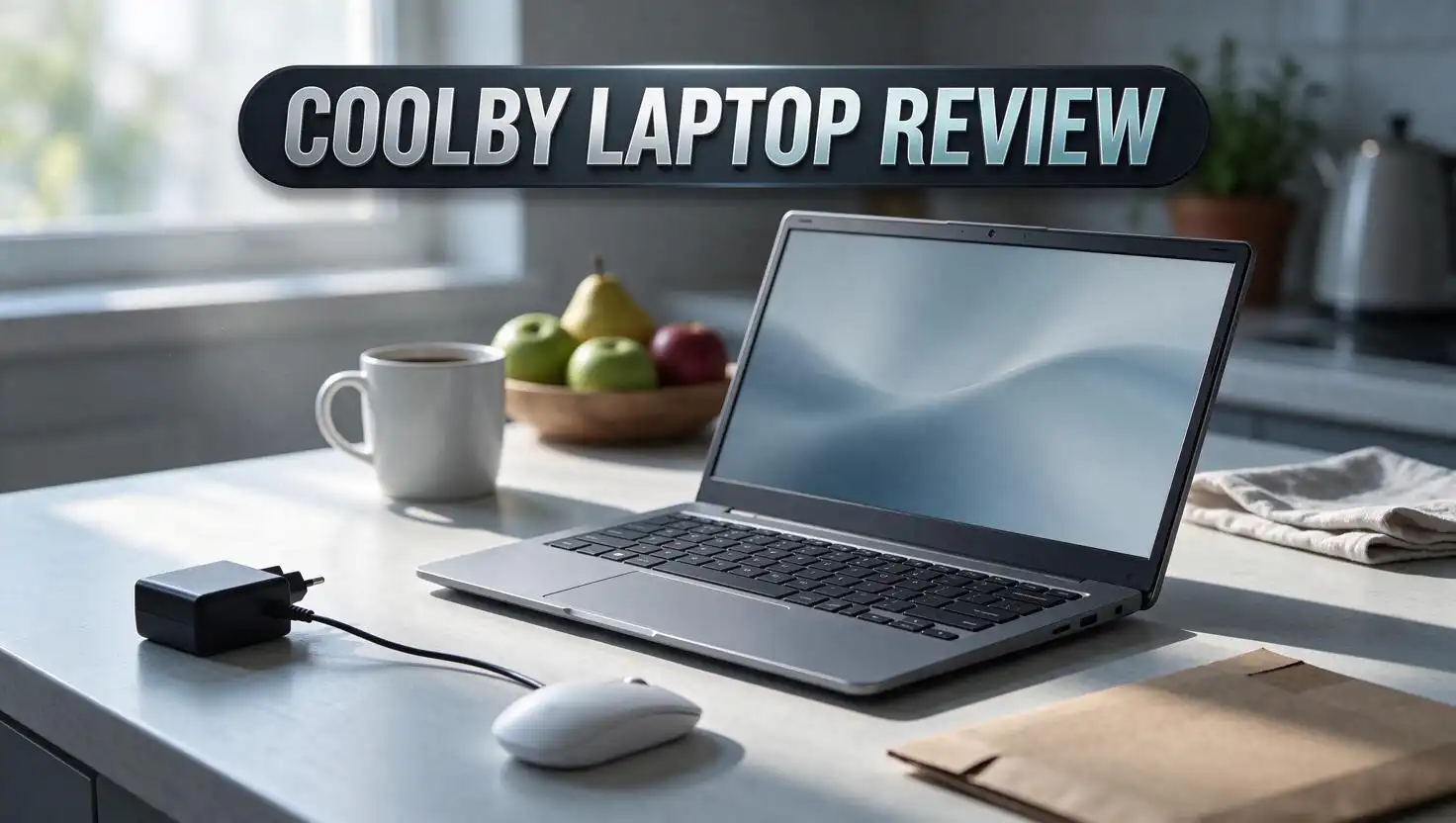
The Coolby 15.6 inch laptop is a budget Windows notebook. Coolby sells it mainly through online stores like Amazon and Walmart. The model we focus on is the RiaBook N100, model number BTC512.
The name can confuse people. Despite the “N100” label, the main version uses an Intel N95 quad core processor. Some listings offer an N100 chip, more RAM, or a bigger SSD. Always check the exact specs on the listing before you buy.
The base version comes with 12GB of DDR4 RAM and a 256GB NVMe SSD. It runs a licensed copy of Windows 11 Pro. That is a nice bonus, since most budget laptops ship with Windows 11 Home or S Mode.
The laptop targets a clear group of buyers. It aims at students, home users, and office workers who need a reliable machine for basic tasks. It does not try to compete with gaming laptops or premium ultrabooks.
The price is the main selling point. The Coolby laptop often sells for around $200 to $300, depending on the deal and configuration. At that price, you usually get 4GB or 8GB of RAM from bigger brands, so 12GB or 16GB stands out.
In the box, you get the laptop, a US power supply, and a user manual. The setup is simple. You charge it, press the power button, and follow the Windows setup screens. Most people can start using it within 15 minutes.
So the big question is simple. Does a low price mean low quality here? Let us look at each part of the laptop to find out.
Key Specs at a Glance
Before we get into the details, here is a quick look at the main specifications. These numbers help you compare the Coolby laptop with other budget models.
Processor: Intel N95 quad core (12th Gen Alder Lake N), up to 3.4GHz, 4 cores, 4 threads, 6MB cache, and 15W power use.
Graphics: Integrated Intel UHD Graphics with 16 execution units.
Memory: 12GB DDR4 RAM in the base model. Some versions come with 16GB.
Storage: 256GB NVMe SSD. Other listings offer 512GB or 1TB.
Display: 15.6 inch Full HD (1920 x 1080) IPS screen with a 16:9 ratio, anti glare coating, and a claimed 100% sRGB color range.
Battery: 38Wh battery (7.6V, 5000mAh).
Ports: One USB 2.0, two USB 3.0, two USB Type C ports, one HDMI port, a 3.5mm headphone jack, a Micro SD slot, and a Kensington lock slot.
Wireless: WiFi 5 and Bluetooth 5.0. Some newer listings mention WiFi 6.
Size and Weight: 14.1 x 9.1 x 0.78 inches, about 3.7 pounds.
Extras: Fingerprint reader, numeric keypad, 2MP webcam with privacy shutter, and Windows 11 Pro.
These specs look strong on paper for a budget laptop. The 12GB of RAM is the clear highlight. It lets you keep more browser tabs and apps open without slowdowns.
The weak spot is the battery size. A 38Wh battery is on the small side. Still, the N95 chip uses very little power, which helps make up for it. We cover battery life in more detail later.
Design and Build Quality
The Coolby laptop has a clean and simple design. It comes in a gray or silver finish that looks modern and plain. There are no flashy logos or bright colors. It looks more expensive than it is.
The body is mostly plastic. That is normal at this price. The lid has some flex if you press hard, but it does not feel cheap in daily use. The hinge opens smoothly and holds the screen steady while you type.
At 0.78 inches thin and 3.7 pounds, the laptop is easy to carry. It is lighter than many 15.6 inch budget laptops. Students can carry it between classes without a heavy backpack.
The bottom panel has vents for airflow. The laptop has a small cooling fan. Under light use, the fan stays quiet, and many users say they barely hear it. Keep the vents clear so the laptop does not get too warm on soft surfaces like beds or couches.
Build durability gets mixed but mostly good feedback. One long time Coolby owner shared that their laptop survived several drops and even a soda spill on the keyboard. That is not a promise for every unit, but it is a good sign.
The screen bezels are fairly thin on the sides. The bottom bezel is thicker, which is common for budget laptops. Overall, the design feels practical and simple.
If you want a premium aluminum body, this is not your laptop. But if you want a light, simple, and good looking machine for school or work, the Coolby design does the job well.
Top 3 Alternative for Coolby Laptop
The Coolby laptop offers great specs for the money. Still, some buyers prefer a well known brand with wider service support. Here are three solid alternatives worth a look.

- Purposeful Design: Travel with ease and look great doing it with the Aspire's 3 thin, light design.
- Ready-to-Go Performance: The Aspire 3 is ready-to-go with the latest AMD Ryzen 3 7320U Processor with...
Last update on 2026-11-26 / Affiliate links / Images from Amazon Product Advertising API
The Acer Aspire 3 is one of the most popular budget laptops. It uses an AMD Ryzen 3 7320U processor, which is faster than the Intel N95 in most tasks. It also has a 15.6 inch Full HD screen and WiFi 6.
The downside is storage. The base model has only 128GB of SSD space and 8GB of RAM. You trade memory and storage for a faster chip and a bigger brand name.

- MULTITASKING MASTER - The IdeaPad 1 is a thin and compact laptop that offers responsive performance and...
- MORE EXPANSIVE DISPLAY - Indulge in a better binging experience by immersing yourself in your favorite...

Last update on 2026-11-26 / Affiliate links / Images from Amazon Product Advertising API
The Lenovo IdeaPad 1 with the Ryzen 5 5500U is a big step up in speed. This six core chip handles multitasking, light photo editing, and heavier office work much better than the Coolby.
It comes with 8GB of RAM and a 512GB SSD. It also has a webcam privacy shutter and Lenovo’s wider support network. It usually costs more than the Coolby, but the extra power can be worth it.

- 14-in HD Display Watch videos and create colorful presentations in excellent, high-definition quality...
- Windows 11 Home in S Mode Experience the most secure Windows ever built. With fast boot times, increased...
Last update on 2026-11-26 / Affiliate links / Images from Amazon Product Advertising API
The HP 14 laptop with the Intel N150 chip is a smaller and lighter choice. The N150 is a newer and slightly faster cousin of the N95. It also supports WiFi 6 and Bluetooth 5.4.
However, it has only 4GB of RAM and 128GB of storage. That makes it best for very light use. Choose this one if portability matters more than multitasking.
Each alternative has strengths. But for pure specs per dollar, the Coolby laptop still stands out.
Display Quality
The display is one of the best parts of the Coolby laptop. It uses a 15.6 inch Full HD IPS panel with a 1920 x 1080 resolution. Many laptops at this price still use dim, low resolution TN screens.
IPS panels offer wide viewing angles. Colors stay accurate even when you look at the screen from the side. This helps when you share the screen with friends or family.
Coolby claims 100% sRGB color coverage. We suggest treating this claim with some caution, as budget panels often fall short of full sRGB. Still, colors look bright and pleasant for movies, YouTube, and photos.
The anti glare coating helps a lot. It reduces reflections from lights and windows. You can work near a window without much trouble, though direct sunlight will still wash out the screen.
Text looks sharp and clear thanks to the Full HD resolution. Reading documents, coding, and browsing feel comfortable for long periods. The 15.6 inch size also gives you enough room to place two windows side by side.
Brightness is decent for indoor use. It works well in classrooms, offices, and homes. Outdoor use is possible in shade but not ideal in bright sun.
The laptop also supports 4K at 60Hz output to an external monitor. That is a great feature for home office setups. You can connect a larger screen and work with more space.
Overall, the display offers excellent value for a budget laptop. It is a clear win over many big brand models in the same price range.
Performance and Speed
The Coolby laptop runs on the Intel N95 processor. This chip belongs to Intel’s 12th Gen Alder Lake N family. It has 4 cores, 4 threads, and a boost speed of up to 3.4GHz.
The N95 is a big upgrade over older Celeron chips like the N4120 and N5095. It feels snappy for daily tasks. Apps open quickly, and Windows 11 runs smoothly.
The 12GB of DDR4 RAM helps a lot. You can open 15 to 20 browser tabs, stream music, and type in Word at the same time. Laptops with only 4GB or 8GB often slow down in this kind of workload.
The NVMe SSD also makes a big difference. The laptop boots in seconds. Files open fast, and programs install quickly.
Here is what the Coolby laptop handles well:
- Web browsing, email, and social media
- Microsoft Office, Google Docs, and online classes
- Zoom, Teams, and Google Meet video calls
- Netflix, YouTube, and other streaming services in Full HD
- Light photo edits and simple casual games
Now for the honest part. The N95 is an entry level chip. It struggles with heavy video editing, 3D design, and modern AAA games. The Intel UHD Graphics can run older or lighter games like Minecraft at low settings, but that is about it.
If you need a laptop for creative work or gaming, look at a Ryzen 5 or Core i5 model instead. For everyday productivity, the Coolby laptop performs better than its price suggests.
Keyboard, Touchpad and Fingerprint Reader
A laptop is only as good as its keyboard for many users. The Coolby laptop includes a full size keyboard with a numeric keypad. This is great for students, accountants, and anyone who works with numbers.
The keys have decent travel and a soft feel. Typing feels comfortable for long essays and reports. Some versions also include a backlit keyboard, which helps when you work in dim rooms. Check the listing to confirm backlighting on your model.
The function keys offer handy shortcuts. You press Fn with F1 to F12 to control volume, media playback, screen brightness, and more. For example, Fn plus F10 turns the touchpad on or off. Fn plus F11 switches airplane mode.
The touchpad is large and responsive. It supports Windows gestures like two finger scrolling and pinch to zoom. It works well for daily use, though it is not as smooth as touchpads on premium laptops.
The fingerprint reader is a standout feature. Very few laptops in this price range include one. It lets you log in to Windows quickly with Windows Hello.
Setting it up is easy. You go to Settings, then Accounts, then Sign in options. Register your finger, and you are done. It saves time and adds an extra layer of security.
Overall, the input devices feel better than expected for a budget laptop. The numeric keypad and fingerprint reader add real daily value.
Ports and Connectivity
The Coolby laptop gives you plenty of ports. Many thin laptops cut ports to save space, but Coolby keeps a wide mix.
Here is what you get:
- One USB 2.0 port for mice and keyboards
- Two USB 3.0 ports for fast file transfers
- Two USB Type C ports
- One HDMI port for monitors and TVs
- One 3.5mm headphone jack
- One Micro SD card slot
- One Kensington lock slot
The two Type C ports are worth a closer look. One port supports PD 3.0 charging only. The other supports charging, data transfer, and video output. This means you can charge the laptop with many USB C phone or laptop chargers, as long as they meet the power needs.
The HDMI port and Type C video output let you connect external displays. You can build a simple dual monitor setup at home. This is great for remote workers.
The Micro SD slot helps you add extra storage cheaply. Photographers and students can move files from cameras or phones with ease.
For wireless, the base model has WiFi 5 and Bluetooth 5.0. WiFi 5 is fast enough for streaming and video calls on most home networks. Some newer Coolby listings include WiFi 6, which offers better speed on crowded networks.
Bluetooth 5.0 connects wireless earbuds, mice, and speakers without trouble. Some versions also include an RJ45 Ethernet port for wired internet.
For a budget laptop, the port selection is one of the best you can find.
Battery Life and Charging
The Coolby laptop has a 38Wh battery. That is smaller than the batteries in many mid range laptops. Still, the Intel N95 chip uses very little power at just 15W.
In light use, you can expect around 5 to 7 hours of battery life. This includes web browsing, document editing, and video streaming at medium brightness. Many users praise the battery life as better than expected.
Heavy use drains it faster. Long video calls, high brightness, and many open apps can cut battery life to about 4 hours. Plan to carry your charger on long days.
Charging is flexible thanks to the USB Type C PD ports. You can use the included power supply or a compatible USB C charger. This is handy if you already own a USB C charger for your phone or tablet.
The Type C charger should support 12V at 3A or 19V at 2A for proper charging. Weaker phone chargers may charge the laptop very slowly or not at all.
Here are some tips to extend battery life:
- Lower the screen brightness when indoors
- Use Windows battery saver mode
- Close apps running in the background
- Keep the charge between 20% and 80% for long term battery health
For students moving between classes, the battery should cover most of a school day with smart use. It is not a true all day battery, but it is solid for the price.
Webcam, Audio and Privacy
Video calls are part of daily life now. The Coolby laptop includes a 2MP webcam. It records clear enough video for Zoom, Teams, and Google Meet.
The image quality is good in bright rooms. In low light, the video gets grainy, which is normal for budget webcams. Sit facing a window or lamp for the best results.
The webcam has a physical privacy shutter. You slide it over the lens to block the camera. A red indicator shows when the camera is covered. This feature gives peace of mind for privacy conscious users.
The webcam sits at the center top of the screen. This placement gives a natural angle during video calls. Some budget laptops place the camera at the bottom, which creates awkward angles.
The built in microphone works fine for calls. People on the other end can hear you clearly in quiet rooms. In noisy places, a headset with a mic works better.
The speakers are the weaker side. They are loud enough for videos and calls in a quiet room. But they lack bass and sound a bit thin at high volume. For music or movies, use headphones or Bluetooth speakers.
The 3.5mm headphone jack and Bluetooth 5.0 make it easy to connect better audio gear. Most users will be happy with that option.
Overall, the webcam and privacy shutter are strong features for the price. The speakers are basic but acceptable.
Software, Bloatware and Security
The Coolby laptop ships with a licensed copy of Windows 11 Pro. Pro includes extra tools like BitLocker drive encryption, Remote Desktop, and better group policy controls. Most budget laptops only come with Windows 11 Home.
Many users like that the laptop comes with very little bloatware. One long time Coolby owner said it was the first laptop they bought without hours of deleting junk apps. That is a refreshing change from many big brand laptops.
However, there is one concern you should know about. A few online reviews claim some Coolby units came with malware or spyware. These claims are not widely confirmed, and other users say their systems were clean after careful checks.
Still, it is smart to be careful with any lesser known brand. Here are simple steps to stay safe:
- Run a full Windows Defender scan on day one
- Check installed apps and remove anything unfamiliar
- Update Windows and all drivers right away
- Consider a fresh Windows 11 reset for full peace of mind
A fresh Windows reset is easy. You go to Settings, then System, then Recovery, and choose Reset this PC. This removes any extra software and gives you a clean start.
The fingerprint reader and webcam shutter add more security. Combined with BitLocker in Windows 11 Pro, the Coolby laptop can be a secure machine with a little setup effort.
Who Should Buy the Coolby Laptop
The Coolby laptop is not for everyone. But it is a great fit for certain buyers. Let us look at who will enjoy it most.
Students are the top match. The laptop handles online classes, research, essays, and Google Classroom with ease. The light weight and fingerprint reader make daily use simple.
Seniors and casual home users will also like it. It is simple to use for email, video calls with family, online shopping, and streaming shows. The large Full HD screen is easy on the eyes.
Remote workers with light workloads can use it well. It runs Microsoft Office, Slack, Zoom, and web based tools without trouble. The HDMI and Type C video output support an external monitor setup.
Families looking for a second computer will find good value here. It works well as a shared laptop for homework and browsing.
Now, who should skip it?
Gamers should look elsewhere. The Intel UHD Graphics cannot handle modern games.
Video editors and designers need more power. A laptop with a Ryzen 5, Core i5, or a dedicated graphics card is a better choice.
Buyers who want strong brand support may prefer Acer, Lenovo, HP, or Dell. Coolby support can be slow, and some users report trouble reaching the manufacturer directly.
If your needs are simple and your budget is tight, the Coolby laptop is a smart and affordable pick.
Pros and Cons
Every laptop has strengths and weaknesses. Here is a clear look at what the Coolby laptop does well and where it falls short.
Pros
- Excellent value for money. You get 12GB or more of RAM and a Full HD IPS screen at a very low price.
- Sharp Full HD IPS display. The screen offers wide viewing angles, good colors, and an anti glare finish.
- Windows 11 Pro included. You get extra security and business tools without paying for an upgrade.
- Fingerprint reader for quick login. This feature is rare in budget laptops and saves time every day.
- Webcam privacy shutter. You can block the camera with a simple slide for added privacy.
- Wide port selection. USB A, dual USB C, HDMI, Micro SD, and a headphone jack cover almost every need.
- USB C PD charging. You can charge the laptop with many compatible USB C chargers.
- Light and thin body. At 3.7 pounds, the laptop is easy to carry all day.
- Full numeric keypad. It helps with data entry, spreadsheets, and math work.
Cons
- Entry level processor. The Intel N95 struggles with heavy multitasking, video editing, and gaming.
- Small 38Wh battery. Battery life is decent but not truly all day under heavy use.
- Weak speakers. Audio sounds thin and lacks bass.
- Lesser known brand. Customer support can be slow, and long term reliability is less proven.
- Mixed reports about preinstalled software. A few users raised security concerns, so a fresh check is wise.
- Confusing product names. Listings use names like “N100” even when the chip is an N95.
Overall, the pros clearly outweigh the cons for budget buyers. Just know the limits before you buy.
Tips Before You Buy the Coolby Laptop
Buying from a lesser known brand takes a bit more care. These simple tips will help you get the best experience from your Coolby laptop.
Check the exact configuration. Coolby sells many versions with different chips, RAM, and storage. Some have the N95, some the N100, and older ones the N4120 or N5095. Always read the full spec list before ordering.
Pick the N95 or N100 version. These newer chips are much faster than older Celeron chips. The price difference is usually small, so the upgrade is worth it.
Choose more storage if you can. A 256GB SSD fills up fast with photos, videos, and apps. If you store many files, go for 512GB or 1TB. You can also use the Micro SD slot for extra space.
Buy from a seller with good returns. Most listings offer a 30 day return or replacement window. Test the laptop fully during this time. Check the screen, keyboard, ports, webcam, and battery.
Run security checks on day one. Scan with Windows Defender and review installed apps. A clean Windows reset is the safest option if you have doubts.
Register your purchase details. Save your order number and receipt. Coolby support usually works through the seller, so this information helps if issues come up.
Consider a protection plan. Since the brand is less proven, an extra warranty plan from the store can give you peace of mind.
These steps take little time. But they help you avoid most problems and enjoy your new laptop with confidence.
Final Verdict: Is the Coolby Laptop Worth It?

- 【2023 Intel Chip】Intel started Processor N95 in 2023. It has 4 cores and 4 threads, and is based on...
- 【1080P IPS Display & Big Memory】RiaBook adopts a 15.6inch FHD(1920*1080) high-resolution screen...
Last update on 2026-11-26 / Affiliate links / Images from Amazon Product Advertising API
After looking at every part of this laptop, the answer is clear. The Coolby laptop is worth it for budget buyers with simple needs.
It delivers features you rarely see at this price. The Full HD IPS screen, 12GB or 16GB of RAM, fingerprint reader, webcam shutter, and Windows 11 Pro make it a strong value pick. Many big brand laptops at the same price feel weaker in comparison.
The Intel N95 processor handles daily tasks smoothly. Browsing, office work, online classes, and streaming all run well. The fast NVMe SSD keeps the system feeling quick.
The laptop has clear limits. It is not for gaming, video editing, or heavy creative work. The battery is small, and the speakers are basic. Brand support is also weaker than what you get from Acer, Lenovo, or HP.
The security concern deserves attention too. Most users report clean systems. Still, a quick scan or fresh Windows reset is a smart step for any new laptop from a lesser known brand.
Our rating: 4.2 out of 5 stars.
If you want the most specs per dollar, the Coolby laptop is a great choice. If you prefer a trusted brand with wider support, consider the Acer Aspire 3 or Lenovo IdeaPad 1 instead.
For students, seniors, families, and light remote workers, this laptop offers real value without breaking the bank.
Frequently Asked Questions
Is Coolby a good laptop brand?
Coolby is a lesser known budget brand. Its laptops offer strong specs for the price and get mostly positive user reviews. However, customer support is less reliable than big brands.
What processor does the Coolby laptop use?
The main model uses the Intel N95 quad core processor with speeds up to 3.4GHz. Other versions use the Intel N100, N5095, N4120, or Core 6500Y chips.
Can the Coolby laptop run games?
It can run light games like Minecraft or older titles at low settings. It cannot handle modern AAA games because it uses basic Intel UHD Graphics.
How long does the Coolby laptop battery last?
The 38Wh battery lasts around 5 to 7 hours with light use. Heavy use like long video calls can drop it to about 4 hours.
Does the Coolby laptop come with Windows 11 Pro?
Yes. Most Coolby laptops ship with a licensed copy of Windows 11 Pro. Some listings also bundle Microsoft Office.
Is the Coolby laptop safe to use?
Most users report clean systems with little bloatware. A few reviews raised malware concerns. To be safe, run a security scan or reset Windows when you first set it up.
Can I charge the Coolby laptop with a USB C charger?
Yes. The laptop supports PD 3.0 charging through its USB Type C ports. The charger should provide 12V at 3A or 19V at 2A.
Can I connect the Coolby laptop to an external monitor?
Yes. You can use the HDMI port or the Type C port with video output. The laptop supports external displays up to 4K at 60Hz.
Is the Coolby laptop good for students?
Yes. It is a great choice for students. It handles online classes, research, writing, and video calls well, and it is light enough to carry all day.
Does the Coolby laptop have a backlit keyboard?
Some versions include a backlit keyboard, but not all. Check the product listing to confirm this feature before you buy.

Dillip is the founder and editor of dillip.net, a passionate tech enthusiast and AI explorer dedicated to simplifying the world of artificial intelligence and technology for everyday users. With a keen eye for detail, he provides honest reviews, in-depth comparisons, and practical guides to help readers make smarter tech decisions.