Jumper EZbook X16 Review: Budget 16 Inch Laptop Worth It?
Do you want a big screen laptop that doesn’t cost a fortune? The Jumper EZbook X16 says it can give you that. It has a 16 inch screen, 16GB of RAM, and a 512GB SSD, and it usually sells for far less than big brand laptops.
The question is whether a cheap laptop like this holds up in daily use. In this review, we look at the screen, speed, battery, keyboard, and more. By the end, you will know if this laptop is right for you.
In a Nutshell
Short on time? Here is the quick summary of the Jumper EZbook X16.
- Big 16 inch FHD+ screen: The laptop uses a 1920 x 1200 IPS panel with a 16:10 aspect ratio. You get more vertical space than a normal 1080p screen. That helps with documents, spreadsheets, and web pages.
- Intel N100 quad core chip: The processor has four cores and boosts up to 3.4GHz. It handles browsing, Office apps, streaming, and video calls well. It is not meant for heavy gaming or 4K video editing.
- 16GB RAM and 512GB SSD: Most budget laptops ship with 4GB or 8GB of RAM. This one has 16GB, so it handles many browser tabs without slowing down much. The SSD boots Windows 11 quickly.
- 38Wh battery: Jumper lists up to about 11 hours of battery life. In real use, expect around 6 to 8 hours of light work. That is enough for a school day or a work shift.
- Family friendly extras: You get four stereo speakers, a full numeric keypad, dual band WiFi, and a light, slim body. These extras add real value at this price.
- Best for students and home users: This laptop suits people who need a big, cheap machine for everyday tasks. Power users and gamers should look elsewhere.
Jumper EZbook X16

- 【Powerful 12th Generation Processors】 Laptop is equipped with N100 processor, turbocharged to 3.4GHz...
- 【Mass Storage】Jumper laptop computer is equipped with 16GB RAM (DDR4), 512GB high-speed SSD, giving...
Last update on 2026-11-23 / Affiliate links / Images from Amazon Product Advertising API
The Jumper EZbook X16 is a budget Windows 11 laptop from Shenzhen Jumper Technology. Jumper has made affordable laptops and tablets for years. Its EZbook line is known for giving good specs at low prices.
The X16 is one of Jumper’s largest laptops. It uses a 16 inch IPS display with a sharp 1200p resolution. Inside is an Intel N100 processor from the Alder Lake N family. This chip is efficient and runs cool.
Jumper pairs the chip with 16GB of RAM and a 512GB SSD. That is a smart pairing. RAM often limits cheap laptops, and this one avoids that problem. Depending on the listing, the RAM may be DDR4 or DDR5.
The laptop targets a clear group of buyers. Students, remote workers, seniors, and families are the main audience. These users want a big screen for daily tasks and don’t need gaming power.
Price is the biggest selling point. The X16 often sells for a fraction of what a big brand 16 inch laptop costs. Sales and coupons can push the price even lower.
Of course, a low price means some trade offs. The build uses plastic, the webcam is basic, and the chip has limits. We cover each of these points below, so keep reading for the full picture.
Key Specifications at a Glance
Before we get into the details, here is the spec sheet. Specs can change slightly between sellers and batches, so always check the listing before you buy.
| Feature | Jumper EZbook X16 |
|---|---|
| Processor | Intel N100, 4 cores, up to 3.4GHz |
| Graphics | Intel UHD Graphics |
| RAM | 16GB (DDR4 or DDR5 by version) |
| Storage | 512GB SSD |
| Display | 16 inch IPS, 1920 x 1200, 16:10 |
| Battery | 38Wh, up to about 11 hours claimed |
| Audio | Four stereo speakers |
| Wireless | Dual band WiFi (2.4GHz and 5GHz), Bluetooth |
| Keyboard | Full size with numeric keypad |
| OS | Windows 11 Home |
The Intel N100 is the heart of the laptop. It has a very low power rating of about 6 watts. That low power use helps battery life and keeps the laptop cool.
The 16GB of RAM stands out. Many laptops in this price range still ship with 8GB or less. Extra RAM lets you keep more apps and tabs open at once.
The 512GB SSD gives you plenty of room for files, photos, and apps. It is also much faster than the old eMMC storage found in some cheap laptops. You will notice this in quick boot times and snappy app launches.
The display has a 16:10 aspect ratio. That means the screen is a bit taller than a standard widescreen. It shows more lines of text, which helps with work and study.
Overall, the spec sheet looks strong for the money. The real test is how these parts work together, and we look at that next.
Design and Build Quality
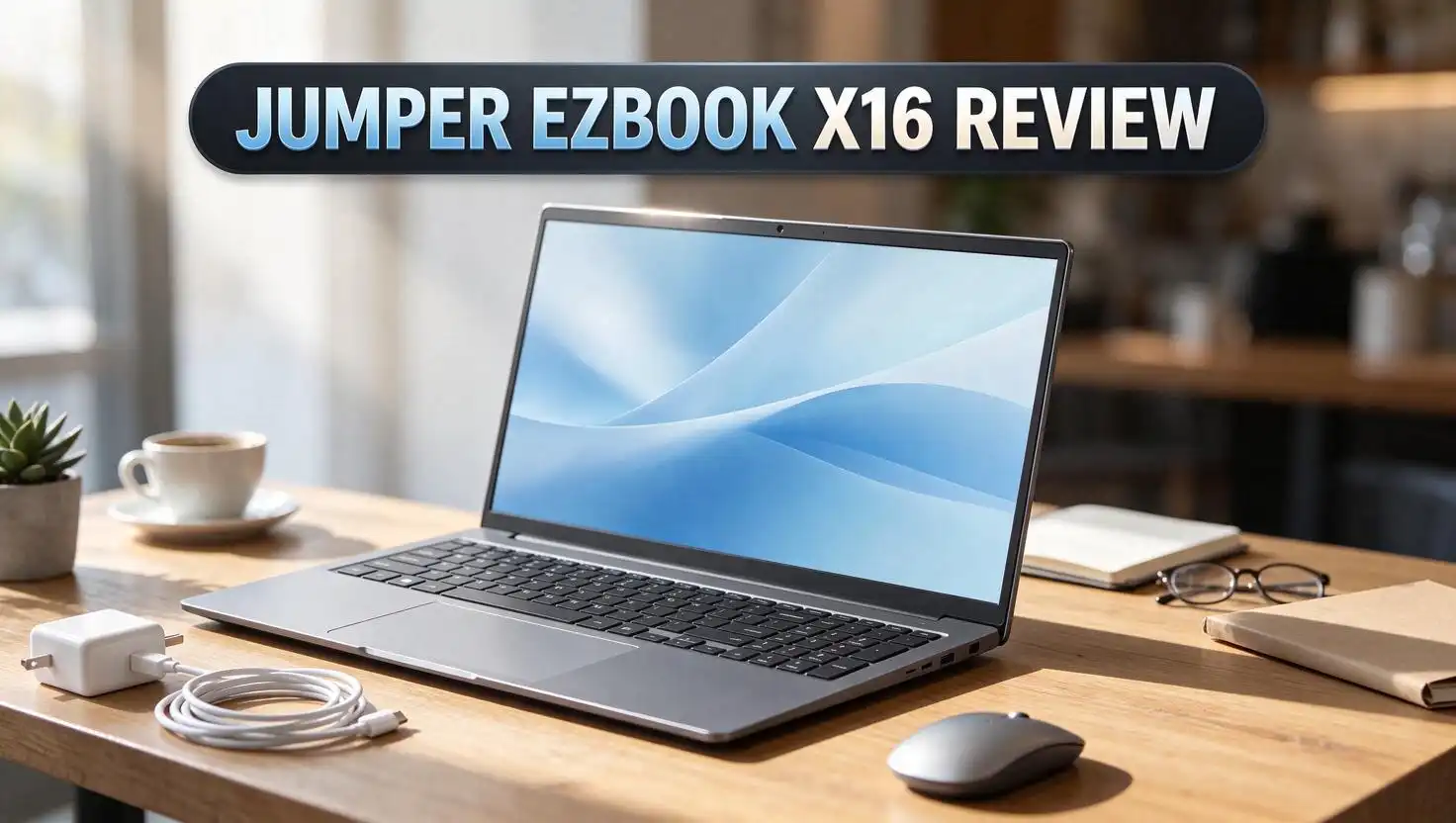
The Jumper EZbook X16 has a simple, clean look. It comes in a gray or silver finish. The lid has a minimal design with a small logo.
The body is mostly plastic. This keeps the cost and weight down. The laptop weighs around 3.5 pounds, which is light for a 16 inch machine. You can carry it in a backpack without much strain.
The chassis feels solid enough for daily use. There is some flex in the keyboard deck if you press hard. The lid also bends a little when you twist it. This is normal at this price point.
The bezels around the screen are fairly thin on the sides. This gives the laptop a modern look. The top bezel holds the webcam, and the bottom bezel is a bit thicker.
The hinge opens smoothly. It holds the screen in place well during typing. You can usually open the lid with one hand, which is a nice touch.
The laptop is slim too. It slides into most laptop bags and sleeves made for 15.6 or 16 inch laptops. Cooling vents sit on the bottom and side to keep air moving.
Treat it with normal care, and it should last. Don’t toss it around like a rugged business laptop, though. A cheap sleeve will help protect it during travel.
In short, the design is practical and tidy. It won’t win awards, but it looks good on a desk or in a classroom.
Top 3 Alternative for Jumper EZbook X16
The Jumper EZbook X16 offers great value, but it is not the only choice. Here are three laptops from big brands that are worth a look. Each one has its own strengths.

- Purposeful Design: Travel with ease and look great doing it with the Aspire's 3 thin, light design.
- Ready-to-Go Performance: The Aspire 3 is ready-to-go with the latest AMD Ryzen 3 7320U Processor with...
Last update on 2026-11-23 / Affiliate links / Images from Amazon Product Advertising API
The Acer Aspire 3 is a popular budget laptop from a trusted brand. It uses an AMD Ryzen 3 7320U chip with Radeon graphics. This chip is a bit faster than the Intel N100 in many tasks.
It has a 15.6 inch Full HD screen and WiFi 6. The base model comes with 8GB of RAM and 128GB of storage, which is less than the Jumper. Pick this if you want a known brand and better support.

- 15.6” NANOEDGE DISPLAY — Super slim bezel design with a smooth 60Hz refresh rate, vibrant 45% NTSC...
- AMD Ryzen 5 7520U PROCESSOR — Designed for thin laptops, this processor gives you fast performance for...
Last update on 2026-11-23 / Affiliate links / Images from Amazon Product Advertising API
The ASUS Vivobook Go 15 is another strong option. This version uses an AMD Ryzen 5 7520U chip with 8GB of RAM and a 512GB SSD. It offers more processing power than the N100.
ASUS adds military grade durability testing, a webcam shield, and fast charging. The screen is 15.6 inches, so it is slightly smaller than the X16. It suits students who want a tougher build.

- Web vision Including Word, Excel, OneNote, Outlook, PowerPoint, Publisher, Access
Last update on 2026-11-23 / Affiliate links / Images from Amazon Product Advertising API
The Lenovo IdeaPad Slim 3 is the most powerful pick here. It has an AMD Ryzen 7 5825U with eight cores, 16GB of RAM, and a 512GB SSD. It also has a 15.6 inch FHD touchscreen.
This laptop handles heavier multitasking with ease. It costs more than the Jumper, but the speed boost is clear. Choose it if performance matters more than price.
Display Quality
The screen is one of the best parts of the Jumper EZbook X16. It is a 16 inch IPS panel with a resolution of 1920 x 1200. That works out to about 141 pixels per inch.
Text looks sharp at normal viewing distance. Icons and photos look clear. The IPS panel also gives you wide viewing angles. Colors don’t wash out when you look from the side.
The 16:10 aspect ratio is a real bonus. You see more of a web page or document without scrolling. Spreadsheet users will love the extra rows. Once you try a 16:10 screen, it is hard to go back.
Brightness is fine for indoor use. Offices, classrooms, and living rooms are no problem. In direct sunlight, the screen can be hard to see. Most budget panels have this issue.
Color accuracy is decent for everyday use. Movies and YouTube videos look pleasant. It is not a pro grade screen for photo editing. Creators who need exact colors should look at pricier models.
The screen has a matte or semi matte finish on most units. This helps cut down on glare from lights and windows. It is not a touchscreen, so you will use the touchpad or a mouse.
Overall, the display gives great value. Big, sharp, and comfortable are the right words for it. For streaming, reading, and work, it does the job very well.
Performance with the Intel N100
The Intel N100 powers the Jumper EZbook X16. It is a quad core, four thread chip built on Intel’s Alder Lake N design. It boosts up to 3.4GHz.
This chip is built for efficiency over raw power. It handles everyday tasks smoothly. Web browsing, email, Microsoft Office, Google Docs, and Zoom calls all run well.
Streaming is also easy. The chip supports hardware video decoding, so Netflix and YouTube play smoothly in Full HD. The fan stays quiet during most of these tasks.
The N100 is a big step up from older Celeron chips like the N4020 or N4120. Many users notice faster app launches and less lag. For basic users, it feels quick and responsive.
There are limits, though. Heavy tasks push this chip hard. Video editing, 3D design, and modern AAA games are not a good fit. Large photo edits in Photoshop will feel slow.
Light gaming is possible. Older titles, indie games, and browser games can run at low settings. Games like Minecraft or Stardew Valley are playable with tweaks.
Multitasking is better than you might expect. That is thanks to the 16GB of RAM. You can keep a dozen browser tabs open while you stream music.
Windows 11 runs smoothly on this setup. Keep the system updated and avoid too many startup apps. That simple habit keeps the laptop feeling fast over time.
Memory and Storage
Memory is where the Jumper EZbook X16 beats many rivals. It ships with 16GB of RAM. Most laptops at this price come with 4GB or 8GB.
Why does this matter? Windows 11 and modern browsers use a lot of memory. Chrome alone can eat several gigabytes with many tabs open. With 16GB, the laptop stays smooth under normal loads.
Students who research with many tabs will notice the difference. Office workers who run Teams, Outlook, and Excel together will also benefit. More RAM means less waiting and fewer slowdowns.
Storage is a 512GB SSD. That is plenty of room for most users. You can store thousands of photos, many documents, and a good number of apps.
The SSD also speeds things up. Windows boots in seconds. Apps open fast. File transfers are quick compared to old hard drives or eMMC chips.
Some versions of the X16 include an extra SSD slot or a microSD card slot. This lets you add more storage later. Check the listing for your version to confirm what it supports.
The RAM is usually soldered to the board. That means you can’t upgrade it later. Luckily, 16GB is enough for the tasks this laptop is built for.
In short, memory and storage are strong points. They give the X16 an edge over many budget laptops from bigger brands.
Keyboard, Touchpad, and Speakers
The Jumper EZbook X16 has a full size keyboard with a numeric keypad. The big 16 inch body makes room for it. This is great news for anyone who works with numbers.
The keys have decent travel for a thin laptop. Typing feels comfortable for long essays or reports. The layout is standard, so you won’t need time to adjust.
Some versions include a backlit keyboard, but not all do. Check the listing if you type in the dark often. A backlit keyboard makes night typing much easier.
The touchpad is large and smooth. It supports Windows gestures like two finger scrolling and three finger swipes. Tracking is accurate for daily use. The click is a bit loud, which is common on budget models.
Audio is a surprise. The laptop has four stereo speakers. Most cheap laptops only have two. The sound is louder and fuller than you might expect.
Music, podcasts, and movies sound clear. Voices in video calls come through well. Bass is light, so use headphones or a speaker for deep sound.
The webcam is basic. It is fine for Zoom classes and team meetings in good light. In dim rooms, the image gets grainy. A cheap external webcam is a good upgrade if you take many calls.
Overall, the input and audio setup is solid. The numeric keypad and four speakers are standout features at this price.
Battery Life and Charging
The Jumper EZbook X16 has a 38Wh battery. Jumper claims up to about 11 hours of use. Real results depend on what you do and how bright the screen is.
With light tasks, expect around 6 to 8 hours. That includes browsing, writing documents, and watching some videos. Lower screen brightness helps stretch the battery further.
The Intel N100 helps a lot here. Its low power design uses very little energy during simple tasks. That is why this laptop lasts longer than older budget models.
Heavy use drains the battery faster. Long video calls, high brightness, and many open apps can cut runtime to around 4 or 5 hours. Keep the charger handy on busy days.
Charging is simple. The laptop comes with a compact charger. Many versions support fast charging, so a short top up gives you a few hours of use.
Some versions charge through a barrel port, while others support USB Type C. Check your model so you know which charger to carry. A Type C model lets you share chargers with your phone or tablet.
Here are a few tips to get more battery life. Use Windows battery saver mode. Lower the screen brightness. Close apps you don’t use.
Overall, the battery life is good for a 16 inch budget laptop. It covers a school day or a short work shift without trouble.
Ports and Connectivity
The Jumper EZbook X16 offers a useful mix of ports. The exact layout can vary by version. Most units include the following:
- USB 3.0 ports for fast file transfers and accessories
- HDMI or mini HDMI to connect a monitor or TV
- USB Type C on some versions for data or charging
- microSD card slot for extra storage or camera cards
- 3.5mm headphone jack for wired headphones and headsets
This setup covers most daily needs. You can plug in a mouse, a flash drive, and an external monitor at the same time. An external monitor turns this laptop into a nice home office setup.
For wireless, the laptop has dual band WiFi. It connects to both 2.4GHz and 5GHz networks. The 5GHz band gives faster speeds and less interference at home.
Bluetooth is also built in. You can pair wireless earbuds, mice, keyboards, and speakers. The Bluetooth version is older on some units, but it works fine for basic devices.
There is no Ethernet port. If you need a wired connection, a cheap USB to Ethernet adapter solves this. Most users will be happy with WiFi alone.
There is no Thunderbolt support. That is normal at this price. It only matters if you use high end docks or fast external drives.
In short, the ports are practical and cover the basics. Students and home users will find everything they need.
Pros and Cons
Every laptop has strengths and weak spots. Here is a clear look at what the Jumper EZbook X16 does well and where it falls short.
Pros
- Large 16 inch FHD+ IPS screen with a 16:10 ratio that shows more content and looks sharp.
- 16GB of RAM, which is rare at this price and keeps multitasking smooth.
- 512GB SSD that gives fast boot times and plenty of storage space.
- Efficient Intel N100 chip that handles daily tasks well and runs cool and quiet.
- Four stereo speakers that sound louder and fuller than most budget laptops.
- Full numeric keypad, which is great for spreadsheets, accounting, and data entry.
- Light and slim body for a 16 inch laptop, so it is easy to carry.
- Very low price compared to big brand laptops with similar specs.
Cons
- Plastic build shows some flex in the lid and keyboard deck.
- Not built for gaming or heavy creative work like video editing.
- Basic webcam that struggles in low light.
- RAM is soldered, so you can’t upgrade it later.
- Screen brightness is average and hard to use in direct sunlight.
- Less known brand with limited service centers and support compared to big names.
- Specs vary by listing, so you need to check details before buying.
The pros clearly outweigh the cons for the target buyer. If you need a big screen for everyday work, the trade offs are easy to accept. If you need power or premium build quality, you should spend more.
Who Should Buy the Jumper EZbook X16
The Jumper EZbook X16 is not for everyone. It fits some users very well and others not at all. Here is a simple guide.
Students are a great match. The big screen makes research and writing easy. The 16GB of RAM handles many tabs. The low price fits a student budget.
Remote workers and office users will also like it. It runs Microsoft Office, Google Workspace, Zoom, and Teams well. The numeric keypad helps with spreadsheets and data entry.
Seniors and casual users will enjoy the large screen. Text and icons are easy to see. Simple tasks like email, video calls with family, and browsing feel smooth.
Families can use it as a shared home laptop. It works for homework, streaming, online shopping, and paying bills. It is a solid, cheap second computer for the house.
Now, who should skip it? Gamers need a laptop with a dedicated graphics card. The N100 can’t run modern games well.
Content creators should look elsewhere too. Video editing, 3D rendering, and heavy photo work need a stronger CPU and better screen.
Business users who need premium support may prefer Dell, HP, or Lenovo. These brands offer onsite repair plans and wide service networks.
In short, buy the X16 if you want a big screen and good value for daily tasks. Skip it if you need power, premium build, or brand support.
Final Verdict
So, is the Jumper EZbook X16 worth buying? For the right person, the answer is yes.
This laptop gives you a big, sharp 16 inch screen at a very low price. The 16:10 display is comfortable for work, study, and streaming. Few budget laptops offer this much screen space.
The 16GB of RAM and 512GB SSD are the real heroes. They keep the laptop fast and smooth for daily tasks. Many bigger brands give you half the RAM for the same money.
The Intel N100 is a good fit for this machine. It balances performance and battery life well. It handles Office, browsing, and video with ease. It is not a gaming or editing chip, and that is fine for most buyers.
Extras like four speakers and a numeric keypad add even more value. These are features you usually find on pricier laptops.
The downsides are clear and expected. The plastic build, basic webcam, and average brightness show where Jumper saved money. Brand support is also more limited than with big names.
Our take is simple. If you want a cheap, large screen laptop for everyday work, the Jumper EZbook X16 is a smart pick. If you need more speed, look at the Lenovo IdeaPad Slim 3 or ASUS Vivobook Go.
Overall, the X16 gives great value for money. It shows that a budget laptop can still feel good to use every day.
Frequently Asked Questions
Is the Jumper EZbook X16 good for students?
Yes, it is a great choice for students. The big screen, 16GB of RAM, and long battery life suit schoolwork well. It handles research, essays, and online classes with ease.
Can the Jumper EZbook X16 run games?
It can run light and older games at low settings. Titles like Minecraft and indie games are playable. Modern AAA games will not run well because the laptop has no dedicated graphics card.
How long does the battery last?
Jumper claims up to about 11 hours. In real use, expect around 6 to 8 hours of light work. Heavy tasks and high brightness will shorten that time.
Can I upgrade the RAM on the Jumper EZbook X16?
In most versions, the RAM is soldered and can’t be upgraded. The good news is that 16GB is enough for everyday tasks. Some versions let you add storage through an extra slot or a microSD card.
Does the Jumper EZbook X16 have a touchscreen?
No, the standard X16 does not have a touchscreen. It uses a regular IPS display. Jumper sells separate 2 in 1 models if you want touch support.
Does it come with Windows 11?
Yes, the laptop ships with Windows 11 Home already installed. You can set it up and start using it right away.
Is Jumper a reliable laptop brand?
Jumper is a Chinese brand that has made budget laptops for years. Many buyers rate its laptops well for the price. Support is more limited than with Dell or HP, so keep your receipt and warranty details safe.
Can I connect the Jumper EZbook X16 to an external monitor?
Yes, most versions have an HDMI or mini HDMI port. You can connect a monitor or TV for a bigger workspace. This makes it a nice option for home office use.

Dillip is the founder and editor of dillip.net, a passionate tech enthusiast and AI explorer dedicated to simplifying the world of artificial intelligence and technology for everyday users. With a keen eye for detail, he provides honest reviews, in-depth comparisons, and practical guides to help readers make smarter tech decisions.