Kuu Yepbook Review: Budget 15.6 Inch Laptop Worth Buying?
Looking for a cheap laptop that still looks nice? The Kuu Yepbook shows up on many budget lists. It has a big Full HD screen, a metal body, and a 512GB SSD. It also sells for much less than most big brand laptops.
But a low price always comes with trade offs. Is this laptop a smart buy or a mistake? In this review, we cover design, speed, battery life, and support. Read on before you spend a single dollar.
In a Nutshell
Here is a quick summary of the Kuu Yepbook for busy readers:
- Budget Price With Premium Looks: The Kuu Yepbook usually sells for around $300 to $380. It has a slim metal body that looks more expensive than it is. Many buyers say it looks like a laptop that costs twice as much.
- Good Screen for the Money: You get a 15.6 inch Full HD IPS display with a 1920 x 1080 resolution. Text looks sharp and colors look decent. It works well for movies, browsing, and school work.
- Basic Performance Only: The Intel Celeron N5095 chip handles light tasks well. Browsing, documents, and video streaming run fine. Heavy games and video editing will slow it down.
- Useful Extras: The laptop has a fingerprint reader, a backlit keyboard, and a hinge that opens to 180 degrees. These features are rare at this price.
- Weak After Sales Support: Some owners report slow replies from support. Replacement chargers and hinges are hard to find. This is the biggest risk with this brand.
- Best for Light Users: Students, seniors, and home users will get good value. Gamers, coders, and creators should look elsewhere.
Kuu Yepbook: Quick Overview
No products found.
The Kuu Yepbook is a budget laptop from KUU, a Chinese brand. KUU sells laptops, mini PCs, and tablets through Amazon and its own store. The Yepbook is one of its most popular models.
The laptop comes in a few versions. You can find it with 8GB, 12GB, or 16GB of RAM. Most versions come with a 512GB SSD, and some offer up to 1TB. All versions use the same Intel Celeron N5095 processor.
Here are the main specs at a glance:
- Processor: Intel Celeron N5095, 4 cores, up to 2.9GHz
- Graphics: Intel UHD Graphics
- Display: 15.6 inch Full HD IPS, 1920 x 1080
- RAM: 8GB, 12GB, or 16GB depending on version
- Storage: 512GB SSD with TF card slot
- Battery: About 34Wh to 38Wh, rated for up to 8 hours
- Weight: About 1.6kg to 1.7kg (around 3.7 pounds)
- Operating System: Windows 11 Pro
The spec sheet looks strong for the price. Most laptops at $300 come with 4GB of RAM and slow eMMC storage. The Yepbook gives you much more memory and a real SSD.
The box includes the laptop, a power adapter, a user manual, and keyboard protector films in many languages. KUU also offers a one year warranty. Support usually happens through the Amazon platform.
So who is this laptop for? It targets people who want a big screen and fast storage on a tight budget. It is not a gaming machine. It is a simple, everyday laptop with a few nice extras.
Design and Build Quality
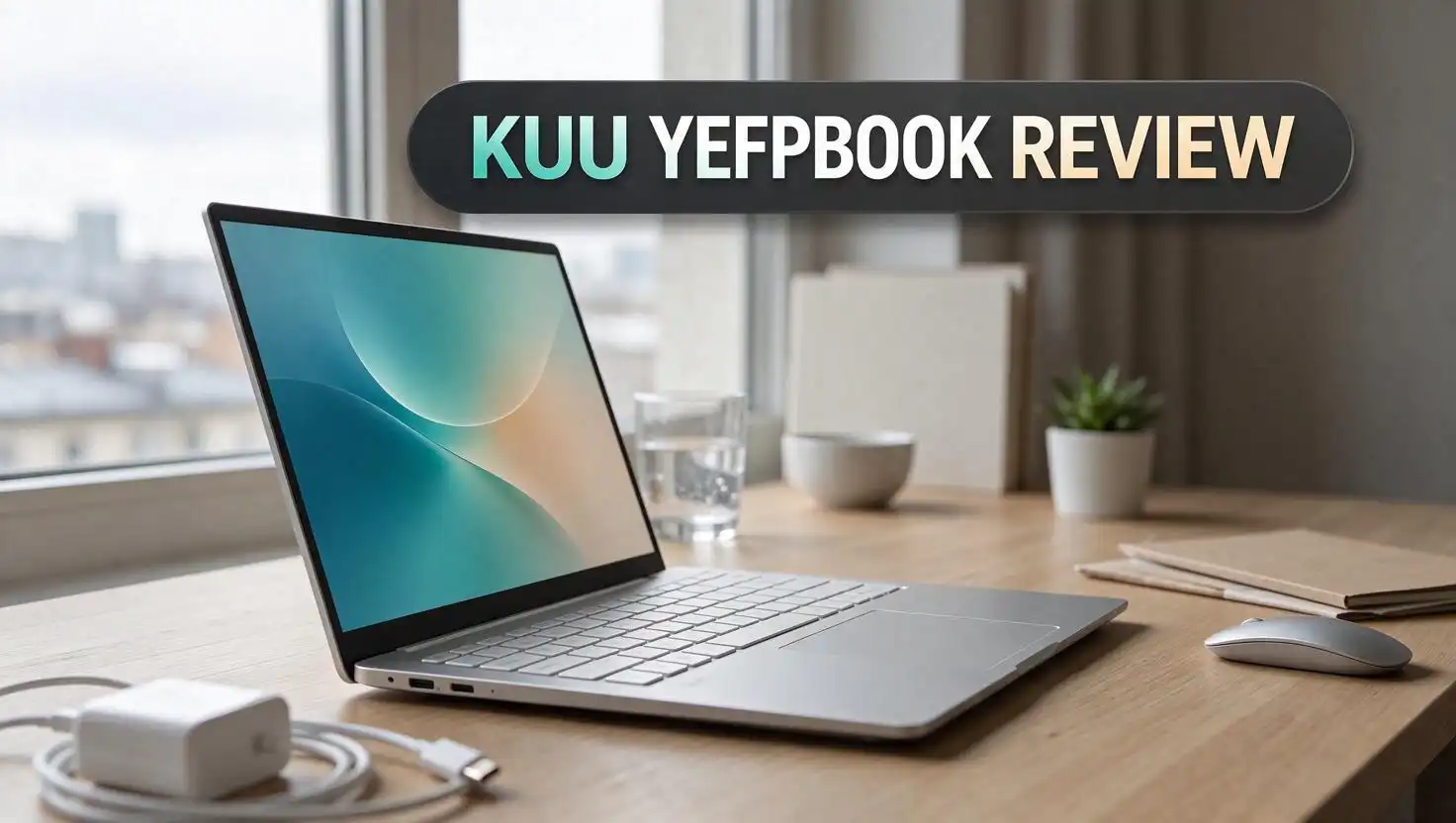
The first thing you notice is the look. The Kuu Yepbook has a metal casing with a clean, silver finish. It looks a lot like a premium ultrabook from a distance. Many buyers say this was the main reason they picked it.
The laptop is about 20mm thick. It weighs around 1.6kg to 1.7kg. That is light for a 15.6 inch laptop. You can carry it in a backpack all day without much strain.
The bezels around the screen are fairly thin. This gives the display a modern look. The footprint is about 358mm wide and 210mm deep. It fits on most desks and school tables with ease.
One fun feature is the 180 degree hinge. You can open the screen all the way flat. This helps when you share your screen with someone across a table. It also helps when you use the laptop on your lap or in bed.
However, the hinge is also a weak point. Some owners report hinge problems after months of use. Replacement hinges are hard to find. You should open and close the lid gently to make it last longer.
The keyboard deck feels firm for the price. There is some flex if you press hard in the middle. This is normal for laptops in this class.
Overall, the build is better than expected at this price. The metal body feels nicer than the plastic shells on many cheap laptops. Just treat the hinge with care, and the laptop should serve you well.
Display Quality
The screen is one of the best parts of the Kuu Yepbook. It uses a 15.6 inch IPS panel with a Full HD resolution of 1920 x 1080. Many laptops at this price still use blurry 1366 x 768 screens. The Yepbook is a clear step up.
IPS panels offer good viewing angles. You can look at the screen from the side, and colors stay stable. This makes it great for watching shows with a friend. The 16:9 ratio is perfect for YouTube and Netflix.
Text looks sharp on this display. Reading web pages and documents feels comfortable. You can open two windows side by side and still read both clearly. This helps students who write papers while doing research.
Brightness is average. The screen works well indoors and in shady spots. Direct sunlight is a problem. The glossy finish can pick up reflections, so outdoor use is not ideal.
Color accuracy is fine for normal use. Photos and videos look pleasant. However, this screen is not made for professional photo editing. Designers will want a panel with wider color coverage.
The thin bezels help the screen feel bigger. The display takes up most of the lid. This makes the laptop feel modern and immersive.
In short, the display gives great value for the money. It is sharp, wide, and easy on the eyes. For streaming, browsing, and office work, it does the job very well.
Top 3 Alternative for Kuu Yepbook
The Kuu Yepbook is a good deal, but it is not the only option. Some buyers want a bigger brand name or better support. Others want more speed. Here are three solid alternatives worth a look.

- Purposeful Design: Travel with ease and look great doing it with the Aspire's 3 thin, light design.
- Ready-to-Go Performance: The Aspire 3 is ready-to-go with the latest AMD Ryzen 3 7320U Processor with...
Last update on 2026-11-26 / Affiliate links / Images from Amazon Product Advertising API
The Acer Aspire 3 is a strong pick for people who want more power. It uses an AMD Ryzen 3 7320U chip with AMD Radeon graphics. It also has a 15.6 inch Full HD screen and WiFi 6. It feels faster than the Yepbook in daily tasks. The downside is the smaller 128GB SSD, so you may need extra storage.

- MULTITASKING MASTER - The IdeaPad 1 is a thin and compact laptop that offers responsive performance and...
- MORE EXPANSIVE DISPLAY - Indulge in a better binging experience by immersing yourself in your favorite...

Last update on 2026-11-26 / Affiliate links / Images from Amazon Product Advertising API
The Lenovo IdeaPad 1 is a great middle ground. It has an AMD Ryzen 5 5500U processor, 8GB of RAM, and a 512GB SSD. It also offers a 720p webcam with a privacy shutter. This is a big upgrade over the Yepbook’s basic camera. Lenovo also has a wide service network, which gives peace of mind.
No products found.
The HP 14 Laptop is the pick for people on the tightest budget. It uses an Intel Celeron N4020 chip with 4GB of RAM and 64GB of storage. It is smaller and lighter, with a 14 inch screen. It is slower than the Yepbook, but it comes from a trusted brand with easy support.
So which one should you choose? Pick the Acer for speed, the Lenovo for balance, and the HP for simple, cheap computing. If you want the most RAM and storage for the price, the Yepbook still stands out.
Performance and Processor
The Kuu Yepbook runs on the Intel Celeron N5095. This chip has 4 cores and 4 threads. It runs at a base speed of 2.0GHz and can boost up to 2.9GHz. It uses little power, which helps battery life.
So how fast is it in real life? For basic tasks, it feels smooth. You can browse the web, write in Word, and check email with no trouble. Streaming YouTube in Full HD works well too.
Multitasking is fine within limits. You can keep 8 to 10 browser tabs open with music playing. The extra RAM in this laptop helps a lot here. Push it too hard, and it will slow down.
Video calls on Zoom or Google Meet run okay. The laptop can handle online classes and work meetings. Just close other apps during calls for the best results.
Gaming is a different story. The Intel UHD Graphics are very basic. Light games like Minecraft, Roblox, or older titles can run at low settings. Modern AAA games will not run well at all. Do not believe listings that call this a gaming laptop.
Heavy work like video editing, 3D design, or coding large projects is also a struggle. The Celeron chip simply lacks the power. Exports and builds will take a long time.
The good news is that the chip runs cool. The laptop stays quiet during most tasks. You will not hear loud fan noise during browsing or typing.
In summary, performance matches the price. The Yepbook is a solid tool for light daily work. Keep your expectations real, and you will be happy with it.
Memory and Storage
Memory and storage are where the Kuu Yepbook really shines. Most budget laptops come with 4GB of RAM and 64GB or 128GB of eMMC storage. That setup feels slow and fills up fast. The Yepbook does much better.
You can buy the Yepbook with 8GB, 12GB, or 16GB of RAM. Even the base model gives you double what rivals offer. More RAM means Windows runs smoother. You can keep more tabs and apps open without lag.
The 12GB version uses LPDDR4 memory. This type of RAM is fast and saves power. However, it is usually soldered to the board. You cannot upgrade the RAM later, so pick the right amount at purchase.
Storage is also generous. Most models come with a 512GB SSD. Some listings offer up to 1TB. An SSD is much faster than eMMC storage or old hard drives. The laptop boots quickly and apps open fast.
512GB gives you plenty of room. You can store thousands of photos, many documents, and a good music library. You can also install several programs without worry.
Need more space? The laptop has a TF card slot. You can add a microSD card for extra storage. This is handy for movies, photos, and backups.
Our tip: go for the 12GB or 16GB model if your budget allows. The price gap is small, and the extra RAM helps the laptop age better. For most users, this is the smartest choice.
Keyboard, Touchpad and Fingerprint Reader
The Kuu Yepbook has a full size keyboard. The keys have decent spacing and a soft feel. Typing long essays or reports feels comfortable. Key travel is short, which is common on slim laptops.
A big bonus is the backlit keyboard. You can turn the backlight on by pressing Fn + F5. This is great for typing at night or in dark rooms. Many laptops at this price skip this feature completely.
The keyboard comes with protector films in many languages. You can place a film over the keys if you need a different layout. This is a thoughtful extra for global buyers.
The touchpad is wide and works well for basic tasks. Scrolling and two finger gestures respond fine. It is not as smooth as a premium touchpad. Many users still prefer a cheap wireless mouse for long sessions.
Now let’s talk about security. The Yepbook includes a fingerprint reader. You can set it up with Windows Hello during setup or in Settings. Then you can log in with one touch.
This feature saves time and keeps your data safer. You no longer need to type a password every time. It is a rare feature for a laptop under $400.
The fingerprint reader works quickly in most cases. Clean, dry fingers give the best results. If it fails, you can still use your PIN or password.
Overall, the input options are better than average for this class. The backlit keys and fingerprint login make daily use easier and more pleasant.
Ports and Connectivity
Ports matter more than many people think. The Kuu Yepbook offers a basic but useful set. Here is what you get:
- 2 x USB 3.0 ports for drives, mice, and keyboards
- 1 x Mini HDMI port for external monitors or TVs
- 1 x TF card slot for microSD cards
- 1 x 3.5mm headphone jack for audio
- 1 x DC charging port for power
The two USB 3.0 ports offer fast data speeds of up to 5Gbps. You can move large files from a flash drive quickly. You can also plug in a mouse and a keyboard at the same time.
The Mini HDMI port lets you connect a second screen. This is great for working from home. You will need a Mini HDMI to HDMI cable or adapter. Many buyers forget this, so plan ahead.
There is no USB C port. This is a clear weakness. You cannot charge the laptop with a USB C charger. You also cannot use newer USB C accessories without an adapter.
For wireless, the laptop supports dual band WiFi (2.4GHz and 5GHz). The 5GHz band gives faster speeds near your router. It uses WiFi 5, which is fine for most homes.
Bluetooth 4.2 is included. You can connect wireless headphones, speakers, and mice. It is an older version, but it works well for basic devices.
A small warning: some owners say the WiFi signal is a bit weak at long range. If your router is far away, you may see slower speeds. Overall, the port selection covers the basics well.
Battery Life and Charging
KUU claims the Yepbook lasts up to 8 hours on a charge. The battery is rated at around 34Wh to 38Wh. The user manual lists it as a 7.6V, 4500mAh lithium polymer battery.
So what happens in real use? Expect around 5 to 7 hours with light tasks. Browsing, writing, and light streaming fall into this range. Lower screen brightness helps stretch the battery further.
Heavy use drains it faster. Video calls, many open tabs, and full brightness can cut life to 4 hours or so. This is normal for budget laptops with small batteries.
The Celeron N5095 helps here. It is a low power chip. It sips energy during simple tasks. This is one area where the modest processor works in your favor.
Charging uses a DC barrel port, not USB C. The laptop comes with its own power adapter. A full charge takes a few hours.
Here is the big concern. Replacement chargers can be hard to find. Some owners say they could not find a matching charger in local stores. They had to order from KUU or third party sellers and wait.
Our advice: buy a spare compatible charger early. Some third party sellers on Amazon offer adapters made for the Yepbook. Having a backup saves stress if the original charger fails.
For battery care, avoid draining it to zero often. Store the laptop in a cool, dry place. Charge it fully before the first use. These simple steps help the battery last longer.
Webcam and Speakers
The webcam is the weakest part of the Kuu Yepbook. It uses a 0.3 megapixel front camera. That is a very low resolution by today’s standards. Most modern laptops use at least a 720p camera.
What does this mean for you? Your video will look soft and grainy. Colors may look dull, especially in low light. For casual chats with family, it works. For professional meetings, it falls short.
If you take many video calls, consider an external webcam. A basic 1080p USB webcam costs very little. It plugs into one of the USB 3.0 ports and works right away.
The built in microphone is basic too. Your voice comes through clearly in a quiet room. Background noise can be a problem in busy places. A headset with a mic gives much better results.
The laptop has stereo speakers rated at 1 watt each. Sound is clear enough for videos and online classes. Voices come through well, which helps with lectures and podcasts.
However, the speakers lack bass and power. Music sounds thin, and the volume is not very high. Movies will sound much better with headphones. You can use the 3.5mm jack or connect Bluetooth headphones.
In short, the webcam and speakers are just okay for basic needs. They do not ruin the laptop, but they show where KUU cut costs. Plan to add a headset or webcam if you work from home a lot.
Software, Customer Support and Warranty
The Kuu Yepbook comes with Windows 11 Pro already installed. This is a nice bonus. Many budget laptops ship with Windows 11 Home or S Mode. Pro adds features like BitLocker encryption and remote desktop.
Setup is simple. You open the lid, connect to WiFi, and follow the on screen steps. Most users finish setup in under 30 minutes. The laptop has little bloatware, which keeps it clean and fast.
Now for the serious part: customer support. This is where KUU gets mixed reviews. Some owners say support helped them quickly. Others say they waited a long time or never got an answer.
Common complaints include broken chargers and hinge problems. Some buyers could not find spare parts. KUU does not have repair centers like Dell, HP, or Lenovo. This makes fixes harder and slower.
KUU offers a one year warranty. Support usually goes through the Amazon platform. The brand aims to reply within 24 hours on business days. Buying through Amazon also gives you the Amazon return window, which adds some protection.
Our tips for peace of mind:
- Buy from Amazon so you can use its return policy.
- Test every feature in the first week.
- Keep your box and receipt.
- Consider an extended protection plan if offered.
Overall, the software side is great. The support side is the weak spot. Factor this risk into your decision before you click buy.
Pros and Cons
Every laptop has strengths and weaknesses. Here is a clear look at both sides of the Kuu Yepbook.
Pros
- Very affordable price. The Yepbook costs far less than most big brand laptops with similar RAM and storage.
- Lots of RAM. Options with 8GB, 12GB, or 16GB give smooth multitasking for light work.
- Fast 512GB SSD. The laptop boots quickly and has plenty of room for files and apps.
- Sharp Full HD IPS screen. The 15.6 inch display looks clear and has wide viewing angles.
- Premium metal design. The slim silver body looks and feels more expensive than it is.
- Backlit keyboard. You can type easily in dark rooms with a simple key press.
- Fingerprint reader. Windows Hello login is fast, easy, and secure.
- Windows 11 Pro included. You get extra business and security features at no extra cost.
- 180 degree hinge. The screen opens flat for sharing and flexible use.
Cons
- Basic processor. The Celeron N5095 struggles with gaming, editing, and heavy apps.
- Poor webcam. The 0.3MP camera gives grainy video during calls.
- No USB C port. You cannot charge with USB C or use newer accessories without adapters.
- Weak customer support. Replies can be slow, and spare parts are hard to find.
- Hinge concerns. Some owners report hinge problems after extended use.
- RAM is not upgradeable. You must choose the right memory size at purchase.
- Average speakers. Sound lacks bass and volume for music and movies.
The pros list is long for a laptop at this price. The cons are real, though. Weigh them against how you plan to use the laptop.
Who Should Buy the Kuu Yepbook?
The Kuu Yepbook is not for everyone. It fits some people very well and others very poorly. Let’s break it down.
Students are a great match. The laptop handles Google Docs, Word, research, and online classes. The big screen helps with reading and writing. The low price also fits a student budget.
Seniors and home users will like it too. It is simple to use and great for email, video calls, and streaming. The large display makes text easy to read. The fingerprint reader removes password stress.
Remote workers with light tasks can use it as well. Spreadsheets, emails, and chat apps run fine. Add an external webcam for better video calls, and you are set.
Second laptop buyers will find good value here. If you need a spare laptop for travel or the kitchen, the Yepbook works well. You will not worry much if it gets a few scratches.
Now, who should skip it?
Gamers should look elsewhere. The integrated graphics cannot handle modern games. Video editors and designers need a stronger chip and a better screen. Programmers working on large projects will feel the slowdown.
Also skip it if reliable support is a must for you. If you need fast repairs or local service centers, a brand like Lenovo, HP, or Acer is safer.
Here is a simple rule: if your work happens mostly in a web browser, the Yepbook will serve you well. If you run heavy software, spend a bit more on a stronger laptop.
Final Verdict
So, is the Kuu Yepbook worth buying? For the right person, yes. It offers a lot of value for a low price. You get a sharp Full HD screen, plenty of RAM, and a fast 512GB SSD.
The design is a big win. The metal body looks far more premium than the price suggests. Extras like the backlit keyboard, fingerprint reader, and 180 degree hinge add real value. Windows 11 Pro is a welcome bonus.
Performance is the main limit. The Celeron N5095 handles daily tasks well but cannot do heavy work. Treat it as a simple everyday laptop, not a powerhouse. If you go in with the right expectations, you will be satisfied.
The weak webcam and lack of USB C are small drawbacks. You can fix them with cheap accessories. The bigger concern is support. Spare parts and replies can be slow, so buying through Amazon is the safer route.
Our final rating: the Kuu Yepbook earns a solid score for value and design. It loses points for support and long term reliability.
If you want more speed and a trusted name, check the Acer Aspire 3 or Lenovo IdeaPad 1. If you want the most RAM and storage for the least money, the Yepbook is hard to beat.
Bottom line: the Kuu Yepbook is a smart choice for students, seniors, and light users on a budget. Just buy a spare charger, handle the hinge gently, and enjoy your new laptop.
Frequently Asked Questions
Is the Kuu Yepbook a good laptop?
Yes, for light tasks. It works well for browsing, school work, office apps, and streaming. It is not good for gaming or heavy editing.
What processor does the Kuu Yepbook use?
It uses the Intel Celeron N5095. This chip has 4 cores and boosts up to 2.9GHz. It is efficient but basic.
Can the Kuu Yepbook play games?
It can play light games like Minecraft or Roblox at low settings. Modern AAA games will not run well because of the basic Intel UHD Graphics.
How long does the Kuu Yepbook battery last?
KUU claims up to 8 hours. In real use, expect around 5 to 7 hours with light tasks. Heavy use will drain it faster.
Can I upgrade the RAM on the Kuu Yepbook?
In most versions, no. The RAM is usually soldered to the board. Choose the 12GB or 16GB model if you want more memory.
Does the Kuu Yepbook have a USB C port?
No. It has two USB 3.0 ports, a Mini HDMI port, a TF card slot, a headphone jack, and a DC charging port.
Does the Kuu Yepbook come with Windows 11 Pro?
Yes. It ships with Windows 11 Pro already installed. This includes extra features like BitLocker and remote desktop.
Is KUU a trusted brand?
KUU is a Chinese budget brand. The laptops offer good value, but customer support gets mixed reviews. Buying through Amazon adds extra protection.
What warranty does the Kuu Yepbook have?
It comes with a one year warranty. Support usually goes through the Amazon platform.
Can I connect the Kuu Yepbook to a TV or monitor?
Yes. Use the Mini HDMI port. You will need a Mini HDMI to HDMI cable or adapter to connect to most TVs and monitors.

Dillip is the founder and editor of dillip.net, a passionate tech enthusiast and AI explorer dedicated to simplifying the world of artificial intelligence and technology for everyday users. With a keen eye for detail, he provides honest reviews, in-depth comparisons, and practical guides to help readers make smarter tech decisions.