Acemagic AX16 Pro Review: 16 Inch Laptop Worth Your Money?
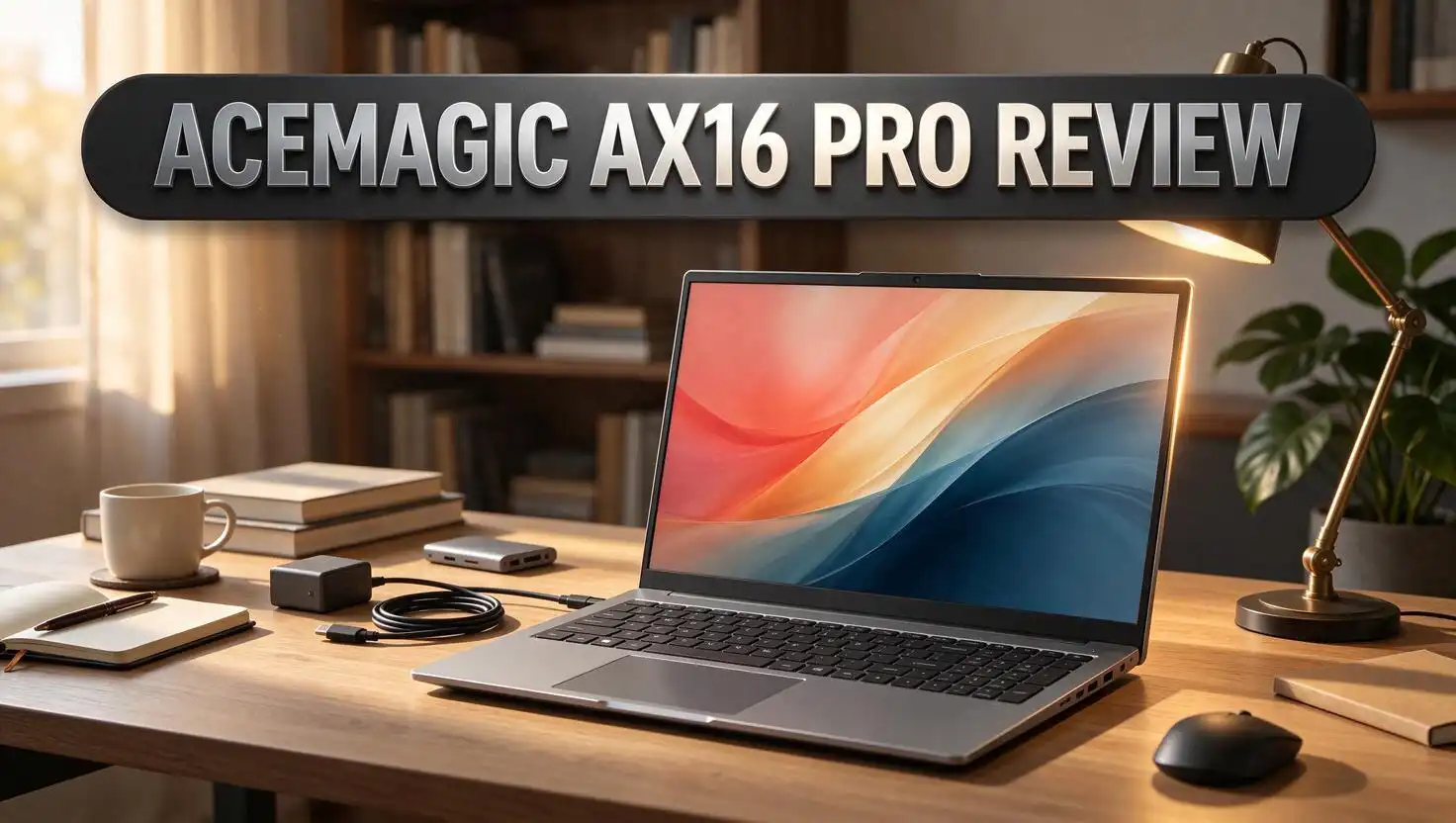
Are you looking for a big screen laptop that doesn’t cost a fortune? The Acemagic AX16 Pro could be on your list. It has a 16.1 inch screen, an AMD Ryzen 7 chip, and a full number pad. It also often sells for much less than its sticker price.
But a cheap laptop can come with hidden costs. Is the build solid? Does the battery last? Is it safe to use straight out of the box? This review answers all of these questions in plain words. You will know whether the AX16 Pro is right for you by the end.
In a Nutshell
- Strong everyday speed: The AMD Ryzen 7 5700U has 8 cores and 16 threads. It handles Office apps, web browsing, streaming, and light photo editing with ease. It stays quick on battery power too.
- Big and comfortable screen: The 16.1 inch Full HD IPS panel has thin bezels and a matte finish. It works well for split screen work. The 60Hz refresh rate is fine for normal use but blurs a bit in fast games.
- Easy upgrades: You can open the bottom panel with 11 standard screws. The RAM goes up to 32GB and the SSD goes up to 2TB. The battery, fan, and WiFi card are easy to reach too.
- Good battery life: The 53.58Wh battery lasts close to 8 hours in balanced mode. It charges through USB Type C with a 65W adapter.
- Weak spots: The plastic shell flexes and creaks. The speakers sound thin, and the webcam is only 1MP. Some buyers have reported quality control problems with Acemagic machines, so a fresh Windows install is a smart first step.
- Best value on sale: The list price is high, but the laptop is often discounted. At a sale price, it is a solid deal for students, home offices, and family use.
Acemagic AX16 Pro at a Glance

- 【Better Experience】 ACEMAGIC 2025 Newest AX16PRO laptop is powered by AMD Ryzen 7 5000 Series...
- 【LARGE MEMORY STORAGE】 The ryzen 7 laptop comes with up to 16GB of DDR4 memory, which responds faster...
Last update on 2026-11-22 / Affiliate links / Images from Amazon Product Advertising API
Acemagic is best known for its mini PCs. The company makes small desktop boxes that use older laptop chips to keep prices low. The AX16 Pro uses the same idea in a laptop. It is the top model in Acemagic’s small laptop lineup.
The laptop runs on an AMD Ryzen 7 5700U processor. It has a base clock of 1.8GHz and boosts up to 4.3GHz. Graphics come from the built in Radeon RX Vega 8 chip. That combo is not new, but it still has plenty of power for daily tasks.
The standard model has 16GB of DDR4 RAM and a 512GB NVMe SSD. Windows 11 comes preinstalled on every version except the barebone kit. Some listings ship with Windows 11 Pro, which is a nice extra at this price.
Think of the AX16 Pro as the SUV of budget laptops. It is roomy and practical. It is not flashy, and it is not built for racing. It gets the daily job done without much fuss.
The laptop weighs about 3.7 pounds on paper. One tester weighed it at closer to 4 pounds. It measures about 0.7 inches thick, so it slides into most backpacks with ease.
The list price sits near $900, but you will rarely pay that. The laptop is almost always on sale. Deals often bring it down into the $389 to $500 range. At that price, the value story changes a lot. Keep that in mind as you read the rest of this review.
Key Specifications Explained
Specs can look like a wall of numbers. Let’s break them down in simple terms so you know what each part does for you.
The processor is the AMD Ryzen 7 5700U. It has 8 cores and 16 threads. More cores mean the laptop can juggle more tasks at once. You can keep many browser tabs, a music app, and a document open without slowdowns.
The memory is 16GB of DDR4 RAM. This is the sweet spot for most users today. You can upgrade it to 32GB later if you need more room for heavy apps.
The storage is a 512GB NVMe SSD. It boots Windows fast and opens apps quickly. The laptop wakes from sleep in about 8 seconds. You can swap in a drive as large as 2TB.
The display is a 16.1 inch IPS panel. It runs at 1920 by 1080 resolution with a 60Hz refresh rate. The aspect ratio is 16:9, which suits movies and videos well.
For connectivity, you get WiFi 6 and Bluetooth 5.2. These are modern standards. They give you fast wireless speeds and stable connections to headphones and mice.
The battery is rated at 53.58Wh. Acemagic claims up to 8 hours of use. Real tests come close to that number in balanced mode.
Other parts include a 1MP webcam, two stereo speakers, two microphones, and a backlit keyboard with a number pad. There is no fingerprint reader or face unlock. You sign in with a PIN or password.
Design and Build Quality
The AX16 Pro has a clean and simple look. It comes in a gray finish with smooth edges all around. The laptop keeps the same 0.7 inch thickness from front to back. That makes it easy to slip into a bag.
The bezels are thin. They measure about 7mm on the sides and 10mm on top. This gives the screen a modern look and fits a big panel into a smaller body.
The hinge is a highlight. The lid folds back almost flat, to around 175 degrees. It feels stable and holds the screen in place. You can tilt it back to share the screen with someone across the table.
Now for the weak side. The shell is mostly plastic, and you can feel it. One reviewer heard the side panels creak right out of the box. The keyboard tray also bends when you press down hard. This is a common tradeoff in budget laptops.
The bottom has good ventilation and rubber feet. These lift the laptop slightly off your desk and help airflow. Heat stays under control in normal use. Testers noted the laptop rarely felt warm to the touch.
The overall feel is that of a portable desktop. It works best on a desk at home, in a dorm room, or in a small office. You can carry it around, but it is not a slim travel laptop for daily commutes.
If you treat it gently, the build is fine. If you toss your bag around a lot, you may want a sturdier machine or a good padded sleeve.
Top 3 Alternative for Acemagic AX16 Pro
The AX16 Pro is a good value, but it is not your only choice. Here are three alternatives in a similar price range. Each one has its own strengths.
1. ASUS VivoBook 16

- 16” WUXGA (1920 x 1200) 16:10 aspect ratio display with ultra-slim NanoEdge bezels
- TÜV Rheinland-certified with 86% screen-to-body ratio

Last update on 2026-11-22 / Affiliate links / Images from Amazon Product Advertising API
The ASUS VivoBook 16 uses the AMD Ryzen 7 7730U chip. It has a 16 inch WUXGA screen with a 16:10 aspect ratio. The taller screen shows more of your documents and web pages. It also has a 1TB SSD and a fingerprint sensor. The base model has only 8GB of RAM, so plan to upgrade. You get a well known brand with better support.
2. Lenovo IdeaPad Slim 3

- PORTABLE, DURABLE & BUSINESS-READY - Built to the same rigorous engineering standards as the premium...
- POWERFUL PERFORMANCE - Powered by an AMD Ryzen 7 170 (8 cores, up to 4.75GHz) with Radeon 680M Graphics...
Last update on 2026-11-22 / Affiliate links / Images from Amazon Product Advertising API
The Lenovo IdeaPad Slim 3 is a thin and light option. This version has a 15.3 inch FHD+ touchscreen and 16GB of DDR5 RAM. It also includes a number pad and a webcam. Lenovo’s build quality is a step above most budget brands. This is a great pick if you travel often.
3. NAIKLULU 16 Inch Laptop

- 【AMD Processor With Excellent Performance】The gaming laptop is equipped with AMD Ryzen 7 5825U...
- 【Ample RAM and Storage Space】The laptop is equipped with 16GB DDR4 memory and 1T SSD with faster...
Last update on 2026-11-22 / Affiliate links / Images from Amazon Product Advertising API
The NAIKLULU laptop uses the Ryzen 7 5825U processor. That chip is a close cousin of the 5700U. It comes with 16GB of RAM and a 1TB SSD, which doubles the AX16 Pro’s storage. It also has a backlit keyboard and WiFi 6. It is a good fit if you need more storage space.
Display Quality
The screen is one of the best parts of the AX16 Pro. It is a 16.1 inch IPS panel with Full HD resolution. IPS panels show good colors and wide viewing angles. You can look at the screen from the side and still see a clear picture.
The panel has a matte finish. This cuts down on glare from lamps and windows. You can work near a bright window without seeing your own reflection. Matte screens are great for long work sessions.
The large size is a big win for multitasking. You can place two windows side by side with ease. One tester loved it for split screen work after moving from a small 12 inch laptop. Spreadsheets and documents look roomy.
There are some limits. The refresh rate is only 60Hz. Fast action in games can look a bit smeary. If you play fast shooters, you will notice this. For movies, browsing, and office work, 60Hz is perfectly fine.
The resolution is 1080p on a 16 inch screen. Text looks sharp enough for most people. Picky users may want a higher resolution or a taller 16:10 screen. The AX16 Pro uses the more common 16:9 shape.
The screen will not match an OLED panel or a premium gaming display. But it holds up well for the price. One reviewer said it competes well with portable monitors. That is a fair way to judge it.
Bottom line: the display is bright, clear, and comfortable for daily use. It is one of the main reasons to pick this laptop.
Keyboard and Touchpad
The AX16 Pro has a full size keyboard with a number pad. This is great news for anyone who works with numbers. Accountants, students, and data entry workers will love it.
The keys are spaced well. The distance from one key to the next is about 21mm. This makes it roughly a 90 percent size keyboard. You are less likely to hit the wrong key by accident.
The keys feel easy to press with good feedback. They are not loud, so you can type in a quiet room or a library. The plastic keycaps feel a bit chunky. That actually helps keep the typing sound low.
The keyboard has a backlight. You can turn it on or off with a key shortcut. There is a two stage switch for brightness. There is no light sensor to turn it on automatically, but manual control works fine.
The touchpad is large. It measures about 5.1 inches wide and 3.4 inches tall. Even with this size, testers did not hit it by accident while typing. That is a sign of good placement.
The left and right clicks feel firm with a satisfying click. You can adjust the touchpad in Windows settings. You can change the sensitivity, three finger gestures, and four finger gestures.
The touchpad will not win any awards. It is not as smooth as the glass pads on premium laptops. Still, it does the job well. If you plan to work for long hours, a cheap wireless mouse will make things even better. You have plenty of USB ports to plug in the dongle.
Performance in Daily Use
Performance is where the AX16 Pro shines. The Ryzen 7 5700U is a few years old, but it is still a champ for daily work. It feels snappy and responsive in real use.
In Cinebench 2024, the laptop scored about 496 points in the multi core test. That beats many older laptops by a wide margin. One tester’s ten year old gaming laptop scored only 213 points in the same test.
Office apps run smoothly. Word, Excel, and PowerPoint open fast and stay responsive. You can stream YouTube and Netflix without any stutter. Browsing with many tabs is no problem either.
The laptop can even handle light video editing. It will slow down when you scrub through a 4K timeline. But rendering speeds were better than expected in testing. For simple home videos and school projects, it works well.
A big plus is battery performance. Many Windows laptops lose a lot of speed when you unplug them. The AX16 Pro does not. It gets a small boost when plugged in, but performance stays strong on battery.
The fans are also well behaved. During video streaming, the laptop is nearly silent. Under heavy load, the fans spin up but never get too loud. The chip uses little power at idle, which keeps heat and noise low.
This laptop is not built for heavy 3D work or pro video editing. For students, home users, and office workers, it offers plenty of speed for the money.
Gaming Capabilities
Can you game on the AX16 Pro? The short answer is yes, but with limits. This is not a gaming laptop. It does not have a dedicated graphics card.
The graphics come from the Radeon RX Vega 8 chip built into the processor. This integrated GPU is fine for light gaming. It works best with older titles, indie games, and esports games at low settings.
Some sellers call the AX16 Pro a “gaming laptop” in their listings. Do not let that label fool you. Modern AAA games will struggle. You will need to lower the settings a lot to get playable frame rates.
That said, there are some fun options. With AMD FSR turned on and some settings disabled, you can play some graphics heavy titles. You won’t get smooth high frame rates, but you can play.
The laptop is also great for retro gaming and emulation. Many users run emulators for older consoles like the N64 and similar systems. The Ryzen chip handles these tasks well.
Popular games like Minecraft, League of Legends, Valorant, and Stardew Valley run well at modest settings. Older games from a decade ago should work fine too.
Keep the 60Hz screen in mind. Even if a game runs faster, the screen only shows 60 frames per second. You may also see a bit of blur in fast action scenes.
Final word on gaming: treat it as a bonus feature. If gaming is your main goal, look at a laptop with a dedicated GPU instead.
Battery Life and Charging
Battery life is a strong point of the AX16 Pro. It packs a 53.58Wh lithium polymer battery. Acemagic claims more than 8 hours of use on a full charge.
Real world tests support that claim. One tester got close to 8 hours in balanced mode, even at full brightness. That is impressive for a 16 inch laptop. You can get through a full school or work day on one charge.
The efficient Ryzen U series chip is the reason. U series chips use little power. They sip energy during light tasks like browsing and typing. That stretches your battery life a lot.
Heavy tasks will drain the battery faster. Gaming and video editing push the chip hard. Expect closer to 3 or 4 hours under that kind of load.
The laptop charges through USB Type C. The box includes a 65W charger rated at 19V and 3.42A. Type C charging is convenient. You can also use many third party Type C chargers if you lose the original.
The included charger uses a two cord design. One cord goes to the wall and one goes to the laptop. The total length is about 9 feet, so you can reach far outlets with ease. The brick is a little bulky for travel, though. It weighs about 0.7 pounds.
The manual suggests four full charge and discharge cycles when you first get the laptop. This helps calibrate the battery reading. It is a small step that can help with accurate battery reports later.
Ports and Connectivity
The AX16 Pro has a great mix of ports for a budget laptop. You won’t need a dongle for most daily tasks. This is a big plus over many thin laptops.
Here is what you get. There are two USB 3.2 ports and one USB 2.0 port. There is a full size HDMI port and a microSD card reader. You also get a 3.5mm headphone jack.
For USB Type C, there are two ports. One port supports charging only. The other is a full function port. It supports charging, data, and video output.
That full function Type C port is handy. Combined with HDMI, it lets you connect extra screens. You can run a triple monitor setup with the laptop screen and two external displays. That is great for a home office.
The three USB A ports are useful. You can keep a mouse dongle plugged in and still connect a printer or a flash drive. One tester said having only one USB port felt like a car with a single door. The AX16 Pro solves that problem.
The microSD reader supports cards up to 128GB. This helps photographers and anyone who moves files from a camera or phone.
Wireless connections are modern too. WiFi 6 gives you fast and stable internet speeds on newer routers. Bluetooth 5.2 connects earbuds, speakers, and keyboards with little lag.
There is no Ethernet port. If you need wired internet, you will need a USB adapter. Some users also wished for a second HDMI port for easier dual monitor setups.
Audio and Webcam
Audio is a mixed bag on the AX16 Pro. The laptop has two stereo speakers rated at 1.5W each. Opinions on the sound vary between users.
One tester found the speakers clear and loud enough for music and sports videos. Another found them dull and hollow. Orchestral music sounded muted in that test. The truth sits somewhere in between.
For casual use, the speakers are fine. YouTube videos, podcasts, and video calls sound clear. For movies and music, you will want headphones or external speakers.
Here is a nice surprise. The headphone jack sounds better than expected. It has low noise and avoids the cheap hiss some budget laptops have. The amp is not powerful, but it drives normal earbuds and headphones well.
The laptop has two microphones. They pick up your voice clearly on video calls. They work well for Zoom, Teams, and Google Meet in a quiet room.
The webcam is the weakest part. It is only a 1MP camera. Video looks soft and grainy, especially in low light. It works for quick calls with friends and family. It will not impress your boss in a big meeting.
If you take many video calls, consider an external USB webcam. A basic 1080p webcam does not cost much and makes a big difference. You have plenty of USB ports to plug one in.
There is no face unlock or fingerprint reader. You will need a PIN or password to sign in. That is normal at this price.
Upgradeability and Repairs
This is one of the best features of the AX16 Pro. The laptop is very easy to open and upgrade. Many modern laptops are sealed shut. This one is not.
The bottom panel comes off with 11 standard screws. You only need a small Phillips screwdriver. Once the panel is off, everything is right in front of you.
You can reach the RAM, SSD, battery, fan, and WiFi card. This is rare in today’s laptops. It makes repairs and upgrades simple, even for beginners.
The RAM can go up to 32GB. This is a great upgrade if you use heavy apps or keep many browser tabs open. It also helps the laptop stay useful for more years.
The SSD slot takes a standard M.2 2280 NVMe drive. You can install a drive up to 2TB. Storage prices are low now, so this is a cheap way to add space.
Easy access also helps if something breaks. One long term user had the original SSD fail after about a year. They swapped in a new Crucial SSD and reinstalled Windows. The laptop worked again. That kind of fix is only possible because the laptop is so easy to open.
Acemagic also shares video guides for common tasks. These include how to replace the RAM and SSD. They also cover fixes for touchpad, keyboard, and charging problems.
Tip: before you open the laptop, check the warranty terms. Keep the original parts in case you need to send the laptop back.
Software and Security Concerns
This section is important. Please read it before you buy. Acemagic has had quality control problems in the past.
In early 2024, some Acemagic mini PCs shipped with malware preinstalled. The company admitted the problem. It promised refunds and changes to how it installs Windows. It also said it would tighten its security checks.
The AX16 Pro has had mixed reports. One tester ran Malwarebytes and AVG scans on their unit, and both came back clean. Another reviewer found a virus on their AX16 Pro right after setup. So results have varied from unit to unit.
What should you do? The safest step is a fresh Windows install. Here is a simple plan:
- Back up the drivers from the laptop first, or download them from Acemagic.
- Create a Windows 11 USB installer using Microsoft’s official tool.
- Wipe the SSD and install a clean copy of Windows.
- Reinstall the drivers and run a full security scan.
This process sounds technical, but many guides walk you through it. If you are a confident tinkerer, you will find a great deal here. You can even install Linux if you prefer.
If you are not comfortable with these steps, think carefully. You might ask a tech savvy friend for help. You could also choose a laptop from a bigger brand with stronger support.
On the plus side, setup is simple. The laptop let one tester skip the Microsoft account login. That is a nice option for privacy minded users. After a few updates and restarts, it was ready to use.
Pros and Cons
Here is a quick summary of what we liked and what we didn’t. Use this list to weigh the AX16 Pro against your own needs.
Pros
- Strong performance for the price. The Ryzen 7 5700U handles office work, streaming, and light editing with ease.
- Large 16.1 inch IPS screen. The matte panel cuts glare and is great for split screen work.
- Full size keyboard with number pad. Wide key spacing and a backlight make typing comfortable.
- Easy upgrades. You can boost the RAM to 32GB and the SSD to 2TB with just a screwdriver.
- Good battery life. You can expect close to 8 hours in balanced mode.
- Plenty of ports. Three USB A ports, HDMI, a full function Type C, and a microSD reader.
- Supports triple monitors. You can connect two external displays for a bigger workspace.
- Quiet fans. The laptop stays nearly silent during light tasks.
- Frequent sales. The deal price makes it a strong value pick.
Cons
- Plastic build flexes. The shell can creak, and the keyboard tray bends under pressure.
- Weak speakers. Sound can feel thin and hollow for music and movies.
- Basic 1MP webcam. Video calls look soft and grainy.
- Only 60Hz refresh rate. Fast action games show some blur.
- No biometric login. There is no fingerprint reader or face unlock.
- Quality control worries. Past malware reports and some hardware failures raise concerns.
- High list price. The full price is not good value; only buy on sale.
Who Should Buy the Acemagic AX16 Pro?
The AX16 Pro is not for everyone. But it is a great fit for certain people. Let’s look at who will love it and who should skip it.
Students are a strong match. The laptop handles research, essays, and online classes with ease. The big screen helps with notes and video lectures. The long battery life gets you through a full day of classes.
Home office workers will enjoy it too. The number pad helps with spreadsheets. The triple monitor support turns the laptop into a powerful desk setup. It works well as a portable desktop.
Families looking for a shared computer will find good value here. It can sit on a desk and handle homework, browsing, and movie nights. It is a simple and practical family PC.
Tech tinkerers will get the most value. If you can install Windows from scratch and swap parts, this laptop is a bargain. You can upgrade it over time and keep it running for years.
Now for who should skip it. Frequent travelers may want something lighter and sturdier. The plastic shell and bulky charger are not ideal for daily commuting.
Serious gamers should look elsewhere. The integrated graphics and 60Hz screen won’t satisfy anyone who plays demanding new games.
Non technical users who want a worry free experience may prefer a major brand. Brands like ASUS, Lenovo, and HP offer stronger customer support and more consistent quality.
Content creators who edit 4K video or work in 3D apps will need more power. A laptop with a dedicated GPU is a better choice for that work.
Final Verdict on the Acemagic AX16 Pro
- 【Better Experience】 ACEMAGIC 2025 Newest AX16PRO laptop is powered by AMD Ryzen 7 5000 Series...
- 【LARGE MEMORY STORAGE】 The ryzen 7 laptop comes with up to 16GB of DDR4 memory, which responds faster...
Last update on 2026-11-22 / Affiliate links / Images from Amazon Product Advertising API
So, is the Acemagic AX16 Pro worth buying? The answer depends on the price you pay and how comfortable you are with tech.
At its full list price, the answer is no. You can find better laptops from bigger brands for that money. The plastic build, weak speakers, and basic webcam don’t justify a high price.
At a sale price, the story changes. The AX16 Pro offers strong performance, a big screen, and great upgrade options. Few laptops in this range let you open them so easily and add more RAM and storage.
The Ryzen 7 5700U still delivers snappy everyday speed. The battery lasts close to a full day. The keyboard with a number pad is comfortable for long typing sessions. The port selection beats many pricier laptops.
The main concern is quality control. Past malware reports are a real red flag. Our advice is simple. Do a fresh Windows install as soon as you get the laptop. Run a security scan. Keep your receipt and track the warranty period.
Think of the AX16 Pro as a portable desktop with a battery. It shines on a desk at home, in a dorm, or in a small office. It is a practical workhorse, not a luxury machine.
Our rating: 3.8 out of 5. It is a smart buy for budget shoppers and tinkerers who catch it on sale. If you want a polished, worry free experience, a bigger brand may serve you better.
Frequently Asked Questions
What processor does the Acemagic AX16 Pro use?
The AX16 Pro uses the AMD Ryzen 7 5700U processor. It has 8 cores and 16 threads. It runs at 1.8GHz and boosts up to 4.3GHz. Graphics come from the built in Radeon RX Vega 8 chip.
Can I upgrade the RAM and SSD on the AX16 Pro?
Yes, you can. The RAM goes up to 32GB, and the SSD goes up to 2TB. You only need to remove 11 screws on the bottom panel. Acemagic also offers video guides for these upgrades.
How long does the AX16 Pro battery last?
The 53.58Wh battery lasts close to 8 hours in balanced mode with light tasks. Heavy work like gaming or video editing will drain it faster. The laptop charges through USB Type C with a 65W adapter.
Is the Acemagic AX16 Pro good for gaming?
It is fine for light gaming only. It runs older games, indie titles, and esports games at low settings. It also handles retro emulation well. Demanding modern games will struggle without a dedicated graphics card.
Is the Acemagic AX16 Pro safe to use?
Acemagic had malware problems on some mini PCs in 2024, and one reviewer found a virus on an AX16 Pro. Other units scanned clean. To be safe, do a fresh Windows install and run a full security scan after you buy.
Does the AX16 Pro support external monitors?
Yes. It has a full size HDMI port and a full function USB Type C port with video output. You can run a triple monitor setup using the laptop screen and two external displays.
What is the screen refresh rate of the AX16 Pro?
The screen runs at 60Hz. This is fine for office work, browsing, and movies. Fast action games may show some blur.
Does the AX16 Pro have a backlit keyboard?
Yes, it does. The keyboard has a backlight with two brightness levels. You can turn it on and off with a keyboard shortcut. It also includes a full number pad.
Does the AX16 Pro come with Windows installed?
Yes. Every version except the barebone kit comes with Windows 11 preinstalled. Some listings include Windows 11 Pro.
Who is the AX16 Pro best for?
It is best for students, home office workers, families, and tech tinkerers on a budget. It works best as a portable desktop that stays in one place most of the time. Frequent travelers and serious gamers should look at other options.

Dillip is the founder and editor of dillip.net, a passionate tech enthusiast and AI explorer dedicated to simplifying the world of artificial intelligence and technology for everyday users. With a keen eye for detail, he provides honest reviews, in-depth comparisons, and practical guides to help readers make smarter tech decisions.