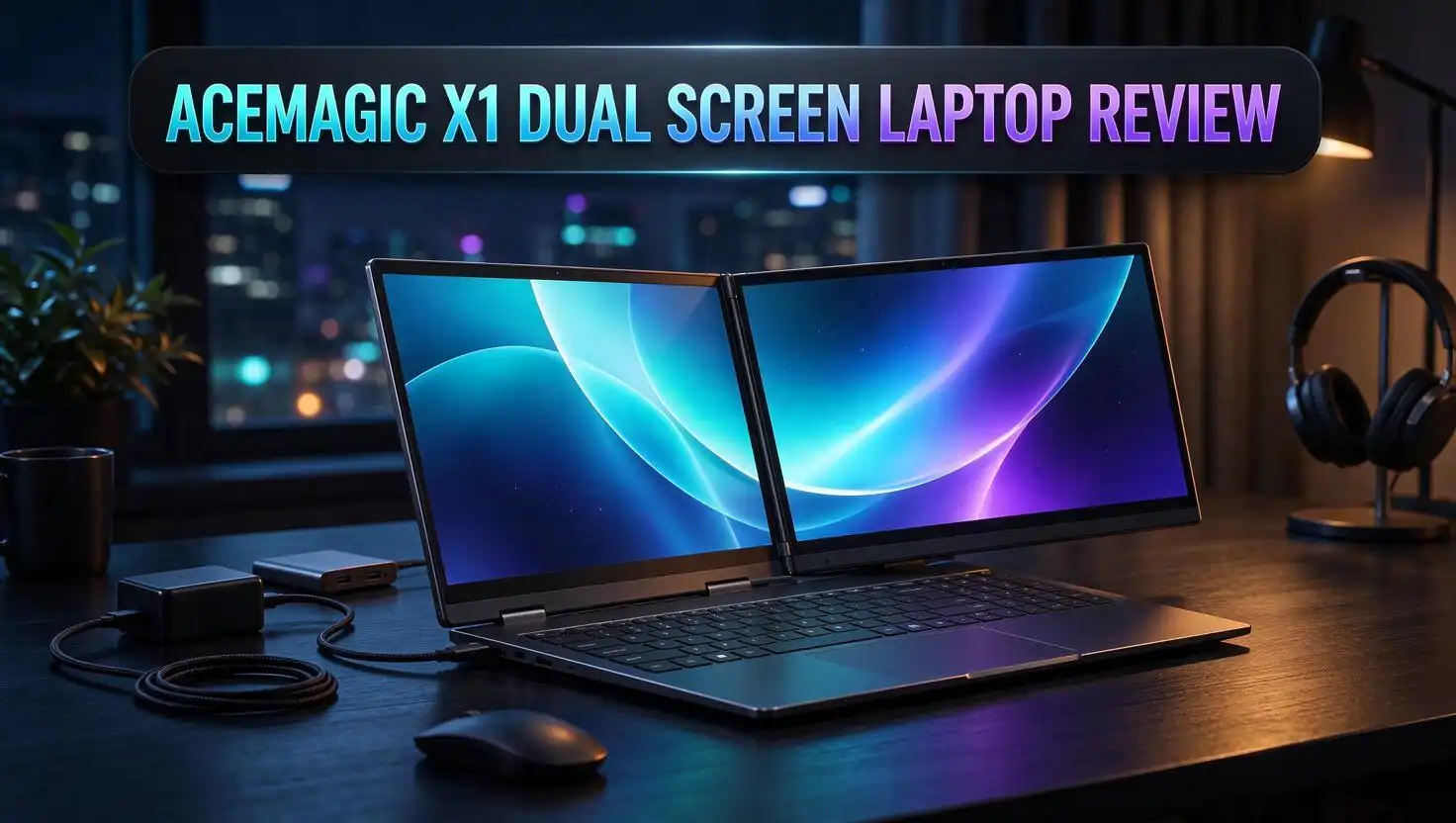
Acemagic X1 Dual Screen Laptop Review: Laptop With Two Screens
Do you ever wish your laptop had a second monitor built in? Many of us work with too many windows open. We flip between tabs all day and lose focus. The Acemagic X1 offers a fix for that problem. It puts two 14 inch screens side by side in one portable laptop.
This sounds like a dream for remote workers and frequent travelers. But does the dream hold up in real life? In this review, we test the design, screens, speed, battery, and value. By the end, you will know if this laptop fits your desk or not.
In a Nutshell
- Two Full HD Screens Side by Side: The Acemagic X1 has two 14 inch IPS panels with 1920 x 1080 resolution. The second screen swings out to the left on a hinge. It feels like a laptop and a portable monitor joined together. This is the main reason to buy it.
- Modest Performance: The laptop runs on an Intel Core i7 1255U processor with Iris Xe graphics. It has 16GB of DDR4 RAM and a 1TB NVMe SSD. It handles email, documents, and browsing well. It struggles with heavy editing and gaming.
- Build Quality Concerns: The second screen wobbles with movement. The keyboard flexes and the touchpad feels cheap. You need to handle this laptop with care.
- Short Battery Life: The 58.38Wh battery lasts about five hours with both screens on. Plan to carry the charger on long workdays.
- Big Discounts Are Common: The list price is $1,299. However, sale prices often drop near $839 to $899. At a discount, the value gets much better.
- Handy Extras: You get physical screen mode buttons, a fingerprint reader in the power button, WiFi 6, Bluetooth 5.2, and an HDMI port with 4K output.
Acemagic X1 Dual Screen Laptop Overview

- The ACEMAGIC X1 laptop features 14"+14" dual-screen design that allows for multi-screen synchronization...
- The ACEMAGIC X1 is a dual-screen laptop designed for on-the-go professionals. The dual monitor supports...
Last update on 2026-11-27 / Affiliate links / Images from Amazon Product Advertising API
Acemagic is best known for mini PCs. The brand launched the X1 in July 2024 as its first big push into laptops. Acemagic called it the first laptop with a 360 degree horizontal dual screen design. That is a bold claim, and the design is truly unusual.
Most dual screen laptops stack screens vertically. The Asus Zenbook Duo is a good example. The Acemagic X1 places the second screen beside the main one. This layout copies a classic two monitor desk setup. Your eyes move left and right, not up and down.
Acemagic sells just one configuration. You get an Intel Core i7 1255U chip, 16GB of RAM, and 1TB of storage. Both screens are 14 inch Full HD IPS panels. The laptop ships with Windows 11 already installed.
The box is simple. Inside, you find the laptop, a power adapter, and a user manual. There is no stylus and no carry case. Setup takes only a few minutes. You plug in the charger, press the power button, and follow the Windows setup steps.
Acemagic aims the X1 at business users. Think sales teams, analysts, writers, and remote workers. These people need more screen space but cannot carry a separate monitor. The X1 tries to solve that problem in one device.
The idea is smart. The real question is how well Acemagic built it. Let us dig into each part, one by one.
Design and Build Quality
When closed, the Acemagic X1 looks like a normal laptop. The only clue is a thick hinge on the left edge. That hinge holds the second screen. It sticks out a little even when the lid is shut.
The laptop measures about 13.2 x 8.7 x 0.98 inches. It weighs close to 4 pounds. That is heavy for a 14 inch laptop. However, you carry two screens in one body. A separate portable monitor would add weight anyway.
Opening the X1 surprises first time users. You lift the lid and see the back of the second screen. It rests on top of the main screen like a book cover. You then swing it out to the left to reveal both panels.
Acemagic says the metal hinge is rated for 20,000 uses. That sounds solid on paper. In practice, the second screen feels too loose. It sways when you move the laptop or bump the table. If you tilt the main screen back too far, the second screen can sag and hit the desk.
The rest of the body is plastic. It feels average from the outside. Press down on the keyboard deck, though, and it flexes. The overall build does not match the $1,299 list price.
There is one odd design touch. Acemagic printed the quote “Stay hungry, Stay foolish” in gold above the keyboard. Some people will like it. Others will find it a bit strange on a work laptop. You cannot remove it, so keep that in mind.
How the Dual Screen Setup Works
The dual screen system is the star of the show. Thankfully, it works well once you set it up. Four physical buttons above the keyboard control the screen modes. This is much easier than digging through Windows settings.
Here is what each button does. The A button turns on only the main screen. The B button turns on only the second screen. The third button extends your desktop across both panels. The fourth button mirrors the main screen onto the second one.
Extended mode is the one you will use most. You can open a spreadsheet on one side and email on the other. You can write a report while keeping research notes in view. It feels like a real two monitor desk.
The gap between the two screens is about two inches. That comes from the hinge and bezels. It is noticeable, but your brain adjusts fast. It is similar to the gap between two desktop monitors.
The second screen can also rotate a full 360 degrees. You can fold it flat against the back of the main lid. This creates a presentation mode. You see your screen while a client across the table sees the mirrored view. This is great for sales meetings and quick demos.
If you only need one screen, fold the second panel away. Then the X1 works like a normal laptop. This flexibility is truly useful. It is the best part of the whole design, even with the wobble issue.
Top 3 Alternative for Acemagic X1 Dual Screen Laptop
The Acemagic X1 is not your only option. Some buyers want better build quality. Others want sharper screens or longer battery life. Here are three strong alternatives worth a look.

- Multi-screen versatility - Find the mode that best suits your task and seamlessly switch between them...
- Everything-built-in portability – At 3.64 lbs and a mere 0.78” thin, the DUO elevates portable...
Last update on 2026-11-27 / Affiliate links / Images from Amazon Product Advertising API
The Asus Zenbook Duo is the most popular dual screen laptop right now. It stacks two 14 inch OLED screens vertically. Both panels are sharp, bright, and run at 120Hz. It uses a newer Intel Core Ultra processor. Battery life is much longer too, close to 11 hours in some tests. It costs more, but the quality jump is big.

- The world’s first full dual-screen, multi-mode laptop
- Two stunning 13.3″ PureSight OLED displays for versatile use
Last update on 2026-11-27 / Affiliate links / Images from Amazon Product Advertising API
The Lenovo Yoga Book 9i is a premium 2 in 1 with two 13.3 inch OLED screens. It folds like a book and works as a tablet, laptop, or dual monitor station. It comes with a detachable keyboard and stand. This is the most stylish pick of the three. It suits creative users who like to sketch and take notes.
No products found.
The 14 inch Triple Portable Monitor Screen Extender is a budget friendly choice. It clips onto your current laptop and adds two extra screens. You keep the laptop you already own. This is the cheapest way to get more screen space. It connects with USB C and works with Windows and Mac.
Each option fixes a different weakness of the X1. Choose the one that fits your budget and work style.
Display Quality
Both screens on the Acemagic X1 are 14 inch IPS panels with Full HD resolution. That is 1920 x 1080 pixels each. They use a 16:9 ratio. On paper, this is fine for office work.
In real use, the screens are a weak spot. Text looks a little soft and fuzzy compared to modern laptops. Colors look dull. Photos and videos lack punch. Testing showed some of the lowest color coverage seen on a recent laptop.
Brightness is also low. The screens look fine indoors under normal lighting. Near a sunny window, they get hard to read. Working outdoors is not a good idea with this laptop.
Both screens look very similar to each other. That is a good thing. Mismatched screens can feel odd in extended mode. On the X1, windows look the same when you drag them across.
Neither screen supports touch. There is no stylus support either. If you want to draw or tap the screen, look at the Lenovo Yoga Book 9i instead.
Acemagic kept the resolution at Full HD on purpose. The X1 targets business tasks like spreadsheets, video calls, and slides. For those jobs, the screens get the work done. Just do not buy this laptop for photo editing or color work. Designers and video editors need richer, brighter panels.
Performance and Everyday Speed
The Acemagic X1 runs on an Intel Core i7 1255U processor. It has 10 cores and 12 threads. Two are performance cores and eight are efficiency cores. It can boost up to 4.7GHz.
This chip comes from Intel’s 12th generation lineup. It is now a few years old. The “U” label means it is a low power chip. It saves energy but limits top speed.
For daily tasks, the X1 feels smooth. You can browse with many tabs open. You can run Word, Excel, Zoom, and Slack at the same time. The 16GB of DDR4 RAM keeps multitasking comfortable. The 1TB NVMe SSD loads apps and files quickly.
Heavy work is a different story. In benchmark tests, the X1 trailed similar laptops in most areas. Video exports take longer. Photoshop tasks feel slower. It is not a laptop for content creators.
Graphics come from integrated Intel Iris Xe. There is no dedicated graphics card. Light games like card games or older titles run okay. Modern 3D games will struggle badly. Testing found the X1 behind even other integrated graphics laptops.
There is one more issue. The cooling fans make a whining sound even under normal load. It is more annoying than a typical fan hum. In a quiet office or library, people may notice it.
Bottom line: the X1 is fast enough for office work, but nothing more.
Keyboard and Touchpad
You type on your laptop all day, so the keyboard matters a lot. Sadly, this is another area where the X1 falls short.
The keys have very little feedback. They feel mushy when you press them. The keyboard deck also flexes during fast typing. You can see the plastic bend if you look closely. When keys bottom out, the chassis makes a rattling noise.
On the bright side, Acemagic includes replaceable keyboard membranes for different layouts. This is a thoughtful extra. It helps users who type in more than one language.
The keyboard has backlighting, which helps in dim rooms. The layout itself is standard. You will not need time to learn where keys are.
The touchpad is a mixed bag. It tracks smoothly and handles scrolling well. Two finger gestures work as expected. However, the click feels cheap and sounds loud. Each press gives off a hollow, plasticky click.
Most dual screen users will plug in an external mouse anyway. Dragging windows across two screens is easier with a mouse. The included USB A port and Bluetooth 5.2 make this simple.
If typing comfort is your top need, test the keyboard first if you can. Or plan to use an external keyboard and mouse at your desk. Many buyers do this, and it fixes most of the comfort issues.
Ports and Connectivity
The Acemagic X1 keeps its port selection simple. It covers the basics without many extras.
On the left side, you get two USB Type C ports. One handles charging and display output. The other handles data transfer. On the right side, you find one USB A port and one HDMI port.
The HDMI port supports 4K resolution at 60Hz. That means you can connect a big external monitor. With the two built in screens, you can run a three screen setup. That is a strong perk for traders and data analysts.
There is no SD card reader. Photographers will need an adapter. There is also no Thunderbolt support. If you use a Thunderbolt dock, check compatibility first.
Wireless features are solid. The X1 supports WiFi 6 for fast and stable internet. It also has Bluetooth 5.2 for wireless mice, keyboards, and headphones. Connections stayed steady in normal use.
One Type C port is used for charging. So while plugged in, you have one Type C port free. That can feel limited if you use many accessories. A small USB C hub solves this problem cheaply.
Overall, the port mix is fine for most office users. You can connect a mouse, a monitor, and a flash drive at the same time. Heavy accessory users should budget for a hub or dock.
Battery Life
Battery life matters a lot on a travel laptop. The X1 has a 58.38Wh battery. Acemagic rates it at up to five hours of typical use.
Real testing matched that figure. With both screens on, the X1 lasted about five hours in a video playback test. That is not great. Two screens draw more power than one, so this makes sense. But it still limits the laptop’s travel value.
For comparison, the Asus Zenbook Duo lasted almost 11 hours in the same type of test. That is more than double. If battery life is a priority, the X1 is a hard sell.
You can stretch battery life with a few habits. Turn off the second screen when you do not need it. Use the A button to run on one panel only. Lower screen brightness. Close apps running in the background. Use Windows power saving mode.
These steps can add useful time. Still, you should plan to carry the charger on full workdays. Find a seat near an outlet at the café or airport.
The good news is that charging uses USB Type C. You can use many standard USB C chargers in a pinch. This makes travel a bit easier. You do not need a bulky proprietary brick.
The bottom line is simple. The X1 is a laptop for working near power. It is not built for all day unplugged use.
Security and Extra Features
The Acemagic X1 includes a few useful extras. The best one is the fingerprint reader built into the power button.
You press the button once to turn on the laptop and log in. It works with Windows Hello. Unlocking is fast and simple. It saves time compared to typing a password every time. It also adds a layer of security for business data.
Windows 11 comes with Microsoft Defender security tools. These protect against viruses and other threats. You do not need to buy extra antivirus software for basic protection.
The laptop has a webcam for video calls. It works for Zoom and Teams meetings. Video quality is basic, like most budget laptop webcams. Good lighting helps a lot.
The physical screen mode buttons are another standout extra. They make switching modes instant. You do not need to open Windows display settings. This small detail makes daily use much smoother.
The 360 degree hinge also counts as a feature. Flipping the second screen to face a client is handy. Sales teams, teachers, and consultants will love this mode.
Warranty coverage depends on where you buy. Amazon purchases come with a one year warranty. Acemagic’s official store has listed a two year warranty. Check the terms before you buy so you know what is covered.
Pros and Cons
Here is a clear summary of what we liked and disliked about the Acemagic X1.
Pros
- Side by side dual screen layout copies a real two monitor desk setup and boosts multitasking.
- Physical screen mode buttons make switching between single, extended, and mirror modes instant.
- 360 degree hinge lets you flip the second screen to share content with people across the table.
- 1TB NVMe SSD and 16GB RAM give plenty of storage and smooth everyday multitasking.
- HDMI port with 4K at 60Hz allows a three screen setup with an external monitor.
- Fingerprint reader in the power button gives fast and secure logins.
- WiFi 6 and Bluetooth 5.2 provide fast, modern wireless connections.
- Frequent discounts often bring the price far below the $1,299 list price.
Cons
- Second screen wobbles and can hit the desk when the main lid tilts back.
- Dull, dim screens with weak color coverage make them poor for creative work.
- Older, low power processor lags behind similar laptops in demanding tasks.
- Mushy, flexing keyboard and a cheap feeling touchpad hurt typing comfort.
- Battery lasts about five hours with both screens on, which is short for travel.
- Fan makes a whining noise even under normal load.
- No touch screen or stylus support limits creative uses.
- Heavy for a 14 inch laptop at close to 4 pounds.
Weigh these points against your daily needs. For some buyers, the screen setup outweighs every flaw.
Who Should Buy the Acemagic X1
The Acemagic X1 is not for everyone. But it can be a great fit for certain people.
Office workers who need two screens on the go will get the most value. If you work with spreadsheets, documents, and email side by side, the X1 saves time. You stop flipping between windows all day.
Sales teams and consultants will love the presentation mode. You flip the second screen around and show clients your slides. It feels more personal than a projector.
Remote workers in small spaces can benefit too. A desk monitor takes room. The X1 gives you two screens that fold away into one laptop.
Students on a budget may like it at a sale price. Writing a paper while reading sources becomes much easier.
Now, who should skip it? Creators and designers need better screens and faster chips. Gamers need a dedicated graphics card. Frequent flyers need longer battery life.
People who are rough with their gear should also pass. The wobbly second screen needs gentle handling. Tossing this laptop into a crowded backpack is risky.
Finally, think about price. At the full $1,299, the X1 is hard to recommend. At around $850 or less, it becomes a fair deal for the right buyer. Wait for a sale before you buy.
Final Verdict
The Acemagic X1 is a bold idea that mostly works. Its side by side dual screen layout is truly useful. Few laptops offer this exact design. When you need a second monitor on the road, the X1 delivers it.
The screen mode buttons are smart and easy to use. The 360 degree hinge adds real flexibility. The 1TB SSD and 16GB of RAM handle everyday work with ease.
However, the flaws are hard to ignore. The second screen wobbles. The panels look dull and dim. The keyboard and touchpad feel cheap. The processor is dated, and the battery runs out in about five hours.
So, is it worth buying? It depends on your price and priorities. At full price, the Asus Zenbook Duo is a better choice. It costs more but fixes almost every weakness of the X1.
At a deep discount, the X1 makes more sense. It gives you two screens for less money than most rivals. If you work near outlets and handle gear with care, you may love it.
Our advice is simple. Wait for a good sale. Know the trade offs going in. Then enjoy your portable two monitor workspace wherever you go.
Frequently Asked Questions
Does the Acemagic X1 have a touch screen?
No, the Acemagic X1 does not have touch screens. Both 14 inch panels are standard non touch IPS displays. It also does not support a stylus.
What processor does the Acemagic X1 use?
The Acemagic X1 uses an Intel Core i7 1255U processor. It has 10 cores, 12 threads, and boosts up to 4.7GHz. It pairs with Intel Iris Xe integrated graphics.
How long does the Acemagic X1 battery last?
The battery lasts about five hours with both screens turned on. You can get more time by turning off the second screen and lowering brightness.
Can I connect an external monitor to the Acemagic X1?
Yes, you can connect an external monitor through the HDMI port. It supports up to 4K resolution at 60Hz. This gives you a three screen setup.
Is the Acemagic X1 good for gaming?
No, the Acemagic X1 is not good for modern gaming. It has no dedicated graphics card. It can only run light or older games.
How much does the Acemagic X1 weigh?
The Acemagic X1 weighs close to 4 pounds. That is heavier than most 14 inch laptops because it carries two screens.
Can I upgrade the RAM or storage on the Acemagic X1?
Acemagic sells the X1 in one configuration with 16GB DDR4 RAM and a 1TB NVMe SSD. Check with Acemagic support before opening the laptop, since opening it may affect your warranty.
Is the Acemagic X1 better than the Asus Zenbook Duo?
The Asus Zenbook Duo has better screens, a faster processor, and longer battery life. The Acemagic X1 costs less and offers a side by side layout. Choose based on your budget and how you like your screens arranged.
What warranty comes with the Acemagic X1?
Amazon purchases include a one year warranty. Acemagic’s official store has listed a two year warranty. Always check the current terms before buying.

Dillip is the founder and editor of dillip.net, a passionate tech enthusiast and AI explorer dedicated to simplifying the world of artificial intelligence and technology for everyday users. With a keen eye for detail, he provides honest reviews, in-depth comparisons, and practical guides to help readers make smarter tech decisions.