Majority Bowfell Plus Soundbar Review: Big Sound for Small Spaces
Your TV has a great picture, but the sound is weak. Voices get lost and explosions sound flat. You turn the volume up, and it only gets worse.
The Majority Bowfell Plus promises to fix that problem without draining your wallet. It is a compact 2.1 soundbar with a separate subwoofer and 100 watts of power.
But can a small, cheap soundbar really make a difference? I dug into the details, the tests, and the real world feedback. Let’s find out if this little bar deserves a spot under your screen.
In a Nutshell
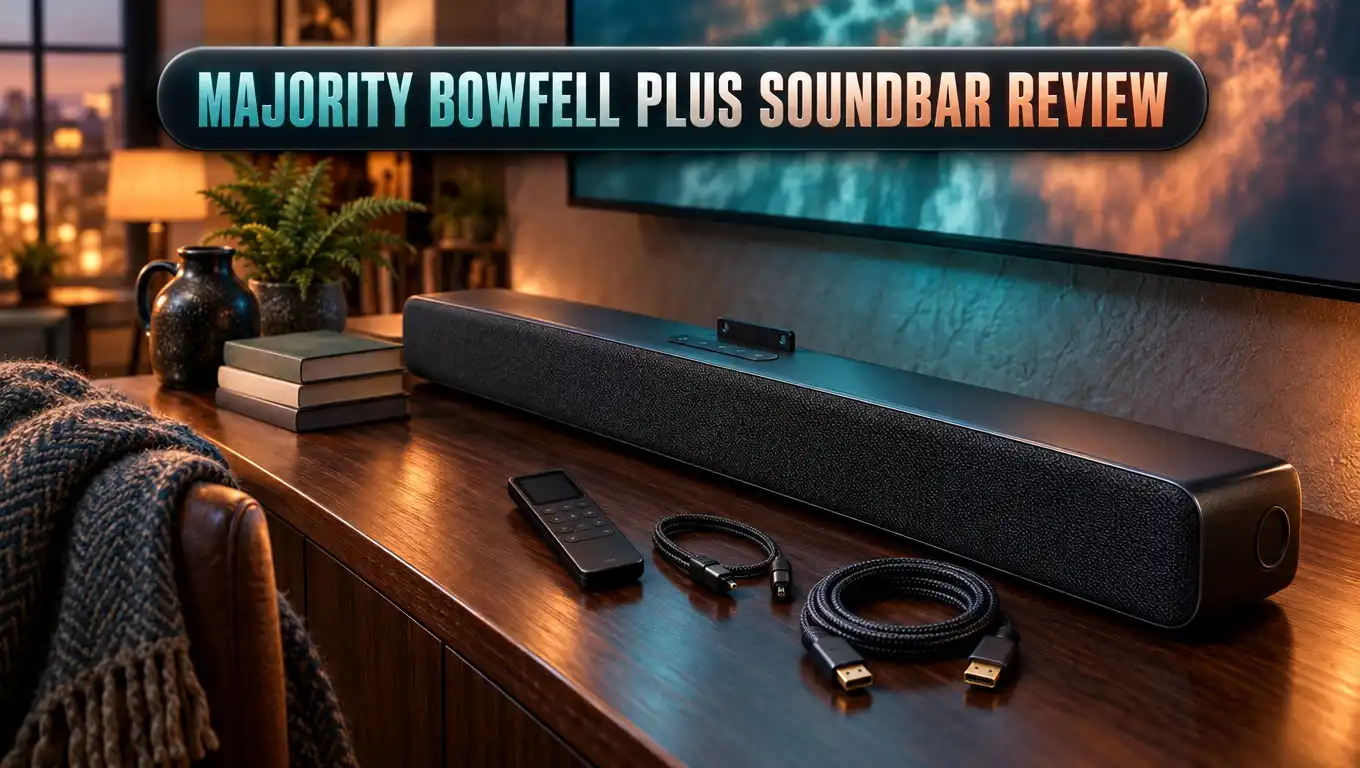
- Compact 2.1 system: The Bowfell Plus pairs a 15 inch soundbar with a slim subwoofer. Together they deliver 100 watts of total power. The bar uses two 2.25 inch full range drivers, and the sub uses a 5.25 inch bass driver.
- Clear dialogue: The Dialogue mode pushes voices forward. TV shows, news, and sports commentary sound much clearer than they do through built in TV speakers.
- Plenty of connections: You get Bluetooth 5.0, optical, AUX, RCA, and USB playback. There is no HDMI ARC, so most TV users will connect through the optical port.
- Best for small rooms: The bar fits small TVs, bedrooms, and desktop monitors perfectly. It can go loud in a medium room, but the bass gets boomy when you push it hard.
- Great value: Reviewers consistently rate it as one of the best sounding soundbars at its price. It costs far less than most 2.1 systems with a subwoofer.
- Simple to use: Setup takes minutes. The remote is solid, and three EQ presets cover movies, music, and talk. A colored LED shows your current input.
Majority Bowfell Plus Soundbar Overview

- ...
- 𝗕𝗟𝗨𝗘𝗧𝗢𝗢𝗧𝗛, 𝗘𝗤, 𝗥𝗘𝗠𝗢𝗧𝗘: The integrated Bluetooth...
Last update on 2026-11-26 / Affiliate links / Images from Amazon Product Advertising API
The Majority Bowfell Plus is an upgraded version of the original Bowfell. Majority is a British audio brand based in Cambridge. The company is known for affordable speakers that punch above their price.
The original Bowfell was a single compact bar. The Plus version adds a separate subwoofer and an extra 50 watts. That brings the total output to 100 watts.
This is a 2.1 channel system. That means you get left and right channels from the bar, plus one bass channel from the sub. It does not offer true surround sound. Still, it creates a wide soundstage that feels bigger than the bar looks.
Majority released the Bowfell Plus in 2022. Since then, it has become a popular pick for budget shoppers. You can find it on Amazon and in many retail stores.
Here are the key specs at a glance:
- Soundbar size: 38.8 x 5.4 x 7.2 cm (about 15 inches wide)
- Subwoofer size: 9 x 22.4 x 30.8 cm
- Soundbar weight: about 1.5 kg
- Drivers: 2 x 2.25 inch full range, 1 x 5.25 inch bass
- Connections: Bluetooth 5.0, optical, AUX 3.5mm, RCA, USB
The target buyer is clear. This system suits small TVs, bedrooms, dorm rooms, and PC setups. It is not built to fill a huge living room. But for its size and price, it does a lot right.
What Comes in the Box
Unboxing the Bowfell Plus is quick and simple. Majority uses minimal packaging that is mostly recyclable. The brand also plants a tree for every product sold, which is a nice touch.
Inside the box, you get the following items:
- The Bowfell Plus soundbar
- The compact subwoofer
- A remote control
- A power cable
- An RCA to 3.5mm cable
- An AUX cable
You also get a user manual or a QR code that links to the full guide. The manual explains every button and every input. It is short and easy to follow.
There is one thing missing. The box does not include an optical cable. This matters because optical is the best way to connect most TVs to this soundbar. You will likely need to buy one separately.
Luckily, optical cables are cheap and easy to find. Grab one when you order the soundbar, and you will be ready to go on day one.
The included remote deserves a quick mention here. It feels heavier and sturdier than remotes from older Majority products. The plastic does not flex much in your hand. For a budget product, it feels surprisingly solid.
Overall, the box gives you almost everything you need. Just remember the optical cable, and setup will be smooth.
Design and Build Quality
The Bowfell Plus has a clean and simple look. The bar is made from glossy black plastic. A sturdy metal grille covers the front drivers.
It looks tough. In fact, it feels like it could survive a house full of kids and pets. The build quality is excellent for the price.
The bar measures just 15 inches wide. That makes it a perfect match for TVs around 28 to 40 inches. It also fits nicely under a computer monitor. On a large 65 inch TV, it can look a little small.
On the right side of the bar, you will find physical buttons. These control power, volume, and input mode. The 3.5mm AUX port also sits on this side. That makes it easy to plug in a phone or laptop.
The back holds the USB port, optical port, power input, and subwoofer output. Two rubber feet on the bottom keep the bar steady on a shelf.
There are a couple of design downsides. The glossy finish attracts fingerprints easily. Also, there are no wall mounting points. You will need to place it on a TV stand, shelf, or desk.
The subwoofer is slim at just 9 cm wide. You can tuck it beside your TV stand or under your desk. It has a fabric grille on the side and a bass port on the front. The sub connects to the bar with a cable that is about 6 meters long, so placement is flexible.
Top 3 Alternative for Majority Bowfell Plus Soundbar
The Bowfell Plus is a great value pick. But it is not perfect for everyone. If you want HDMI ARC, a wireless subwoofer, or more power, these three options are worth a look.
Creative Stage V2

- POWERED BY SOUND BLASTER | Experience improved vocal intelligibility and wider surround experience with...
- HIGH-PERFORMANCE 2.1 SPEAKER | Housing two custom-tuned mid-range drivers and accompanied by a powerful...
Last update on 2026-11-26 / Affiliate links / Images from Amazon Product Advertising API
The Creative Stage V2 is a close rival in size and price. It is a 2.1 soundbar with a separate subwoofer. The big win here is HDMI ARC support.
With ARC, you can control the volume using your normal TV remote. It also offers Bluetooth 5.0, optical, and USB audio. The bar is wall mountable, which the Bowfell Plus is not. It also offers adjustable bass and treble.
VIZIO V Series 2.1 Sound Bar

- Simple, Convenient 2.1 Design - Experience the performance and features of a larger, more complex home...
- Powerful Performance - Brilliant clarity, thunderous bass, and Dolby Audio and DTS Digital Surround...
Last update on 2026-11-26 / Affiliate links / Images from Amazon Product Advertising API
The VIZIO V Series 2.1 is a step up for larger rooms. It comes with a wireless subwoofer, so you have fewer cables to manage.
It supports Dolby Audio and DTS Virtual:X. These formats create a more immersive, cinema style feel. The bar is wider too, so it suits bigger TVs better than the Bowfell Plus.
Majority K2 Sound Bar with Subwoofer

- 𝗖𝗥𝗬𝗦𝗧𝗔𝗟 𝗖𝗟𝗘𝗔𝗥 𝗦𝗢𝗨𝗡𝗗 𝗤𝗨𝗔𝗟𝗜𝗧𝗬: The...
- ...
Last update on 2026-11-26 / Affiliate links / Images from Amazon Product Advertising API
Want to stay with Majority? The Majority K2 is the bigger sibling. It delivers 150 watts of power through a 2.1 setup.
It also adds HDMI ARC, which the Bowfell Plus lacks. You still get Bluetooth and optical inputs. The K2 is a smart upgrade if you have a larger TV or a bigger living room.
Connectivity Options
The Bowfell Plus gives you plenty of ways to connect. For a cheap soundbar, the input selection is generous.
Here is what you get:
- Bluetooth 5.0 for phones, tablets, laptops, and some TVs
- Optical for a clean digital link to your TV
- AUX 3.5mm for phones, PCs, and older devices
- RCA through the included RCA to 3.5mm cable
- USB for playing music from a thumb drive
The biggest missing feature is HDMI ARC. Most modern soundbars use ARC. It lets your TV remote control the soundbar volume. Without it, you must use the Bowfell remote for volume.
Is this a dealbreaker? For most people, probably not. Most TVs still have an optical port. Optical works well with this bar, and testers noticed no lag between lips and voices.
Since this is a 2.1 system, you also lose nothing in surround formats by skipping ARC. The bar does not decode 5.1 audio anyway.
Bluetooth connects one device at a time. If you switch between devices, you need to pair again. Some users also found Bluetooth pairing with their TV a little tricky. Optical proved more reliable in those cases.
The USB port is a fun extra. You can load a thumb drive with songs and use the remote to skip tracks. The bar even remembers where you stopped, as long as you do not cut the power at the wall.
Setup Process
Setting up the Bowfell Plus is quick and painless. Most people will have it running in under ten minutes.
First, place the bar under or in front of your TV. Then place the subwoofer nearby. Floor corners work well because they boost bass.
Next, connect the subwoofer cable to the subwoofer output on the back of the bar. The sub draws its power through this connection. That means it does not need its own wall outlet. This is a big perk if you have few power sockets.
Now plug the power cable into the bar and into the wall. Then choose your connection method.
For TV use, optical is the best choice. Follow these steps:
- Plug the optical cable into your TV and the soundbar.
- Open your TV audio settings.
- Set the audio output to optical or external speakers.
- Press the input button until the LED turns orange.
For Bluetooth, press the input button until the LED turns blue. Then pair from your phone or TV menu.
That’s it. You are ready to enjoy better sound.
One tip: turn off your TV speakers in the settings. Otherwise, you may hear sound from both sources. This causes a slight echo effect.
The colored LED is your guide during setup. Blue means Bluetooth, orange means optical, and green means USB. There is no display screen, so learning these colors helps a lot.
Sound Quality for Movies and TV
This is where the Bowfell Plus really shines. It gives your TV a huge audio lift.
TV speakers often fire downward or backward. The Bowfell Plus fires sound straight at you. Voices become clearer and fuller right away.
The soundbar creates a surprisingly wide soundstage. Effects move from left to right with good accuracy. In action scenes, crumbling buildings and explosions land with real weight.
Movie mode gives films a bigger scale. It makes the 2.1 setup feel more cinematic. Dinosaur roars and car chases sound far more exciting than they do through thin TV speakers.
Dialogue mode is a highlight. It pushes voices to the front of the mix. This helps with news, talk shows, and dramas where speech matters most. Sports commentary also comes through clearly.
The bar can play loud too. Testers pushed it in medium sized rooms, and it held together well. Voices and music stayed full even from 15 feet away.
There are some limits. In Movie mode, the bass can become brash and boomy during loud scenes. The bass and treble controls only work in Music mode. So you cannot tone down the sub while watching films.
The highs can sound slightly thin at times. You also miss the deep, clean punch of pricier systems. But for this price, the movie experience is far better than expected.
Music Performance
Music sounds better than you might expect from such a small bar. Music mode keeps mids and highs balanced. It avoids flooding songs with too much bass.
The wide stereo image helps a lot here. Strings and instruments spread out to the left and right. Vocals stay locked in the center. This creates a pleasant and natural listening experience at close range.
In Music mode, you also get bass and treble controls on the remote. You can tweak the sound to match your taste. Want more thump for hip hop? Turn the bass up. Want crisper vocals for acoustic tracks? Raise the treble.
Many budget speakers sound shrill or harsh. The Bowfell Plus avoids most of those problems. Reviewers found it highly listenable, even with dynamic modern recordings.
That said, it has limits. The subwoofer bass is not very tight. Kick drums can sound more like a muffled thump than a sharp punch. Drummers and bass lovers may want something better.
Bluetooth 5.0 makes streaming easy. Just pair your phone and play Spotify, Apple Music, or any app. The connection is stable inside a normal room.
The USB input adds another option. Load a drive with your favorite songs and use the bar like a simple jukebox.
For casual listening, background music, and parties in a small room, the Bowfell Plus does a solid job. It is not an audiophile system, but it is a real step up from TV or laptop speakers.
Gaming and Desktop Use
The Bowfell Plus may be at its best on a desk. Its 15 inch width fits perfectly under a computer monitor. The slim sub can sit at your feet or beside your desk.
At close range, the bar and sub blend together nicely. Movie mode creates a convincing sense of immersion. Games feel bigger and more exciting than they do with tiny monitor speakers.
Stereo separation is decent for a short bar. You can still tell which direction sounds come from. This helps in shooters, where footsteps and gunfire matter. It also helps with racing games and open world adventures.
The side AUX port is handy for PC users. You can plug your computer straight into the bar with the included cable. No extra adapters are needed.
You can also connect a game console. Many consoles support optical output. Others can connect through your TV’s optical port.
Gunshots and explosions get extra oomph from the subwoofer. Call of Duty and similar games feel more intense. Even casual games benefit from clearer audio and fuller sound.
Desktop gamers who want RGB lighting and stronger bass might look at gaming soundbars. But those usually cost much more.
For a simple, affordable upgrade to your gaming setup, the Bowfell Plus is a smart choice. It saves desk space and sounds great at arm’s length.
Sound Modes and Remote Control
The Bowfell Plus offers three EQ presets. Each one suits a different type of content.
- Movie mode widens the sound and boosts bass for films and action.
- Music mode balances mids and highs and unlocks bass and treble controls.
- Dialogue mode lifts voices for TV shows, news, and podcasts.
All three presets work well. Testers found them surprisingly effective for a budget bar. Dialogue mode is especially useful for anyone who struggles to hear speech.
The remote has 12 simple buttons. You get power, mute, volume, track skip, the three EQ buttons, bass and treble controls, and a reset button. Everything is easy to find and press.
The remote feels sturdy and responsive. It is a clear upgrade over older Majority remotes. It has good weight and does not flex in your hand.
There is one frustration. The bar has no display screen. You cannot see your volume level, bass level, or current mode. The LED shows only your input source.
That means you must remember which settings you picked. It is a minor annoyance, but worth knowing.
Also, since there is no HDMI ARC, your TV remote will not control the bar. You will need to juggle two remotes. Some people use a universal remote to fix this.
Overall, the controls are simple and effective. Once you learn the buttons, daily use becomes second nature.
Subwoofer Performance
The subwoofer is what separates the Bowfell Plus from the original Bowfell. It adds real low end that small soundbars cannot produce alone.
Inside is a 5.25 inch bass driver. A bass port on the front helps push deeper notes. The result is thumping bass that adds weight to movies and games.
Explosions hit harder. Engines rumble more. Action scenes feel more alive. For TV watching, the sub makes a huge difference.
The sub also blends well with the bar. It does not draw attention to its location in the room. At normal volume, it plods along nicely in the background.
But the sub has clear limits. Under heavy loads, it can struggle. The bass becomes boomy and less defined. Tight musical bass, like kick drums, sounds a bit muffled.
The good news is that the bass is not overpowering. Many cheap brands crank bass too high to impress buyers. Majority kept things reasonably balanced.
Placement matters a lot. Put the sub on the floor, ideally near a wall or corner. This naturally boosts bass output. The long cable gives you plenty of freedom.
The sub does not need its own power outlet. It runs from the soundbar connection. This keeps your setup tidy and saves a socket.
For under $100, the sub is a welcome bonus. It is not a premium sub, but it adds depth that most budget bars lack.
Who Should Buy the Majority Bowfell Plus
The Bowfell Plus is not for everyone. But for the right buyer, it is a fantastic deal.
You should consider it if you:
- Have a small TV, around 24 to 43 inches
- Want to upgrade a bedroom, kitchen, or dorm room TV
- Need a compact desktop speaker for your PC or monitor
- Want clearer dialogue without spending much
- Have limited space on your TV stand or desk
- Want a soundbar with a subwoofer on a tight budget
It also makes a great second room soundbar. Many people already own a big system in the living room. The Bowfell Plus is perfect for a guest room or office.
You may want to skip it if you:
- Have a large TV over 55 inches
- Need HDMI ARC for single remote control
- Want true surround sound or Dolby Atmos
- Have a big, open living room
- Need a wall mountable soundbar
Big rooms will stretch this system too far. The bar is small, and the stereo spread narrows at a distance.
If you need more power, the Majority K2 or a VIZIO 2.1 system will serve you better. If you want ARC at a similar size, the Creative Stage V2 is worth a look.
For small spaces and small budgets, though, the Bowfell Plus is hard to beat.
Pros and Cons
Every product has strengths and weaknesses. Here is a quick and honest look at the Bowfell Plus.
Pros
- Excellent value for money. You get a soundbar and a subwoofer for a very low price.
- Big lift for TV audio. Voices sound clearer and fuller than with built in TV speakers.
- Wide soundstage. The bar sounds much bigger than its 15 inch size suggests.
- Effective EQ presets. Movie, Music, and Dialogue modes all work well.
- Solid build quality. The bar feels tough, and the metal grille protects the drivers.
- Plenty of inputs. Bluetooth 5.0, optical, AUX, RCA, and USB cover most devices.
- Sub needs no power outlet. It draws power from the soundbar, saving a socket.
- Compact and desk friendly. It fits small TVs and PC monitors perfectly.
Cons
- No HDMI ARC. You cannot control volume with your TV remote.
- Boomy bass at high volume. The sub loses focus when pushed hard.
- No display screen. You cannot see volume, bass, or mode levels.
- No wall mounting. You must place it on a shelf or stand.
- Optical cable not included. You need to buy one for the best TV link.
- Glossy finish shows fingerprints. It needs an occasional wipe.
As you can see, the pros clearly outweigh the cons for budget buyers.
Final Verdict
So, is the Majority Bowfell Plus worth buying? For most small space users, yes, absolutely.
This compact 2.1 system delivers clear dialogue, a wide soundstage, and real bass. It does all this for a price that undercuts most rivals. Reviewers consistently praise it as one of the best value soundbars in its class.
The build quality impresses. The remote feels solid. The three EQ modes are genuinely useful. And the sub adds depth that tiny soundbars simply cannot match.
Yes, it has flaws. The lack of HDMI ARC will bother some users. The bass gets boomy when pushed. And the small size limits it in large rooms.
But consider what you pay. For the price of a few takeout dinners, you get a complete audio upgrade. Your TV shows, movies, games, and music will all sound noticeably better.
Here is my simple advice:
- Buy it for a small TV, bedroom, office, or PC setup.
- Skip it for a large living room or big screen TV.
- Pick up an optical cable at the same time.
The Bowfell Plus does not try to be a home theater. It tries to be a cheap, compact, great sounding upgrade. At that goal, it succeeds with ease.
If you have been putting up with weak TV speakers, this little bar could be the easiest upgrade you make this year.
Frequently Asked Questions
Does the Majority Bowfell Plus have HDMI ARC?
No, it does not. The Bowfell Plus has no HDMI input or ARC port. You can connect it to your TV using optical, RCA, AUX, or Bluetooth. Optical is the best choice for most TVs.
Is the Bowfell Plus subwoofer wireless?
The subwoofer connects to the soundbar with a cable that is about 6 meters long. The good news is that it draws power from the bar. So it does not need its own wall outlet.
How powerful is the Majority Bowfell Plus?
The system delivers 100 watts of total power. This is shared between two 2.25 inch full range drivers in the bar and one 5.25 inch bass driver in the sub.
Can I mount the Bowfell Plus on a wall?
No, the bar has no wall mounting points. It is built to sit on a TV stand, shelf, or desk. Rubber feet on the bottom keep it steady.
What size TV is the Bowfell Plus best for?
The 15 inch bar suits TVs from about 24 to 43 inches. It also works great with computer monitors. On large TVs, it can look small and may not fill the room.
Does the Bowfell Plus include an optical cable?
No, the box includes an RCA cable and an AUX cable. You will need to buy an optical cable separately if you want the best digital link to your TV.
Can I use the Bowfell Plus with a PC?
Yes, it works very well with a PC. You can connect through the side AUX port, Bluetooth, or optical. Its compact size makes it a great desktop speaker.
Can I adjust the bass and treble?
Yes, but only in Music mode. The remote has bass and treble buttons. In Movie and Dialogue modes, these controls do not work.
Does the Bowfell Plus support Bluetooth?
Yes, it supports Bluetooth 5.0. You can stream from phones, tablets, laptops, and some TVs. It connects to one device at a time.

Dillip is the founder and editor of dillip.net, a passionate tech enthusiast and AI explorer dedicated to simplifying the world of artificial intelligence and technology for everyday users. With a keen eye for detail, he provides honest reviews, in-depth comparisons, and practical guides to help readers make smarter tech decisions.