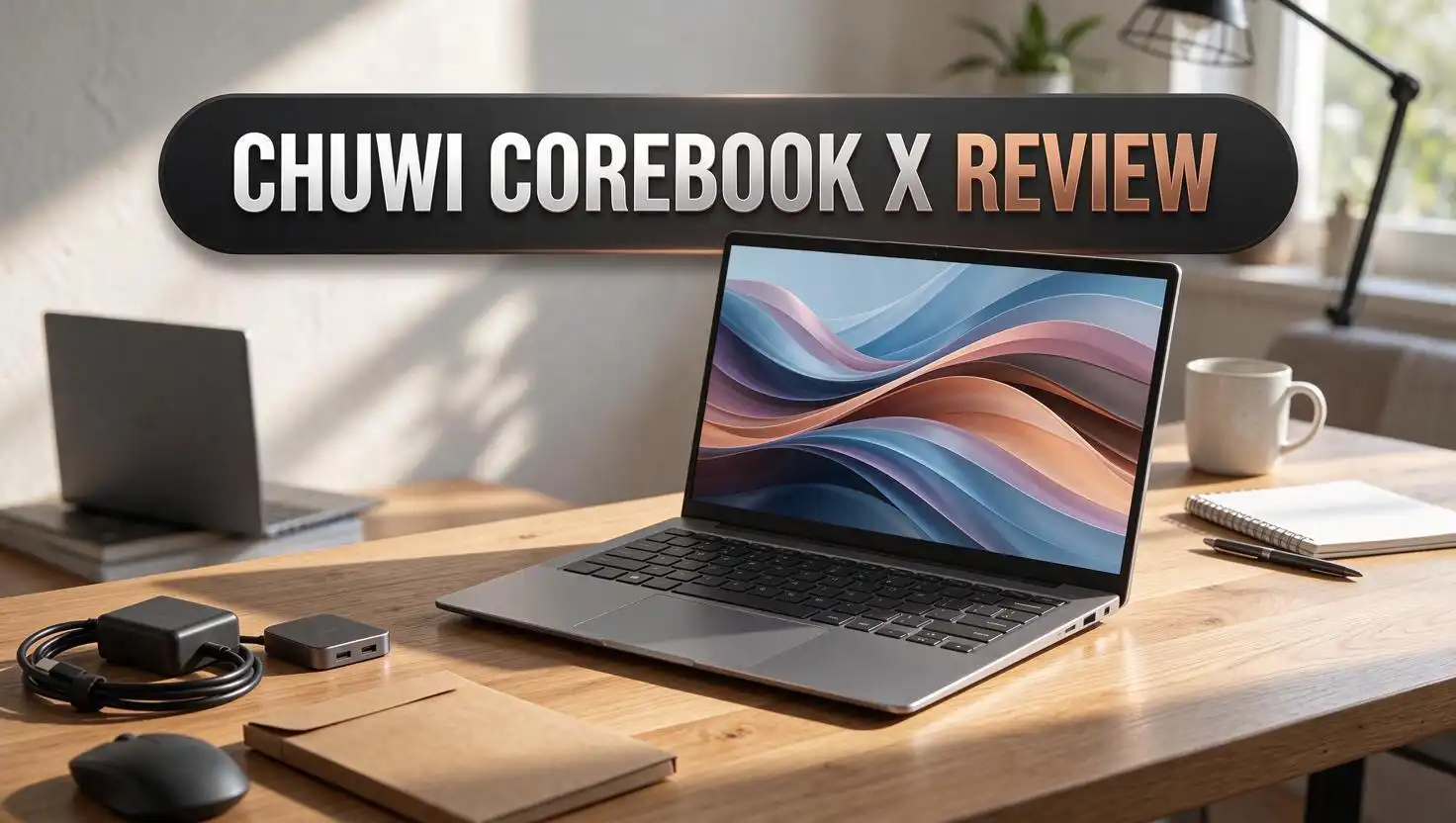
Chuwi Corebook X Review: Laptop That Punches Above Its Price
Do you want a sharp screen, a metal body, and 16GB of RAM for under $400? Most budget laptops make you give up at least one of these. The Chuwi Corebook X gives you all three. But is it actually good, or does it just look good on paper?
I dug into the specs, real test numbers, and owner feedback to find out. This review covers the AMD Ryzen 5 7430U model, which is the newest and the best version. By the end, you will know if this laptop fits your needs and your budget.
In a Nutshell
Here is the short version if you are in a hurry:
- Great screen for the price: The 14 inch 2K IPS panel has a 3:2 aspect ratio and covers close to 100% of sRGB. It reaches about 315 nits, so it is bright and sharp. Most laptops under $400 still use dull 1080p panels.
- Smooth daily performance: The AMD Ryzen 5 7430U has 6 cores and 12 threads. It runs office work, browsing, streaming, and light photo editing well. It also runs cooler and quieter than the Intel version.
- Generous memory and storage: You get 16GB of DDR4 RAM and a 512GB SSD as standard. A hidden panel on the bottom gives you access to an empty RAM slot, and the laptop supports up to 64GB.
- Average battery life: The 46.2Wh battery lasts about 5 to 6 hours of real use. That is fine for classes or short trips, but you will want the charger for a full workday.
- Some budget compromises: There is no fingerprint reader, the webcam is only 1MP, and the speakers are just okay. The Realtek WiFi card also has weak range far from the router.
- Strong value overall: The price usually sits around $380 to $400. For students and home office users, it is one of the best value 14 inch laptops right now.
Chuwi Corebook X Overview

- Experience the ultimate power of the CHUWI CoreBook X Laptop, featuring the AMD Ryzen 7430U CPU. Turbo...
- 16GB DDR4 RAM 512GB SSD: Equipped with Windows 11 OS, the 16GB DDR4 RAM ensures powerful performance for...
Last update on 2026-11-26 / Affiliate links / Images from Amazon Product Advertising API
The Chuwi Corebook X is a 14 inch Windows 11 laptop from Chuwi, a Chinese brand known for low cost tablets and laptops. The Corebook X line has several versions with Intel chips. The newest model uses the AMD Ryzen 5 7430U processor.
This AMD model came out in 2025. It replaced the Intel Core i5 12450H version as the smartest buy in the range. The reason is simple: it runs cooler, it lasts longer on battery, and it charges over USB C.
Here are the main specs:
- Processor: AMD Ryzen 5 7430U, 6 cores, 12 threads, up to 4.3GHz
- Graphics: AMD Radeon integrated graphics
- Display: 14 inch IPS, 2160 x 1440, 3:2, 100% sRGB, 60Hz
- Memory: 16GB DDR4 3200MHz, expandable up to 64GB
- Storage: 512GB PCIe M.2 SSD
- Battery: 46.2Wh with 65W USB C fast charging
- Weight: about 1.4 kg (3.09 lbs)
The laptop runs Windows 11 Home with almost no bloatware. The only extra app is Chuwi Easy Care, which checks system health. That clean setup is a nice surprise at this price.
In the box, you get the laptop, a 65W USB C power adapter, and a charging cable. Chuwi lists a 2 year warranty, but check the terms where you buy. Overall, the spec sheet looks like a laptop that costs twice as much.
Design and Build Quality
The first thing you notice is the metal body. The lid and the bottom panel are made of matte textured metal. The keyboard deck is plastic, but it feels firm and does not bend much when you type.
The design is clean and simple. The corners are rounded, and a small embossed Chuwi logo sits on one corner of the lid. Some people say it looks like a Huawei MateBook from a distance. That is high praise for a sub $400 machine.
The laptop measures 310 x 229.5 x 17.25 mm. At about 1.4 kg, it slips easily into a backpack. It is not ultralight, but it is easy to carry around campus or between rooms all day.
There are a few downsides. The matte metal picks up fingerprints quickly, so keep a cloth handy. The bottom also uses hidden screws, which makes a full teardown harder.
The good news is the removable plate on the bottom. It lets you reach the empty RAM slot without opening the whole case. This is a smart touch that most budget laptops do not have.
Build quality is not at the level of a Dell XPS or a MacBook. Still, it feels much better than the plastic laptops at the same price. If you treat it with normal care, it should hold up well for years.
Display Quality
The screen is the star of the Chuwi Corebook X. It is a 14 inch IPS panel with a 2160 x 1440 resolution. That is much sharper than the 1920 x 1080 screens on most budget laptops.
The 3:2 aspect ratio is another big plus. It gives you more vertical space than a standard 16:9 screen. You see more of your document, spreadsheet, or webpage without scrolling. Students and writers will love this.
In testing, the panel covered about 99% sRGB, 74% AdobeRGB, and 74% DCI P3. Colors look good out of the box, so most people will not need to calibrate it. This makes it good for basic photo editing and making social media content.
Peak brightness measures about 315 nits. That is plenty for indoor use in bright rooms. Outdoors in direct sun, it can get hard to see, but that is true for most laptops in this class.
Here are a few things to know:
- The screen is glossy, so it reflects lights and windows.
- The refresh rate is a standard 60Hz, not a smooth 120Hz.
- Viewing angles are wide, with only a small brightness drop at extreme angles.
For movies, reading, and office work, this display feels premium. It is the main reason many buyers choose this laptop over the competition.
Top 3 Alternative for Chuwi Corebook X
The Chuwi Corebook X is a great value, but it is not for everyone. Some buyers want a bigger brand, a fingerprint reader, or a larger screen. Here are three solid alternatives to think about.
Acer Aspire 3 (Ryzen 5 7520U)

- Purposeful Design: Travel with ease and look great doing it with the Aspire's 3 thin, light design.
- Ready-to-Go Performance: The Aspire 3 is ready-to-go with the latest AMD Ryzen 5 7520U Processor with...

Last update on 2026-11-26 / Affiliate links / Images from Amazon Product Advertising API
The Acer Aspire 3 is a popular budget laptop with a 15.6 inch Full HD IPS screen. It uses the AMD Ryzen 5 7520U, which is a quad core chip. It is a good pick if you want a bigger screen and a well known brand. However, it comes with less RAM and storage, and the screen is not as sharp as the Chuwi.
Lenovo IdeaPad Slim 3 (Ryzen 5 7520U)

- SMART MULTITASKING: Work smart and seamlessly on multiple tasks with the latest AMD Ryzen 5 7520U...
- AMPLE STORAGE: With 256GB of storage there is no shortage for your projects, family photos and memories.
Last update on 2026-11-26 / Affiliate links / Images from Amazon Product Advertising API
The Lenovo IdeaPad Slim 3 is light, reliable, and backed by Lenovo’s large service network. It has a 15.6 inch FHD screen and a comfortable keyboard. Choose this one if brand support matters more to you than screen quality. The base model has only 8GB of RAM, so upgrading memory is a smart move.
ASUS Vivobook 14 (Ryzen AI 7 350)

- [Faster than fast.] Gaming and productivity is in our DNA. Plus, get stuff done fast with Windows tools...
- [Can your Mac do this? ] Level up your game with Game Bar, and more. Immerse yourself in vivid worlds and...
Last update on 2026-11-26 / Affiliate links / Images from Amazon Product Advertising API
The ASUS Vivobook 14 costs more, but it is a big step up in power. It uses the AMD Ryzen AI 7 350 with a built in NPU, so it counts as a Copilot+ PC. This is the pick for buyers who want newer AI features and better long term performance. It has a 14 inch WUXGA screen, 16GB RAM, and a 512GB SSD.
Performance and Gaming
The AMD Ryzen 5 7430U is a 15W processor with 6 cores and 12 threads. It boosts up to 4.3GHz and has 16MB of L3 cache. In simple terms, it handles everyday work with ease.
You can run many Chrome tabs, Microsoft Office, Zoom calls, and Spotify at the same time. The laptop stays fast and smooth during these tasks. Light photo editing in apps like Lightroom or Canva works well too.
The Intel i5 12450H version of the Corebook X is slightly faster on paper. But it uses a 45W chip, so it runs hotter and the fans spin up more often. The AMD model stays cooler and quieter, and the performance gap in real use is small.
For gaming, set your expectations low. The integrated Radeon graphics are fine for light games and older titles. In testing, Hades II ran at about 50 to 60 FPS at 1680 x 1050.
Here is what you can expect:
- Great: Indie games, Minecraft, Stardew Valley, cloud gaming
- Okay: Fortnite or Valorant at low settings and lower resolution
- Not good: New AAA games like Cyberpunk 2077 or Black Myth Wukong
This is not a gaming laptop, even if some listings call it one. It is a strong everyday machine with room for some casual play. If gaming is your main goal, look for a laptop with a dedicated GPU.
Keyboard, Touchpad, and Webcam
The backlit keyboard is a pleasant surprise. The keys feel firm and have good travel. Typing for long sessions is comfortable, and the keys do not feel cheap or mushy.
The backlight shines through the letters, so you can type in dark rooms. For students who study late at night, this is a handy feature. The layout is almost full size, but the right Shift key is shorter than normal.
One small quirk is the function keys. By default, they act as F1 to F12. To switch them to media shortcuts like brightness and volume, you must change a setting in the BIOS. It is a one time fix, but it is not very user friendly.
The 5.8 inch touchpad is large and supports Windows gestures. It uses a plastic surface with physical click zones. Tracking is accurate, and you can click and drag across the pad without trouble.
That said, the touchpad does not feel as smooth as the glass pads on premium laptops. It also picks up fingerprints. For the price, it gets the job done without any real problems.
The weakest part here is the 1MP webcam. Video looks soft and grainy, especially in dim light. It works for casual calls, but frequent Zoom users may want an external webcam. There is also no fingerprint reader and no face unlock, so you will log in with a PIN or password.
Battery Life and Charging
The Chuwi Corebook X has a 46.2Wh battery. That is on the small side for a 14 inch laptop. Still, the efficient AMD chip helps a lot.
In real use with above average screen brightness, the laptop lasts about 5 to 6 hours. That covers a few classes, a coffee shop session, or a short flight. It beats the Intel version, which lasts only about 3 to 4 hours.
Your results will depend on what you do. Here is a rough guide:
- Web browsing and documents: about 5 to 6 hours
- Video streaming: about 5 hours at medium brightness
- Heavy work or gaming: about 2 to 3 hours
To get more battery life, lower the screen brightness. The 2K panel uses more power than a 1080p screen. Turning on Windows battery saver mode also helps.
Charging is a highlight. The laptop supports 65W USB C Power Delivery. You can charge it with the included adapter, a phone charger with enough wattage, or a power bank. This is a big step up from the old barrel charger on the Intel model.
One USB C charger for your laptop and phone means less to carry. If you need all day power, a compact 65W GaN charger is a great extra purchase.
Ports, WiFi, and Upgrades
The Chuwi Corebook X has a good selection of ports for a thin laptop. You will not need a dongle for most daily tasks.
On the left side, you get a USB C 2.0 port for charging, a USB A 3.0 port, an HDMI port, and a USB C 3.0 port with video output and charging. On the right, there is a microSD card slot, a second USB A 3.0 port, a 3.5mm headphone jack, and a Kensington lock.
The HDMI port is version 1.4. It supports 4K at 30Hz or 1080p at 120Hz. For a 4K monitor at 60Hz, use the USB C port with video instead. Note that there is no USB4 or Thunderbolt.
The weak spot is WiFi. The laptop uses a Realtek 8852BE WiFi 6 card. Near the router, speeds reached about 600 Mbps. Farther away, speeds drop a lot more than on other devices. Here are some easy fixes:
- Use the laptop closer to your router.
- Buy a cheap USB WiFi adapter for about $20.
- Swap the card for an Intel WiFi card if you are comfortable with tech.
Upgrades are a real strength. The RAM supports up to 64GB, and one slot is easy to reach. Adding a second 16GB stick costs around $40 and enables dual channel memory. This also boosts graphics performance. The SSD uses a standard M.2 2280 slot, so you can upgrade storage later too.
Pros and Cons
Every laptop has trade offs. Here is a clear look at what the Chuwi Corebook X does well and where it falls short.
Pros:
- Sharp 2K display with a 3:2 aspect ratio and close to 100% sRGB coverage, which is rare at this price.
- Metal lid and bottom panel that feel solid and look much more premium than plastic rivals.
- 16GB RAM and 512GB SSD as standard, with easy access to an empty RAM slot for upgrades up to 64GB.
- Smooth everyday performance from the efficient Ryzen 5 7430U, with low heat and quiet fans.
- 65W USB C charging that works with phone chargers and power banks.
- Comfortable backlit keyboard with good key travel for long typing sessions.
- Good port selection, including two USB A ports, HDMI, USB C with video, and a microSD slot.
- Clean Windows 11 install with almost no bloatware.
Cons:
- Average battery life of about 5 to 6 hours from the 46.2Wh battery.
- No fingerprint reader or face unlock, so logins are slower.
- Low quality 1MP webcam that looks grainy on video calls.
- Weak WiFi range due to the Realtek wireless card.
- So so speakers that face downward and lack bass.
- Glossy screen that reflects bright lights.
- No USB4 or Thunderbolt for fast docks and external GPUs.
Most of the cons are typical for budget laptops. The pros, on the other hand, are features you normally find on much more expensive machines.
Final Verdict: Who Should Buy It
The Chuwi Corebook X with Ryzen 5 7430U is one of the best value laptops you can buy under $400. It gets the most important things right: a great screen, enough power, plenty of memory, and a solid build.
So who is it for? Here is a quick guide.
Buy it if you are:
- A student who needs a light laptop for notes, research, and streaming.
- A home office worker who uses Office, email, and video calls every day.
- A writer or blogger who will love the tall 3:2 screen.
- A budget buyer who wants upgrade options for the future.
Skip it if you:
- Want to play new AAA games at high settings.
- Need 10 or more hours of battery life away from a charger.
- Make lots of video calls and care about webcam quality.
- Want the support of a big brand like Lenovo, HP, or Dell.
The AMD model is clearly better than the Intel version in this lineup. It runs cooler, lasts longer, and charges over USB C. Those changes make a real difference in daily use.
Yes, you will notice the weak webcam and the average speakers. But for the price, the overall experience is excellent. If you want the most screen and memory for your money, the Chuwi Corebook X is a smart buy.
FAQs
Is the Chuwi Corebook X a good laptop?
Yes, it is a good laptop for its price. It offers a sharp 2K screen, 16GB RAM, a 512GB SSD, and a metal body. It works best for students, office tasks, and media use.
Is Chuwi a reliable brand?
Chuwi has improved a lot in recent years. Its newer laptops have better build quality and fewer issues. Support is not as strong as major brands, so buy from a seller with an easy return policy.
How long does the Chuwi Corebook X battery last?
The AMD Ryzen 5 7430U model lasts about 5 to 6 hours with normal use. The Intel i5 12450H model lasts only about 3 to 4 hours.
Can the Chuwi Corebook X run games?
It can run light games and older titles well. Games like Hades II run at about 50 to 60 FPS at a lower resolution. It cannot handle new AAA games at high settings.
Can I upgrade the RAM on the Chuwi Corebook X?
Yes. The AMD model has an empty RAM slot behind a small removable plate on the bottom. It supports up to 64GB of DDR4 memory.
Does the Chuwi Corebook X have a fingerprint reader?
No. It has no fingerprint reader and no face unlock. You will need to sign in with a PIN or password.
Can the Chuwi Corebook X charge with USB C?
Yes. The AMD model supports 65W USB C Power Delivery. You can charge it with the included adapter, a compatible phone charger, or a power bank.
Which is better, the AMD or Intel Chuwi Corebook X?
For most people, the AMD Ryzen 5 7430U model is better. It runs cooler and quieter, lasts longer on battery, and charges over USB C. The Intel model is only slightly faster.

Dillip is the founder and editor of dillip.net, a passionate tech enthusiast and AI explorer dedicated to simplifying the world of artificial intelligence and technology for everyday users. With a keen eye for detail, he provides honest reviews, in-depth comparisons, and practical guides to help readers make smarter tech decisions.