Beelink GTi15 Ultra Review: Is This Mini PC Worth Buying?
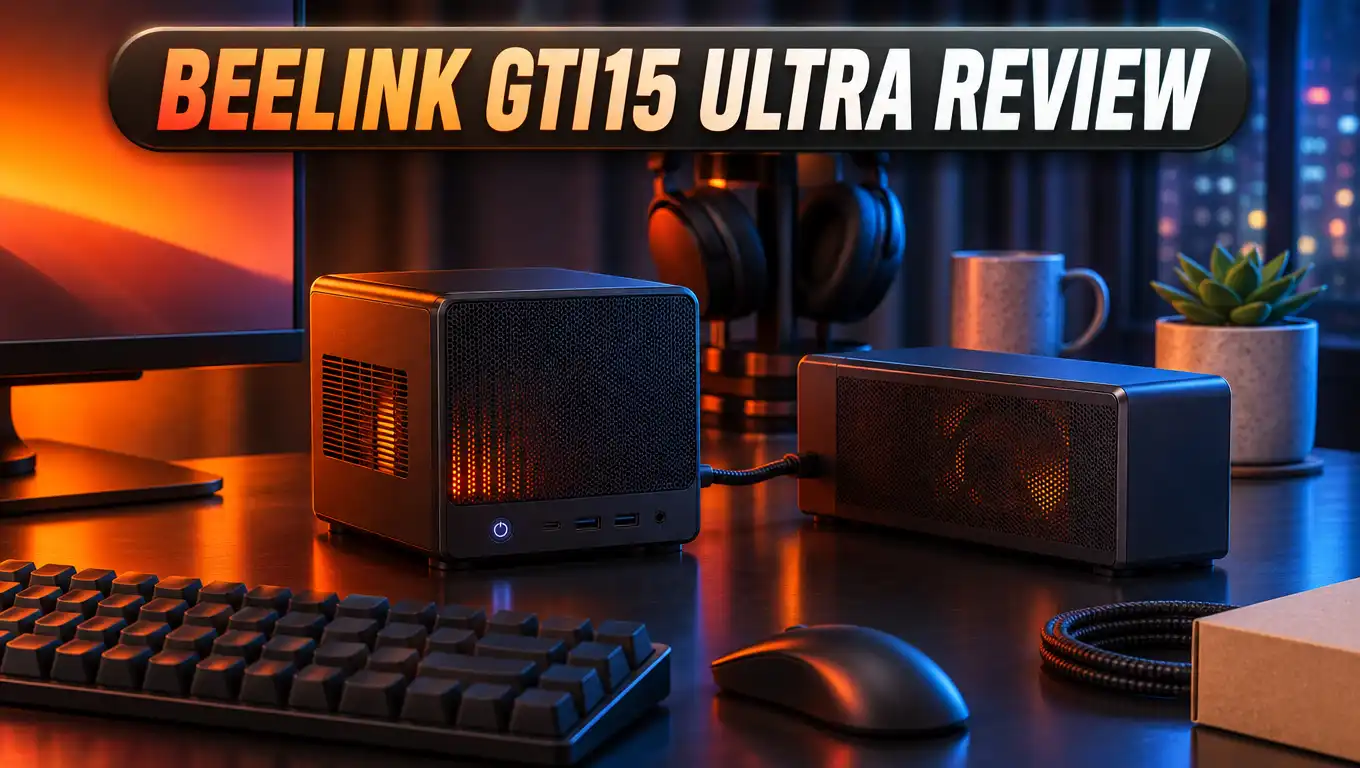
Do you want desktop power in a box that fits in your hand? The Beelink GTi15 Ultra tries to give you that. It uses Intel’s Core Ultra 9 285H chip, two 10GbE ports and a hidden PCIe slot for a desktop graphics card.
It sounds like the perfect mini PC. But one flaw could change your mind. This review covers speed, gaming, the dock, noise, power use and value, so you can decide if it fits your desk.
In a Nutshell
- Strong CPU speed: The Core Ultra 9 285H has 16 cores and boosts up to 5.4 GHz. It handles office work, coding and photo editing with ease.
- Great networking: Two 10GbE ports and WiFi 7 make this PC a good fit for home labs, NAS setups and fast file transfers.
- Desktop GPU option: A PCIe 5.0 x8 slot connects to the optional EX Pro Docking Station. This lets you add a full desktop graphics card.
- Quiet and cool: The cooler holds the CPU near 75°C under long loads. Noise stays around 37 dBA.
- High idle power draw: This is the big weak spot. It draws about 24W at idle in Windows and close to 5W even when it is shut down.
- Premium price: The 64GB RAM and 1TB SSD model launched near $1,249. You pay extra for the dock and a graphics card.
Beelink GTi15 Ultra Overview
No products found.
The Beelink GTi15 Ultra is the newest model in Beelink’s GTi Ultra line. It replaces the GTi14 Ultra and the older GTi12 Ultra. Beelink aims it at power users who want a small PC that can still grow later.
The heart of the machine is the Intel Core Ultra 9 285H. This Arrow Lake chip has 6 performance cores, 8 efficient cores and 2 low power cores. That adds up to 16 cores and 16 threads.
Beelink sells two main versions. One has 64GB of DDR5 RAM and a 1TB SSD. The other has 96GB of RAM and a 2TB SSD. Both use DDR5 memory at 5600 MT/s.
The extras make this PC stand out. It has a 145W power supply inside, so you get no power brick. It also has dual speakers, a four microphone array and a fingerprint reader built into the power button.
You also get a 3 year warranty. Most budget mini PC brands only give you one year, so this adds real peace of mind.
The GTi15 Ultra is still small at 158 x 158 x 55.8 mm. That is a bit larger than a classic NUC. But it is much smaller than any tower PC.
This PC suits people who want a quiet work machine today and a gaming rig later. It costs more than a typical mini PC. You do get more features for that money, though.
Design and Build Quality
The GTi15 Ultra looks clean and modern. It uses a metal case with a soft gray finish. Many people say it looks a bit like an Apple Mac Studio, and that comparison is fair.
The top is flat and plain. The sides have no ports or vents. That makes the PC look neat on a desk or a shelf.
The front has a row of four microphones above the ports. Beelink says the mics can pick up your voice from up to 5 meters away. That helps a lot with video calls.
The power button doubles as a fingerprint reader. It works with Windows Hello, so you can log in with one touch. A small white light next to it shows when the PC is on.
The back has four wide vent slots that show the cooling fins. Air comes in through a perforated base. Two rubber strips act as feet and lift the PC off the desk.
A rubber cover on the bottom hides the special PCIe slot. This slot connects to Beelink’s EX docking stations. You will not notice it in daily use.
The built in speakers are a nice touch. They will not replace good desktop speakers. But they work well for meetings, YouTube and system sounds.
Overall, the build feels solid and well made. It looks like a premium product, and it feels like one in your hands.
Ports and Connectivity
The GTi15 Ultra packs a lot of ports into a small body. Here is the layout.
The front panel has one USB A port at 10 Gbps, a full size SD 4.0 card reader, one USB C port at 10 Gbps and a 3.5mm audio jack. These cover quick tasks like flash drives and headsets.
The back panel has the power jack, one USB4 port at 40 Gbps, a second 3.5mm audio jack, an HDMI port, a DisplayPort 1.4a port, two 10GbE ports and two USB A ports at 10 Gbps.
That gives you three USB A ports and two USB C ports. Most people will have plenty for a keyboard, mouse, webcam and external drive.
The PC supports three displays at once. You can use HDMI, DisplayPort and USB4 together. That works well for traders, coders and video editors who like many screens.
One small issue stands out. The front USB C port is the slower one. The fast USB4 port sits on the back. You will need to reach behind the PC for fast external drives.
Also note that the USB4 port is not a Thunderbolt port. If you want a desktop GPU, Beelink wants you to use its own dock instead.
The SD card reader is fast in Windows. Tests show about 270 MB/s read and 240 MB/s write with the right driver. Photographers will like that.
Top 3 Alternative for Beelink GTi15 Ultra
The GTi15 Ultra is not the only strong mini PC out there. These three options are worth a look, especially if idle power or price worries you.

- ➊Productivity AI Companion, Cloud Ideas, Local Creation:Use cloud AI for ideas, then edit videos...
- ➋Core Ultra 9 285H, AI Creative Performance:Intel Core Ultra 9 285H delivers up to 99 TOPS combined...
Last update on 2026-11-28 / Affiliate links / Images from Amazon Product Advertising API
The GEEKOM IT15 uses the same Core Ultra 9 285H chip. It has dual USB4 ports and supports four displays. In tests it idles at around 4.5W, which is far lower than the Beelink. It lacks 10GbE and the GPU dock slot, though.

- Powerful Ryzen 9 9955HX: The MS-A2 mini PC is powered by an AMD Ryzen 9 9955HX processor (16 cores...
- High-speed memory and extended storage:Equipped with DDR5 SODIMM memory supporting up to 5200 MT/s and a...
Last update on 2026-11-28 / Affiliate links / Images from Amazon Product Advertising API
The Minisforum MS-A2 is a true mini workstation. It uses the AMD Ryzen 9 9955HX with 16 cores and 32 threads. It has 10G SFP+ ports and a real PCIe slot inside. It suits home lab fans and heavy multitask users.

- EVOLUTION AMD RYZEN 9 HX-370 MINI PC - GMKtec EVO-X1 is the next evolution in AI mini PC Ryzen AI...
- AI NPU with XDNA 2 ARCHITECTURE - Equipped with an advanced AI NPU featuring the XDNA 2 architecture...
Last update on 2026-11-28 / Affiliate links / Images from Amazon Product Advertising API
The GMKtec EVO X1 runs the AMD Ryzen AI 9 HX 370 with Radeon 890M graphics. Its iGPU beats Intel’s Arc 140T in many games. It also has an OCuLink port for external GPUs and costs much less.
Each option has trade offs. The GEEKOM is the best pick for low power use. The Minisforum gives you the most raw CPU power. The GMKtec offers the best value for light gaming.
Pick the GTi15 Ultra if you want dual 10GbE and the PCIe 5.0 dock in one package. No other mini PC here offers that exact mix.
Processor and Performance
The Core Ultra 9 285H is one of Intel’s fastest laptop class chips. It boosts up to 5.4 GHz on its performance cores. It also has a 24MB cache.
Beelink sets both power limits at 54W. This means the chip does not spike high for a short burst. Instead, it holds a steady 54W for long tasks.
This choice pays off in long workloads. In a 20 minute stress test, the CPU held around 4.2 GHz the whole time. It did not slow down from heat.
Here are some benchmark results from testing:
- Cinebench R23: about 18,686 multi core and 2,133 single core
- Geekbench 6: about 2,963 single core and 15,581 multi core
- PassMark CPU Mark: about 36,785
Office work feels very fast. The PC scored 8,866 in Procyon Office Productivity. That beat both the GEEKOM IT15 and the AMD HX 370 systems in the same test.
Short tasks feel snappy thanks to the strong single core speed. Apps open fast and web pages load quickly. Large spreadsheets move without lag.
The chip also has a 13 TOPS NPU. Combined with the CPU and GPU, Intel rates the whole chip at 99 TOPS of AI power. The NPU alone is weaker than AMD’s 50 TOPS NPU, though.
For coding, photo editing, light video work and heavy multitasking, the GTi15 Ultra performs very well.
Graphics and EX Pro Dock Support
The built in Intel Arc 140T GPU has 8 Xe cores. It runs up to 2.35 GHz. It handles 4K video, photo editing and light games well.
Gaming has limits, though. In Shadow of the Tomb Raider at 1080p, it hit about 59 fps on low and 45 fps on high. AMD’s Radeon 890M does a bit better in most games.
In 3DMark Time Spy, the GTi15 Ultra scored about 4,503. That is a good score for an iGPU. Esports titles and older games run smoothly.
The real gaming story is the EX Pro Docking Station. This optional dock has a full PCIe x16 slot wired as PCIe 5.0 x8. You slide the mini PC onto the dock’s connector and lock it in place.
The dock has a 600W power supply inside. It has two 8 pin power plugs for the graphics card. It also adds an M.2 slot for an extra SSD and a USB 2.0 port.
PCIe 5.0 x8 gives far more bandwidth than USB4 or OCuLink. Those links usually run at only four PCIe lanes. With the dock, a card like an RTX 5070 Ti can run close to full speed.
The extra M.2 slot in the dock runs at PCIe 4.0 x1. Tests show about 1,780 MB/s read. That is fine for game storage but slower than the internal slots.
This setup turns the mini PC into a real gaming desktop. Keep in mind that you need to buy the dock and the graphics card on top of the PC.
Memory, Storage and Upgrades
The GTi15 Ultra ships with two DDR5 SO DIMM sticks. The review unit used two 32GB Crucial sticks at 5600 MT/s. The chip supports up to 128GB in total.
Storage comes from two M.2 2280 slots. Both run at PCIe 4.0 x4. The 1TB model used a Crucial P3 Plus drive.
That drive is fast enough for daily use. It read at about 5,200 MB/s and wrote at about 4,700 MB/s in tests. It is a mid range drive, but most people will not notice.
Now for the hard part. Upgrading this PC is not easy. Beelink packed so much inside that you must remove many parts to reach the RAM and SSD.
You need to pull off rubber covers, remove the base plate and lift a dust filter. Then you remove the speakers, unlatch the power supply and fold back a metal tray. One tester counted about 20 screws.
A thin ribbon cable links the speakers to the board. It can come loose easily. The WiFi antenna cables also hang close by, so you need to work slowly.
This is not a PC for beginners who want to tinker. If you plan to add a second SSD, do it once and with care.
Our tip: buy the RAM and storage size you need from the start. The 96GB model saves you from opening the case later.
Networking: Dual 10GbE and WiFi 7
Networking is where the GTi15 Ultra truly shines. It has two 10GbE ports on the back. Few mini PCs offer even one.
Beelink uses an Intel E610 controller for these ports. This chip often shows up in server gear. It worked well in testing with no dropped links.
Speed tests hit about 9.9 Gbps up and 9.88 Gbps down. That is close to the full limit of 10GbE. Large file transfers to a NAS finish very fast.
Two ports open up many uses. You can link one port to your main network and one to a storage server. You can also run a firewall or router setup at home.
The wireless side is just as strong. The PC uses an Intel BE200 WiFi 7 card. It supports the 2.4 GHz, 5 GHz and 6 GHz bands.
On the 6 GHz band, tests reached about 3.25 Gbps download. That is faster than a 2.5GbE wired link. It is one of the best WiFi results seen on a mini PC.
Bluetooth 5.4 handles your headphones, mice and game controllers.
Some owners report one quirk. The LAN ports can stop working after the PC wakes from sleep. A restart fixes it, but it can annoy people who run servers. Keep sleep mode off if you use it as a home server.
Thermals and Noise Levels
Beelink did a great job with cooling. The GTi15 Ultra stays cool and quiet even under heavy loads.
In a 20 minute full stress test on all 16 cores, the CPU temp rose and then settled at about 75°C. It stayed there until the end. The clock speed did not drop.
This means the cooler can easily handle the 54W power limit. You get steady performance in long renders and code builds.
Noise is the best part. At idle, you cannot hear the fan at all. Under full load, it measured only 37 dBA next to the PC.
That is quieter than many laptops. You can work, record audio or watch a movie without fan noise getting in the way.
The design helps here. Air comes in through the bottom and leaves through the wide rear vents. The sides stay closed, so you can place the PC near a wall.
Some users notice the case feels warm even at idle. This ties to the power draw issue covered below. The heat does not hurt performance, but it is worth knowing.
Keep the bottom vents clear. Do not place the PC on a soft surface like a carpet or a bed. Give it a few inches of space at the back.
For a small box with a 16 core chip, these thermals are excellent.
Power Consumption: The Big Weak Spot
This is the part that hurts the GTi15 Ultra most. The PC uses far more power than it should at idle and even when off.
Here are the test numbers:
- Shut down: about 4.8W
- Idle in Windows: about 24.2W
- Idle in Debian Linux: about 41.8W
- Full CPU load: about 78W
Compare that to the GEEKOM IT15 with the same chip. It idles at about 4.5W. AMD mini PCs often idle between 3W and 6W. The Beelink uses about five times more power.
Some owners measured even higher numbers. They saw 27 to 28W at idle with a wall meter. A power saving mode in Beelink’s Control Center drops it to about 18W. But that mode turns off the LAN and WiFi.
The draw while shut down is also a problem. Many regions want standby power below 1W. You may want to unplug the PC or use a smart plug when you do not use it.
For a home server that runs all day, this adds up. At 25W around the clock, you use about 219 kWh per year. In places with high power prices, that costs real money.
A BIOS update may fix this later. Users have asked Beelink for one. Check the support page for new BIOS versions before you buy.
If you only use the PC for a few hours a day, this matters less. If you want a 24/7 server, think twice.
Software, Linux and Extra Features
The GTi15 Ultra comes with Windows 11 Pro already installed and activated. You can start working right away.
Beelink also adds some extra apps. These include Wondershare Filmora, EdrawMax, EdrawMind and the Beelink Control Center. Beelink says these apps are safe and come from software deals.
Many users prefer a clean system. You can uninstall the apps or reinstall Windows. If you reinstall, download the driver pack from Beelink’s support page first.
Some drivers matter more than others. You need the EgisTec driver for the fingerprint reader. You also need the BayHub SD driver for full card reader speed.
Linux works well on the whole. Debian and Ubuntu both run fine with most hardware. Two parts have problems, though.
The fingerprint reader does not work in Linux. No driver exists for it yet. The SD card reader also runs slower, at about 180 MB/s read and 100 MB/s write.
Some owners also report a bug with virtualization settings in the BIOS. This matters if you run Proxmox or virtual machines. Check for BIOS updates if you plan to do this.
The extra features add real value. The DSP speakers sound clear for calls. The four mic array picks up your voice well. The fingerprint login is fast and handy.
Pros and Cons
Here is a quick look at what works and what does not.
Pros
- Fast 16 core CPU: The Core Ultra 9 285H handles office work, coding and creative apps with ease. It holds steady clocks in long tasks.
- Dual 10GbE ports: Two fast wired ports make this PC great for NAS, home labs and fast file transfers.
- WiFi 7 speed: The BE200 card reached over 3 Gbps in tests. That is faster than many wired links.
- PCIe 5.0 x8 dock support: The EX Pro dock lets you add a desktop graphics card with very little bandwidth loss.
- Quiet and cool: The fan is silent at idle and stays around 37 dBA under full load.
- Built in power supply: You only need a simple power cable, with no big brick on the floor.
- Handy extras: Speakers, a mic array, a fingerprint reader and an SD 4.0 slot all come included.
- 3 year warranty: This gives you longer support than most mini PC brands.
Cons
- High idle power draw: It uses about 24W at idle and close to 5W when off, far above rivals.
- Hard to upgrade: You must remove many parts and about 20 screws to reach the RAM and SSD.
- High price: The base model costs far more than most mini PCs, and the dock costs extra.
- Average iGPU for games: The Arc 140T trails AMD’s Radeon 890M in many titles.
- Bundled software: Extra apps come preinstalled, and some users will want to remove them.
- Linux gaps: The fingerprint reader does not work, and the SD card reader runs slower.
Price and Value
The Beelink GTi15 Ultra sits at the high end of the mini PC market. The 64GB RAM and 1TB SSD model launched at around $1,249. Prices change often, especially during sales.
The 96GB and 2TB model costs more. The EX Pro dock is an extra cost. A good desktop graphics card adds a lot more on top.
So is it worth it? That depends on how you use it.
You get a lot for the money. Few mini PCs offer dual 10GbE, WiFi 7, a built in PSU, speakers and a PCIe 5.0 dock slot in one box. Buying these features separately would cost extra.
The 3 year warranty also adds value. It protects your investment for longer than most rivals.
The idle power draw takes away some value, though. If you run the PC all day, your power bill will be higher. Over a few years, that cost adds up.
Rivals like the GEEKOM IT15 cost less and sip power. The GMKtec EVO X1 costs much less and games better on its iGPU. Neither offers 10GbE or the dock, though.
Watch for sales. Beelink often cuts prices during holiday events. A discount makes this PC a much better deal.
Our view: the GTi15 Ultra gives good value for networking fans and future eGPU users. For basic office work, cheaper options make more sense.
Who Should Buy the Beelink GTi15 Ultra
The GTi15 Ultra is not for everyone. But it fits some users very well.
Home lab fans will love the dual 10GbE ports. You can link fast storage, test networks and move big files in seconds. Just watch the power draw if it runs 24/7.
Creators and coders get a fast, quiet machine. The 16 core chip handles photo edits, code builds and light video work. The triple display support helps with multitasking.
Future gamers get a clear upgrade path. Start with the mini PC for work. Add the EX Pro dock and a graphics card later. This gives you a real gaming rig without a big tower.
Office users who want a clean desk will like the built in PSU, speakers and mic array. Video calls work well right out of the box.
Some people should skip it. If you want the lowest power use, pick the GEEKOM IT15 or an AMD model. If you like to swap parts often, the hard upgrade process will frustrate you.
Budget buyers should also look elsewhere. Many cheaper mini PCs handle web browsing, email and streaming just fine.
Gamers who want a good iGPU without a dock may prefer an AMD Radeon 890M system. It runs games better out of the box.
Final Verdict
The Beelink GTi15 Ultra is one of the most feature packed mini PCs you can buy. It mixes a fast Intel chip, dual 10GbE, WiFi 7 and a PCIe 5.0 dock slot in a small metal box.
Performance is strong and steady. The cooler keeps the chip at about 75°C and stays very quiet. Office scores beat many rivals with the same or similar chips.
The EX Pro dock is the big selling point. It turns the mini PC into a real gaming desktop with near full GPU bandwidth. No USB4 or OCuLink setup can match that link speed.
But the high idle power draw is hard to ignore. Using 24W at idle and 5W while off is far too much for a modern mini PC. It hurts the value for always on use.
Upgrades are also tricky. You need patience and care to reach the RAM and SSD slots.
So should you buy it? If you want dual 10GbE and a future eGPU path, yes. It is a great tool for power users who use it a few hours a day.
If low power use matters most, look at the GEEKOM IT15 instead. And if you want cheap light gaming, the GMKtec EVO X1 makes more sense.
Our rating: 4 out of 5. It is a brilliant mini PC with one big flaw. A BIOS fix for the power draw would make it close to perfect.
Frequently Asked Questions
What processor does the Beelink GTi15 Ultra use?
It uses the Intel Core Ultra 9 285H. This chip has 16 cores, 16 threads and boosts up to 5.4 GHz. It also includes Arc 140T graphics and a 13 TOPS NPU.
Can the Beelink GTi15 Ultra run a desktop graphics card?
Yes, but only with the optional EX Pro Docking Station. The dock has a PCIe 5.0 x8 link and a 600W power supply. You slide the mini PC onto the dock and install your GPU.
How much RAM does the GTi15 Ultra support?
It ships with 64GB or 96GB of DDR5 memory. The CPU supports up to 128GB. Upgrading takes a lot of work, so choose your size at purchase.
Is the Beelink GTi15 Ultra good for gaming?
The built in Arc 140T handles light games and esports titles at 1080p. For modern AAA games, you need the EX Pro dock and a desktop graphics card.
Why does the GTi15 Ultra use so much power at idle?
Tests show about 24W at idle in Windows and close to 5W when off. Beelink has not fully explained or fixed this yet. Users hope a future BIOS update will help.
Does the GTi15 Ultra work with Linux?
Yes, most hardware works in Debian and Ubuntu. The fingerprint reader does not work yet, and the SD card reader runs slower than in Windows.
Does the Beelink GTi15 Ultra have Thunderbolt?
No. It has one USB4 port at 40 Gbps on the back. It is not a Thunderbolt port. Beelink pushes eGPU users to its own dock instead.
How long is the warranty on the GTi15 Ultra?
The GTi15 Ultra and the EX Pro dock both come with a 3 year warranty. That is longer than the 1 year warranty many mini PC brands offer.
Is the GTi15 Ultra a good home server?
It has great networking for a server, with dual 10GbE ports. The high idle power draw raises running costs, though. Some owners also report LAN issues after sleep.

Dillip is the founder and editor of dillip.net, a passionate tech enthusiast and AI explorer dedicated to simplifying the world of artificial intelligence and technology for everyday users. With a keen eye for detail, he provides honest reviews, in-depth comparisons, and practical guides to help readers make smarter tech decisions.