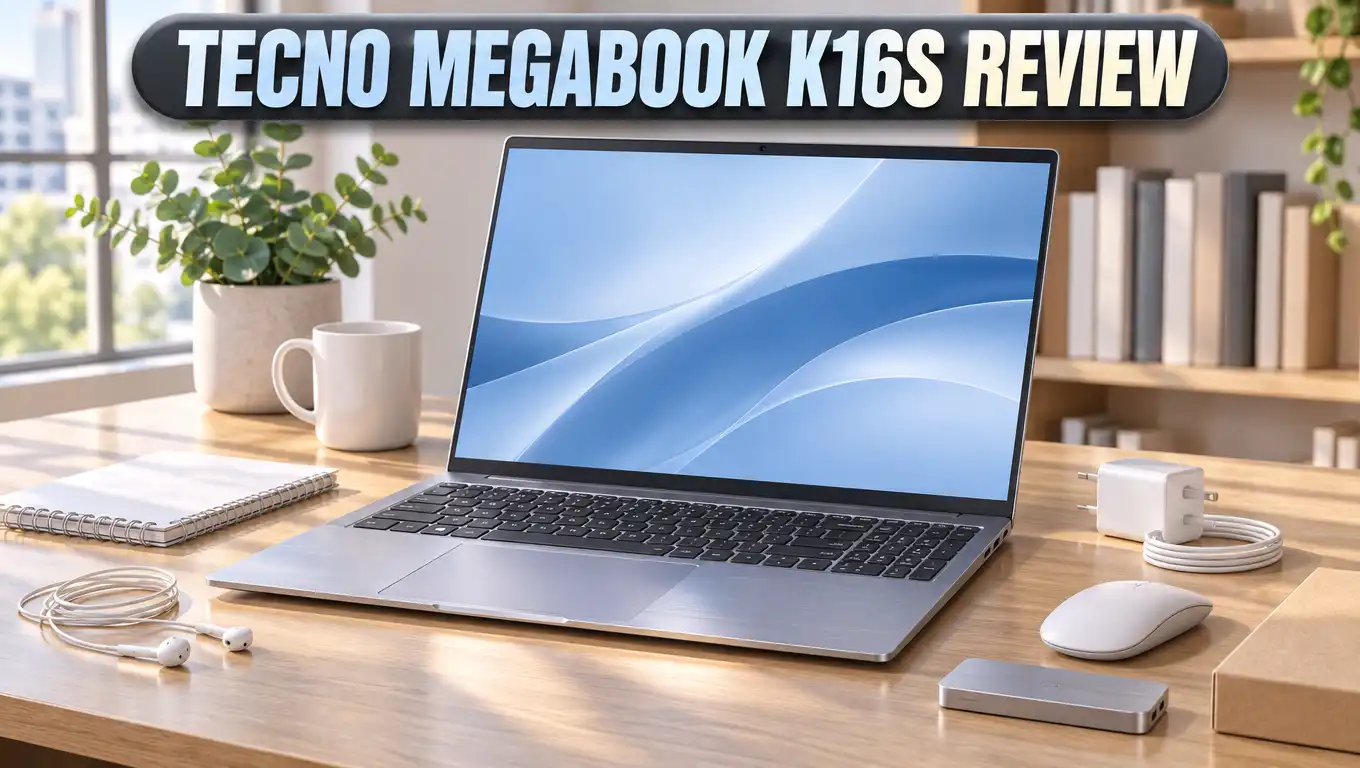
Tecno Megabook K16S Review: 16 Inch Laptop Worth Buying?
Want a big screen laptop with a Core i9 chip that won’t drain your savings? The Tecno Megabook K16S says it can do that. Tecno is mostly known for low cost phones, so many people don’t know it makes laptops too.
This review covers the design, display, performance, battery, and value. You will also find good alternatives, a clear pros and cons list, and answers to common questions. By the end, you will know if this laptop fits your needs and budget.
In a Nutshell
Here is a short summary of the Tecno Megabook K16S before we get into the details.
- Strong Processor for the Price: The Intel version uses a Core i9 13900HK chip with 14 cores and speeds up to 5.4GHz. It runs office work, many browser tabs, and photo editing easily. An AMD version with a Ryzen 5 chip costs less.
- Big 16 Inch Screen: The display is a 16:10 IPS panel with a 1920 x 1200 resolution. The matte coating cuts glare well. The colors are dull, though, and the refresh rate is only 60Hz.
- All Metal Body: The laptop weighs about 1.75 kg and is 17.5mm thick. It feels solid and premium. The lid opens a full 180 degrees with one finger.
- Plenty of Ports: You get two USB Type C ports, two USB A ports, HDMI, Ethernet, a microSD slot, and a headphone jack. Most people will never need a dock. There is no Thunderbolt support, however.
- Big 70Wh Battery: The battery lasts a full workday with light tasks. It drains fast during gaming. The 65W GaN charger is small but charges slowly.
- Great Value: The Intel model sells for about PHP 46,999 in the Philippines. That makes it one of the cheapest Core i9 laptops you can buy today.
Tecno Megabook K16S Overview
No products found.
The Tecno Megabook K16S belongs to Tecno’s K Series. This series focuses on strong performance at a low price. Tecno also sells the premium S Series and the midrange T Series.
The K16S comes in two main versions. The K16S 13th uses an Intel Core i9 13900HK processor. The K16S AMD uses a Ryzen 5 chip, such as the Ryzen 5 7430U sold in Europe.
Both versions share the same 16 inch body and 70Wh battery. Both also use the same all metal design. The main difference is the processor and the price.
Tecno targets students, office workers, and people on a budget. The laptop skips fancy extras like OLED screens and RGB lights. Instead, it puts the money into the processor and the battery.
Think of it as a “flagship killer” for laptops. Phone fans know the term well. It means a device with flagship power at a much lower price.
The laptop runs Windows 11 Home out of the box. It also comes with TECNO PC Manager, an app that links your laptop with Tecno phones and tablets.
So, is it worth your money? Let’s look at each part closely.
Key Specifications at a Glance
Specs show what a laptop can do on paper. Here are the main specs for the Intel version of the Tecno Megabook K16S.
The processor is the Intel Core i9 13900HK. It has 14 cores and boosts up to 5.4GHz. Graphics come from Intel Iris Xe, which is built into the chip.
Memory starts at 16GB DDR4 RAM running at 3600MHz. You can upgrade it to 32GB because the laptop uses removable SO DIMM slots. Some units ship with 32GB already.
Storage is a 512GB or 1TB PCIe Gen3 NVMe SSD. Our test data showed read speeds near 3,400 MB/s and write speeds near 2,800 MB/s. That is fast enough for daily use.
The screen is a 16 inch IPS panel with a 1920 x 1200 resolution. It has a 16:10 aspect ratio, a 60Hz refresh rate, and a 91% screen to body ratio.
The battery is a 70Wh pack with a 65W USB Type C charger. Tecno claims up to 17.5 hours of use on a single charge.
Other features include a 1MP webcam with a privacy shutter and a fingerprint reader in the power button. You also get a backlit keyboard and DTS tuned speakers.
The laptop weighs about 1.75 kg and measures 17.5mm thick. It comes in one color, a clean silver.
The AMD version uses a Ryzen 5 processor with Radeon graphics. It keeps the same screen, battery, and body.
Top 3 Alternative for Tecno Megabook K16S
The Tecno Megabook K16S is hard to find in some regions. So here are three good alternatives worth a look. Each one offers a large screen and solid performance for daily tasks.
ASUS Vivobook 16 (Core i7 13620H)
No products found.
The ASUS Vivobook 16 is a strong rival. It has a 16 inch WUXGA screen with the same 1920 x 1200 resolution. Inside, you get an Intel Core i7 13620H, 16GB of RAM, and a 512GB SSD.
ASUS has a trusted name and wide service support. This laptop is great if you want a familiar brand with similar specs.
Lenovo IdeaPad Slim 3 16

- Professional-Grade Performance – Intel Core i5-13420H (8-core, 12-thread, up to 4.6GHz) powers seamless...
- Exceptional Multitasking Power – 16GB DDR5 RAM ensures smooth operation with 10+ browser tabs...
Last update on 2026-11-28 / Affiliate links / Images from Amazon Product Advertising API
The Lenovo IdeaPad Slim 3 16 offers a 16 inch FHD screen and an Intel Core i5 13420H chip. It has 16GB of DDR5 RAM and a privacy webcam shutter.
It also includes a numeric keypad, which helps with spreadsheets. The 256GB SSD is small, but the laptop costs less.
Acer Aspire Go 15 (Core i9 13900H)

- 13th Generation Intel Core i9-13900H 14-Core Processor (Up to 5.4 GHz with Intel Turbo Boost Technology...
- Upgrade to 32GB DDR4 SDRAM 3200 MHz, 1TB PCI-E NVMe Solid State Drive for Storage.
Last update on 2026-11-28 / Affiliate links / Images from Amazon Product Advertising API
The Acer Aspire Go 15 uses a Core i9 13900H. That chip is very close to the one in the Tecno. It comes with 32GB of RAM and a 1TB SSD.
The screen is smaller at 15.6 inches. Still, it is a great pick for power users who want lots of memory and storage.
Design and Build Quality
The Tecno Megabook K16S looks clean and simple. It has a silver metal body with a small Tecno logo on the lid. Many people say it looks a bit like a MacBook.
The all metal chassis feels solid in the hand. There is very little flex in the lid or the keyboard deck. Budget laptops often feel cheap and plasticky, but this one does not.
At about 1.75 kg, it is light for a 16 inch laptop. It is also slim at 17.5mm. You can slip it into a backpack and carry it all day without much strain.
The lid opens with just one finger. This shows good hinge control. The screen also folds back a full 180 degrees, so it can lie flat on a table. This helps when you share your screen with someone across the desk.
Reviewers disagree a little on fingerprints. Some found the lid smudge resistant. Others said it picked up marks easily. Results may depend on how clean or oily your hands are.
The bottom panel has large intake vents for the cooling system. Tecno uses a large cooling fan and four air vents to push out heat.
The design is plain, and some people may find it boring. But plain often means professional. This laptop will fit in at an office, a classroom, or a coffee shop.
Overall, the build quality is much better than the price suggests.
Display Quality
The display is the weakest part of the Tecno Megabook K16S. It is still usable for work, but it won’t impress you.
The 16 inch IPS panel has a 1920 x 1200 resolution. The 16:10 aspect ratio shows more content than a standard 16:9 screen. This helps with documents, spreadsheets, and web pages.
The matte coating is a big plus. It reduces glare from windows and bright lights. You can work in a sunny café without fighting reflections. Many glossy screens on pricier laptops can’t do that.
Color quality is a mixed bag. Tests measured about 82% sRGB, 62% AdobeRGB, and 61% DCI P3. That beats many budget laptops, but it falls short for professional photo or video editing.
Colors look a bit dull compared to premium screens. Blacks are not very deep either. Dark movie scenes look washed out at times.
The 60Hz refresh rate is another letdown. If you use a 120Hz phone, the laptop screen will feel slow. Fast scrolling and gaming look less smooth.
Brightness is good, though. The screen gets bright enough for indoor and most outdoor use. The thin bezels also give it a modern look.
For office work, school, and streaming, this display is perfectly fine. Creative pros and gamers should look elsewhere or plan to use an external monitor.
Keyboard, Trackpad, and Ports
The keyboard is a full size layout that uses most of the deck. Keys are well spaced, so typing errors stay low. It is comfortable for long writing sessions.
Key feel gets mixed reviews. Some testers found the keys crisp with little wobble. Others called them a bit mushy. Keys near the edges can feel slightly bouncy before they bottom out.
The keyboard is backlit, which helps in dim rooms. The arrow keys are full size, which many users prefer. The power button sits apart from the keys, so you won’t press it by accident.
The trackpad is large and smooth. Your fingers glide easily, and Windows gestures work well. Palm rejection is good too. The physical clicks feel stiff, though, so light taps work better.
Ports are a major strength. Here is what you get:
- Left side: Two USB Type C ports, one HDMI 1.4 port, one USB A 3.1 port, a 3.5mm audio jack, and a Kensington lock slot.
- Right side: One USB A 3.1 port, one Ethernet port, and one microSD card slot.
That covers most needs without a dock. But there are some limits. The ports top out at 10Gbps, and there is no Thunderbolt support. One USB Type C port is also used for charging. A full size SD slot would also help photographers more than microSD.
Performance and Gaming
This is where the Tecno Megabook K16S shines. The Core i9 13900HK gives it plenty of power for its price.
Daily tasks run smoothly. Reviewers opened many Chrome tabs along with Spotify and Discord, and the laptop handled it all with no slowdown.
Creative apps work well too. Lightroom and Photoshop ran fast, even with high resolution 4K photos. Premiere Pro handled simple 4K edits and exports. Heavy timelines with many layers and effects did slow it down.
Benchmarks back this up:
- Geekbench 6: 2,590 single core and 9,770 multi core.
- Cinebench R24: 104 single core and 444 multi core.
- PCMark 10: 6,681 points.
The laptop does not get the most out of its chip, though. Its cooling limits long, heavy loads. Tests found the Balanced profile works best, since the Performance mode does not sync well with turbo boost. There is no manual fan control either.
Gaming is possible but limited. There is no dedicated graphics card. Genshin Impact ran at 60 FPS on medium settings. Dota 2 ran at 100 to 110 FPS on the lowest settings.
Forza Horizon 5 was playable on low settings with some stutter. Euro Truck Simulator 2 ran more smoothly. So light gaming is fine, but this is not a gaming laptop.
Battery Life and Charging
The 70Wh battery is large for a laptop at this price. Some gaming laptops use batteries of a similar size.
Tecno claims up to 17.5 hours of use. Real results depend on what you do. The Core i9 chip uses a lot of power, so expect less than the claim.
Light work gives the best results. One reviewer worked at a café for two hours with WiFi, Bluetooth earbuds, max brightness, and the keyboard light on. The battery stayed around 90%. Many users leave the charger at home on short trips.
A standard office test told a different story. At 50% brightness in power saving mode, the laptop lasted about 5 hours and 4 minutes. That is normal for a Core i9 laptop.
Gaming drains the battery fast. Thirty minutes of Genshin Impact took it from 100% down to 78%. Twenty minutes of Forza Horizon 5 took it from 51% down to 27%.
The included 65W GaN charger is small and easy to pack. You can also charge the laptop with a strong USB Type C power bank. That is a handy backup for travel.
Charging speed is the weak spot. In one test, the laptop reached only 27% after 45 minutes. A full charge takes a long time, so plan ahead before long trips.
Speakers, Webcam, and Software
The speakers use TECNO VOC Sound with DTS tuning. They get loud enough to fill a small room. The DTS app lets you pick Music, Movie, Gaming, or a custom EQ setting.
Opinions on sound quality vary. Some reviewers liked it a lot. Others said it lacks bass and fullness. For videos and calls, it works well. Music lovers may still want headphones.
The webcam is 1MP with a physical privacy shutter. Video quality is basic but fine for meetings. The shutter gives you peace of mind when the camera is off.
Calls get help from dual microphones with AI noise cancellation. Tecno says the mics can pick up a voice from about five meters away. Background noise stays low during online meetings.
Security is easy with the fingerprint power button. One press turns on the laptop and logs you into Windows Hello.
TECNO PC Manager handles settings, driver updates, and power profiles. It also offers OneLeap Collaboration. This lets you share files, mirror screens, and control your phone from the laptop. Right now, OneLeap mainly supports Tecno Phantom series phones.
PC Manager also includes PC Clone, which moves files from your old Windows laptop. Some users find the app’s layout confusing, though. Key settings sit inside menus that are hard to find.
Price and Value
Price is the biggest selling point of the Tecno Megabook K16S. The Intel K16S 13th sells for about PHP 46,999 in the Philippines. That is roughly $800.
At that price, it is among the cheapest Core i9 13900HK laptops on the market. Other laptops with this chip often cost much more.
Compare it to the ASUS Vivobook S16 at a similar price. The Tecno has a stronger Core i9 chip and better graphics. The ASUS offers a smoother 144Hz screen, though. So your choice depends on whether you value speed or screen quality.
The AMD version costs even less. In Bangladesh, it launched at about Tk 52,500. In Europe, the Ryzen 5 7430U model with 16GB RAM and 512GB SSD sells through several online stores.
You do give up a few things for the low price. The laptop uses older DDR4 RAM and a PCIe Gen3 SSD. It also lacks newer features like WiFi 7 and Thunderbolt.
The display is also basic. And the 512GB drive comes split into two parts, roughly 200GB for Windows and 275GB for files.
Still, RAM and SSD prices keep rising in 2026. So getting this much power at this price is a strong deal. For students and office workers, the value is hard to beat.
Pros and Cons
Every laptop has strengths and weaknesses. Here is a clear look at both for the Tecno Megabook K16S.
Pros
- Powerful Core i9 processor: It handles multitasking, office work, and photo editing easily.
- Excellent price: It is one of the cheapest Core i9 13900HK laptops you can buy.
- Premium all metal body: It feels solid and looks clean and professional.
- Light for its size: At about 1.75 kg, it is easy to carry every day.
- Plenty of ports: HDMI, Ethernet, USB A, USB Type C, and microSD remove the need for a dock.
- Large 70Wh battery: It lasts long during light tasks and office work.
- Matte 16:10 screen: It reduces glare and shows more content.
- Upgradeable RAM: You can expand memory up to 32GB.
- Handy security features: You get a fingerprint power button and a webcam privacy shutter.
Cons
- Dull 60Hz display: Colors are weak and motion is not smooth.
- No dedicated graphics: Gaming is limited to light titles on low settings.
- Slow charging: It takes a long time to fill the large battery.
- No Thunderbolt: Ports top out at 10Gbps.
- Older parts: It uses DDR4 RAM and a PCIe Gen3 SSD.
- Weak tuning: The cooling and Performance mode do not get the most from the Core i9.
- Confusing software: The PC Manager layout is not easy to use.
Final Verdict
The Tecno Megabook K16S is a simple laptop that focuses on what matters most. It skips flashy extras and gives you strong power, a big battery, and lots of ports.
The Core i9 13900HK makes it fast for daily work. Students, writers, office workers, and light photo editors will enjoy it. The all metal body also feels far more premium than its price tag.
The display is the main weakness. The 60Hz panel and dull colors hold it back. Gamers and video editors will also miss a dedicated graphics card.
So who should buy it? Pick this laptop if you want maximum performance per dollar for work or school. It is also a great choice if you already own a Tecno phone, since OneLeap adds extra value.
Skip it if you need a high quality screen, serious gaming power, or fast charging. In those cases, the alternatives above may suit you better.
Overall, the Tecno Megabook K16S is a smart budget pick. It proves that a low cost laptop can still feel fast and well built. For the price, it delivers far more than most people would expect.
FAQs
Is the Tecno Megabook K16S good for students?
Yes, it is a great choice for students. It handles schoolwork, research, and online classes easily. The big battery and light body also make it easy to carry around campus.
Can the Tecno Megabook K16S run games?
It can run light games on low or medium settings. Genshin Impact runs at 60 FPS on medium, and Dota 2 runs above 100 FPS on low. It is not built for heavy, modern AAA games.
Can I upgrade the RAM on the Tecno Megabook K16S?
Yes, you can. The laptop uses SO DIMM slots and supports up to 32GB of DDR4 RAM. This helps if you plan to do heavier work later.
How long does the Tecno Megabook K16S battery last?
Tecno claims up to 17.5 hours. Real use is shorter. Expect around 5 hours in standard office tests and longer with very light tasks. Gaming drains it much faster.
Does the Tecno Megabook K16S support Thunderbolt?
No, it does not. The USB Type C ports reach up to 10Gbps but don’t support Thunderbolt 3 or 4.
What is the difference between the Intel and AMD versions?
The Intel version uses a Core i9 13900HK and is faster. The AMD version uses a Ryzen 5 chip and costs less. Both share the same 16 inch screen, 70Wh battery, and metal body.
Does the Tecno Megabook K16S have a backlit keyboard?
Yes, the keyboard is backlit on most configurations. This makes typing easy in dark rooms or at night.
Is the Tecno Megabook K16S display good for photo editing?
It works for casual photo editing. It covers about 82% sRGB, which is not accurate enough for professional color work. Creative pros should use an external color accurate monitor.

Dillip is the founder and editor of dillip.net, a passionate tech enthusiast and AI explorer dedicated to simplifying the world of artificial intelligence and technology for everyday users. With a keen eye for detail, he provides honest reviews, in-depth comparisons, and practical guides to help readers make smarter tech decisions.