Honor MagicBook Art 14 Review: OLED Laptop Worth Buying?
Picture a laptop with a screen almost 15 inches wide. Now picture it weighing about the same as a bag of sugar. That is the Honor MagicBook Art 14. It sounds too good to be true, so we looked closely.
This review covers the design, display, speed, battery, and price. We also cover the odd but clever magnetic webcam. By the end, you will know if this laptop fits your life.
In a Nutshell
- Very light build: The Honor MagicBook Art 14 weighs about 1.03 kg and is roughly 1 cm thick. It uses a magnesium alloy body and titanium alloy keyboard parts. It feels lighter than most 13 inch laptops, even with its bigger screen.
- Great OLED screen: The 14.6 inch 3.1K OLED panel runs at 120Hz. It covers 100% of the DCI P3 color range and has very accurate colors out of the box. Creators and movie fans will love it.
- Strong Intel chip: The 2025 model uses the Intel Core Ultra 7 255H with 32GB RAM and a 1TB SSD. It handles office work, photo edits, and light gaming well. Long heavy tasks slow it down, though.
- Average battery life: The 60Wh battery gives about 6.5 to 8 hours of real use. Fast charging helps a lot, with about 46% in 30 minutes.
- Clever magnetic webcam: The 1080p camera hides inside the body and snaps on top of the screen when you need it. This keeps the bezels very slim and protects your privacy.
- Good value: The full price is about £1,500 or €1,500. Deals often drop it close to £1,100, which makes it cheaper than most rivals with the same specs.
Honor MagicBook Art 14 Overview
No products found.
The Honor MagicBook Art 14 is Honor’s flagship ultralight laptop. The first version came out in 2024 with an Intel Core Ultra 7 155H. A Snapdragon X Elite version followed. The 2025 model goes back to Intel with the newer Core Ultra 7 255H.
Honor sells it in a single main configuration in most global markets. You get 32GB of LPDDR5x RAM and a 1TB SSD. That is a generous setup. Many rivals charge a lot more for the same memory and storage.
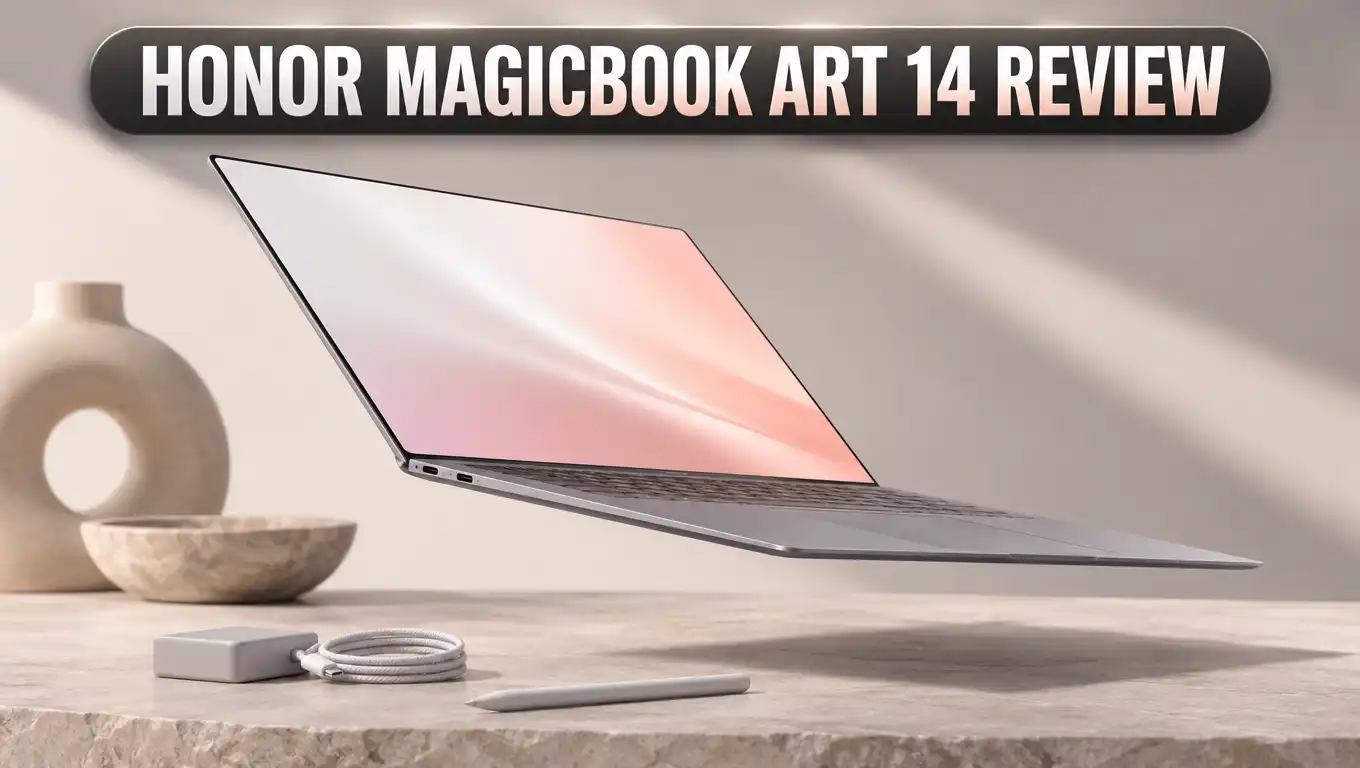
The headline feature is still the weight. At about 1.03 kg, it beats the 13 inch MacBook Air, which weighs about 1.24 kg. Yet the Honor gives you a much larger 14.6 inch screen. That balance of size and weight is rare.
The laptop comes in two colors, Mocha Brown and Emerald Green. Both look classy and a little different from the usual silver and gray. The green shade leans slightly blue under some light.
Inside the box, you get the laptop, a USB C cable, and a 65W charger. The charger is compact, so your bag stays light too. Nothing feels cheap about the unboxing.
So who is this laptop for? It suits students, writers, travelers, and office workers. It also suits creators who care about color accuracy. If you carry your laptop every day, the Honor MagicBook Art 14 makes a strong first impression. Let’s dig into each part in detail.
Design and Build Quality
The design of the Honor MagicBook Art 14 has not changed much since the first model. That is good news. The original design already worked very well.
Honor uses a mix of light materials to hit the 1 kg mark. The chassis is magnesium alloy. Parts of the keyboard use titanium alloy. The two fans are aluminum. Honor even built the antenna into the cooling system to save space and weight.
The surface has a soft, slightly textured finish. It feels pleasant under your palms. It also resists fingerprints better than the silver Snapdragon model. That means less wiping and a cleaner look over time.
Lift the laptop with one hand and you will smile. It feels almost unreal for its screen size. The body stays stiff, too. There is very little flex in the lid or keyboard deck.
The bezels are very thin on three sides, about 2.2 mm. Honor managed this by moving the webcam out of the lid. The bottom bezel is a little thicker, but it does not bother you in daily use.
One small design quirk exists. The camera slot sits on the left side. It pushes the two USB C ports further back. Some people may find this layout a bit unbalanced. Most users will stop noticing after a week.
The hinge opens smoothly and holds the screen firmly. You can open the lid with one finger in most cases. Overall, the build quality feels premium. It matches laptops that cost a few hundred more.
Display Quality
The screen is the star of the Honor MagicBook Art 14. It is a 14.6 inch OLED touchscreen with a 3120 x 2080 resolution. Honor calls it a 3.1K display. Text and photos look extremely sharp.
The 3:2 aspect ratio gives you more vertical space. This helps with documents, web pages, and spreadsheets. You scroll less and see more at once. After using 3:2, a standard 16:9 screen feels short.
Color quality is excellent. The panel covers 100% of DCI P3. Testers found a Delta E below 0.5 out of the box. That means colors look very close to real life. Photo editors and designers will appreciate this a lot.
Honor also includes a Display Manager tool. You can switch between sRGB, P3, and native color modes. Many Windows laptops lack this option. It is a big plus for creators.
The refresh rate goes up to 120Hz. Scrolling and window movement feel very smooth. Sadly, there is no automatic mode. You must pick 60Hz or 120Hz yourself.
Brightness is strong. Reviewers measured about 540 nits in normal use and around 780 nits with HDR content. Honor claims up to 1,600 nits HDR peak. Real tests did not reach that claim, but the screen still looks very bright.
The 2025 model has a deeper anti reflective coating. It cuts glare well. One reviewer saw faint wavy lines under strong light, likely from the coating layer. Normal viewing was not affected. The panel also uses high frequency PWM dimming and has TÜV low blue light certification.
Top 3 Alternative for Honor MagicBook Art 14
The Honor MagicBook Art 14 is a great laptop, but it is not easy to find in every country. It is also not perfect for everyone. Here are three strong alternatives worth your time.
ASUS Zenbook S 14

- Display: 14" 3K OLED (2880x1880) 120Hz 0.2ms Touch Display (100% DCI-P3)
- Processor: Intel Core Ultra 7 256V 8 Cores (2.2GHz-4.8GHz, 12MB Intel Smart Cache)
Last update on 2026-11-28 / Affiliate links / Images from Amazon Product Advertising API
The ASUS Zenbook S 14 is a direct rival. It uses an Intel Core Ultra 200V chip with very good power efficiency. That means longer battery life than the Honor in many tests. It has a 14 inch 3K OLED screen at 120Hz. It weighs about 1.2 kg, so it is a bit heavier. The screen is also slightly smaller.
Apple MacBook Air 15 inch M4

- SPEED OF LIGHTNESS — MacBook Air with the M4 chip lets you blaze through work and play. With Apple...
- SUPERCHARGED BY M4 — The Apple M4 chip brings even more speed and fluidity to everything you do, like...
Last update on 2026-11-28 / Affiliate links / Images from Amazon Product Advertising API
The MacBook Air 15 with M4 is the best pick for battery life. Apple rates it for up to 18 hours. It runs silently because it has no fan. The 15.3 inch screen is larger than the Honor’s. However, it weighs around 1.5 kg. It also uses an LCD panel instead of OLED, and it runs macOS, not Windows.
Lenovo Yoga Slim 9i 14

- IMMERSIVE 14.0" 4K OLED TOUCHSCREEN - Features 14.0-inch 4K OLED touch display with vibrant color...
- POWERFUL INTEL CORE ULTRA 7 PERFORMANCE - Equipped with Intel Core Ultra 7 258V processor built-in NPU AI...
Last update on 2026-11-28 / Affiliate links / Images from Amazon Product Advertising API
The Lenovo Yoga Slim 9i brings a sharp 4K OLED screen. It also hides its webcam under the display, which is a cool trick. It uses the Intel Core Ultra 7 258V chip with 32GB RAM. Build quality is excellent. It costs more than the Honor in most regions, though, and it has fewer ports.
Each option has its own strengths. Choose the Zenbook for balance, the MacBook for battery, and the Yoga for screen sharpness. The Honor still wins on weight and value.
The Magnetic Webcam
The webcam on the Honor MagicBook Art 14 is unique. It does not sit in the top bezel. Instead, it lives inside a slot on the left side of the laptop. When you need it, you press it, pop it out, and snap it onto the top of the screen.
The camera connects using magnets and small metal pins. It snaps into place with a firm and satisfying click. It feels secure and does not wobble. You can even turn it to face the back of the laptop.
This design has two big benefits. First, it allows ultra slim bezels on the screen. Second, it gives you full privacy. When the camera is stored away, it cannot see you at all. No sliding shutter or tape is needed.
The camera shoots 1080p video. Image quality is decent but not amazing. There is no HDR, so bright windows behind you may look washed out. For Zoom and Teams calls, it does the job well.
The field of view is very wide. You can turn on face tracking, so the image follows you as you move. Virtual backgrounds also work. These features help during long video meetings.
One downside matters for some users. The camera lacks an IR sensor. That means no Windows Hello face login. You will need to use the fingerprint reader instead.
There is also a small risk factor. Because the camera detaches, you could lose it. Still, it sits snugly in its slot. Most owners will love this smart idea once they try it.
Keyboard and Touchpad
Honor and Huawei laptops have long had excellent keyboards. The Honor MagicBook Art 14 keeps that tradition. Many reviewers say the 2025 model has an even better typing feel.
The keys offer 1.5 mm of travel. That is solid for such a slim laptop. Each press feels soft yet controlled. The titanium keys give a damped, quiet feel. You can type for hours without fatigue.
The layout is clean and well spaced. You will reach full typing speed quickly. The only common complaint is the small up and down arrow keys. Gamers may notice this, but most typists will not.
The keyboard has white backlighting. It helps a lot in dim rooms or on night flights. A dedicated Copilot key replaces the right Windows key. It opens Microsoft’s AI assistant with one press.
The touchpad is huge and made of smooth glass. It uses a solid state haptic design. That means you can click anywhere with the same feel. You can adjust both sensitivity and vibration strength.
Honor also adds smart gestures. For example, you can knock on the touchpad to take a screenshot. Each gesture comes with a short demo video, so learning them is easy.
The power button includes a fingerprint reader. It supports Windows Hello. One press turns on the laptop and logs you in once Windows loads. This saves time every single morning.
Performance
The 2025 Honor MagicBook Art 14 runs on the Intel Core Ultra 7 255H. This chip uses TSMC’s 3nm process. It has 16 cores, made of 6 performance cores, 8 efficiency cores, and 2 low power cores. Peak speed reaches 5.1GHz.
Benchmark results look strong. The laptop scored about 2,702 single core and 14,357 multi core in Geekbench 6. In Cinebench 2024, it reached 120 single core and 797 multi core. That is about 20% faster than the older 155H model.
Daily tasks feel quick. Web browsing, Office apps, video calls, and many browser tabs run smoothly. 32GB of RAM means you rarely see slowdowns. Photo editing in Lightroom or Photoshop also works well.
The Intel Arc 140T graphics surprised testers. It handled Cyberpunk 2077 at around 36 fps at 1080p on low settings. GTA V ran near 39 fps on high. Lighter games like Civilization VI hit a steady 60 fps. This is not a gaming laptop, but casual games are fine.
The SSD is fast too. It reads at nearly 7,000 MB/s. Apps open quickly, and large files copy in seconds. This is a clear upgrade over the first model’s slower drive.
There is also an NPU for AI tasks. It delivers about 13 TOPS. This is lower than Copilot+ level chips, so some newer Windows AI features may not work.
Overall, burst performance is excellent. The weak spot is sustained performance, which we cover next.
Thermals and Fan Noise
The Honor MagicBook Art 14 uses two fans and a vapor chamber. This setup spreads heat across the chassis. It works well to keep the surface cool.
Under a one hour stress test, the laptop stayed below 50°C under the chip area. The palm rest stayed cool. You can comfortably use it on your lap, even during heavy work.
Fan noise is impressively low. The fans spin up, but they stay quiet. In a busy office, you will barely hear them. In a quiet room, you may notice a soft hum at most.
There is a trade off, though. Honor tuned this laptop for silence and comfort, not raw speed. In stress tests, the processor started near 2.9GHz at about 42W. After ten minutes, it dropped to about 2GHz. Later, it fell to around 1.4GHz to 1.6GHz at roughly 21W.
This means long heavy tasks slow down over time. Video exports, large code builds, or long 3D renders will take longer. Short bursts of work feel fast, but marathons do not.
For most people, this is fine. Email, writing, web apps, and photo edits use short bursts of power. You will rarely hit the slowdown in normal use.
Honor PC Manager lets you pick performance modes. A higher mode can push the chip harder, though the fans will get louder. If you edit videos often, keep this in mind. For office and school work, the cool and quiet tuning is a real benefit.
Battery Life and Charging
The Honor MagicBook Art 14 has a 60Wh battery. That is decent for a 1 kg laptop. Real results, however, are only average for this class.
In tests at 60Hz, the laptop lasted about 6 hours 40 minutes in a browsing loop at 400 nits. At a lower 200 nits brightness, it reached about 8 hours 10 minutes. YouTube playback at 400 nits lasted about 7 hours.
These numbers will get most people through a work or school day with careful use. Heavy users should still pack the charger. Running the screen at 120Hz and high brightness will cut the time further.
The Snapdragon version lasted longer. It reached up to 11.5 hours in light browsing. Rivals like the MacBook Air and Lunar Lake laptops also last longer. Battery life is the Honor’s clearest weak spot.
The good news is charging speed. The 65W charger fills about 46% in 30 minutes. A full charge takes about 95 minutes. A quick coffee break gives you hours of extra use.
The charger is small and light. You can carry it without adding much weight to your bag. It uses USB C, so many phone and tablet chargers can also top it up in a pinch.
A few simple tricks help stretch the battery. Switch to 60Hz when you work on battery. Lower the brightness a little. Use dark mode, since OLED screens save power with black pixels. These small steps can add an hour or more.
Ports and Connectivity
Many thin laptops cut ports to save space. The Honor MagicBook Art 14 does not. It gives you a good mix of modern and older connections.
On the left side, you get two USB C ports. One is Thunderbolt 4 with 40Gbps speed. The other is USB 3.2 Gen 2 at 10Gbps. Use the Thunderbolt port for fast docks, external SSDs, and high refresh monitors.
On the right side, you get a USB A port at 10Gbps. You also get a full size HDMI 2.1 port that supports 4K at 60Hz. A 3.5 mm headphone jack rounds things out.
This means you rarely need a dongle. You can plug in a mouse, a monitor, and headphones directly. Travelers and presenters will love the HDMI port.
There is one small issue. Both USB C ports sit on the left. So you can only charge from the left side. If your outlet is on your right, the cable must stretch around.
For wireless, the laptop supports WiFi 6E and Bluetooth. WiFi 6E gives fast speeds on modern routers and less congestion. Connections stayed stable during testing.
The return to Intel also brought Thunderbolt back. The Snapdragon model lacked it. If you use a Thunderbolt dock at work, the Intel version is the better choice. Overall, the port selection is one of this laptop’s quiet strengths.
Speakers and Audio
Audio on thin laptops is often weak. The Honor MagicBook Art 14 proves otherwise. It packs six speakers in a spatial audio setup.
The sound gets loud enough to fill a small room. Voices sound clear and natural. There is even a hint of bass, which is rare for such a slim machine. Music and movies sound full and pleasant.
Of course, it cannot replace a good speaker or headphones. Deep bass is limited. At top volume, some songs may lose a little clarity. Still, it beats most laptops in its weight class.
The laptop also has three microphones. They pick up your voice well during calls. Active noise cancellation helps block background sounds like keyboard taps or fans.
Testers reported that callers heard them clearly. That makes this laptop a solid choice for remote work. Long Teams and Zoom meetings feel easy, especially paired with the wide angle webcam.
Honor includes audio controls in its software. You can tweak sound modes for movies, music, or voice. These presets make a noticeable difference.
If you watch a lot of shows on your laptop, you will enjoy this setup. The great OLED screen plus the six speakers make a strong pair. For a 1 kg laptop, the audio quality is a pleasant surprise. It adds real value for travelers who watch movies on the go.
Software and AI Features
The Honor MagicBook Art 14 runs Windows 11 Home. Honor keeps the software clean. You will not find heaps of annoying trial apps.
The main extra is Honor PC Manager. This app lets you update drivers, check system health, and switch performance modes. It is simple and helpful. Many reviewers call it one of the better laptop utility apps.
Honor also adds cross device features. If you own an Honor phone, you can share files quickly. You can also mirror your phone screen and use phone apps on the laptop. Honor calls this cross OS collaboration.
The dedicated Copilot key opens Microsoft Copilot fast. Copilot can summarize emails, draft text, and help in Office apps. This can save real time during busy workdays.
The touchpad gestures add small conveniences. Knock to screenshot is fun and handy. Other gestures control volume and brightness. You can enable only the ones you like.
The Display Manager tool deserves another mention. It lets you switch color profiles and enable an eBook mode for reading. This is rare on Windows laptops and very useful.
One limit exists. The NPU in the Core Ultra 7 255H runs at about 13 TOPS. Microsoft’s Copilot+ features need 40 TOPS or more. So features like Recall and some advanced AI image tools may not be available. For most users, regular Copilot works just fine.
Price and Value
The Honor MagicBook Art 14 2025 lists at about £1,500 or €1,500. In China, it costs around CNY 8,500. Honor often runs deals that drop the price close to £1,100 or €1,100.
That price includes 32GB of RAM and a 1TB SSD. Many rivals charge far more for the same setup. A MacBook Air 13 with 32GB and 1TB costs around €2,200. The Dell XPS 14 costs more with half the memory and storage.
The Asus Zenbook 14 OLED is the closest match on price. Even so, the Honor offers a brighter, larger screen and lower weight. On pure specs per dollar, the Honor is hard to beat.
There is a catch. The laptop has limited availability. Honor sells it mainly in the UK, Europe, the Middle East, and parts of Asia. It is not officially sold in the United States. US buyers may need to import it, which adds risk with warranty and support.
If you can buy it locally, the value is excellent. Wait for a sale if possible. Honor discounts this laptop often, and the savings are big.
Think about what you get for the money. A premium OLED screen, a 1 kg body, a strong chip, and a full port set. You also get a great keyboard and speakers. At its sale price, this is one of the best value ultralight laptops around.
Pros and Cons
Every laptop has strengths and weak spots. Here is a clear look at the Honor MagicBook Art 14.
Pros
- Very light at about 1.03 kg, yet it has a large 14.6 inch screen that feels roomy for work.
- Stunning 3.1K OLED display with 120Hz, 100% DCI P3 coverage, and excellent color accuracy.
- Generous 32GB RAM and 1TB SSD in the standard configuration, so you never feel short on memory.
- Excellent keyboard and huge haptic touchpad that make long typing sessions comfortable.
- Clever magnetic webcam that keeps bezels thin and protects your privacy.
- Good port selection with Thunderbolt 4, USB A, and full size HDMI 2.1.
- Six speaker setup that sounds full and loud for such a slim laptop.
- Runs cool and quiet even under heavy load.
Cons
- Battery life is only average, at around 6.5 to 8 hours in real use.
- Sustained performance drops during long heavy tasks because of quiet tuning.
- HDR brightness falls short of Honor’s 1,600 nit claim in real tests.
- Both USB C ports sit on the left, so you cannot charge from the right side.
- No IR camera, which means no face login with Windows Hello.
- Limited availability, especially in the United States.
For most buyers, the pros clearly outweigh the cons.
Who Should Buy the Honor MagicBook Art 14
The Honor MagicBook Art 14 suits many people, but not everyone. Here is a simple guide.
Frequent travelers will love it. The 1 kg weight makes a real difference in a backpack. Airport walks and train commutes feel easier. The HDMI port also helps with hotel TVs and client presentations.
Students get a lot of value here. The big 3:2 screen is great for reading and writing papers. 32GB of RAM handles dozens of tabs with ease. The keyboard makes long essays more comfortable.
Creators and photographers will appreciate the accurate OLED screen. The P3 and sRGB modes help with color work. Light photo and video edits run smoothly.
Office workers gain a lot too. The speakers, mics, and webcam make video calls clear. Copilot speeds up email and document work.
Now, who should skip it? Heavy video editors may feel the slowdown during long exports. A thicker laptop with stronger cooling suits them better.
Battery focused users should look elsewhere. If you need 12 or more hours without a charger, the MacBook Air or a Snapdragon laptop works better.
US buyers should think twice. Importing adds cost and warranty risk. Local support matters if something goes wrong.
If you value portability, a beautiful screen, and good value, this laptop fits you well.
Final Verdict on the Honor MagicBook Art 14
No products found.
The Honor MagicBook Art 14 is one of the most impressive ultralight laptops you can buy. It packs a nearly 15 inch OLED screen into a 1 kg body. That alone sets it apart from almost every rival.
The display is a joy to use. Colors look accurate, motion looks smooth, and text looks razor sharp. Many people will buy this laptop for the screen alone. The keyboard, touchpad, and speakers add to the premium feel.
The Intel Core Ultra 7 255H delivers fast everyday performance. Light gaming is even possible. The 32GB RAM and 1TB SSD mean you will not outgrow it soon.
It does have flaws. Battery life is average. Long heavy tasks slow down. The HDR brightness does not match the marketing claim. These issues are real, but they do not ruin the experience.
The magnetic webcam is a smart touch. It gives you privacy and helps create the slim bezels. Some may find it odd at first, but most will grow to like it.
Value is a big win, especially during sales. At around £1,100, it beats most rivals on specs and weight. At full price, it is still competitive.
Our verdict is simple. If you want the lightest laptop with a large, beautiful screen, the Honor MagicBook Art 14 is a top choice. Just make sure you can buy it locally and live with a charger in your bag.
FAQs
Is the Honor MagicBook Art 14 good for gaming?
It handles light gaming well. The Intel Arc 140T graphics run games like GTA V near 40 fps on high at 1080p. Demanding new games need low settings. It is not a dedicated gaming laptop.
How long does the Honor MagicBook Art 14 battery last?
The battery lasts about 6.5 to 8 hours in real use. Lower brightness and 60Hz mode help extend it. Fast charging adds about 46% in 30 minutes.
Does the Honor MagicBook Art 14 have a touchscreen?
Yes. The 14.6 inch OLED screen supports 10 point touch. It is useful for scrolling and viewing photos.
How much does the Honor MagicBook Art 14 weigh?
It weighs about 1.03 kg. That is lighter than the 13 inch MacBook Air, even though the Honor has a larger screen.
Can I upgrade the RAM or SSD?
The RAM is soldered, so you cannot upgrade it. The standard 32GB is plenty for most users. Check with Honor support before opening the laptop for any SSD changes, since this may affect your warranty.
Is the Honor MagicBook Art 14 available in the United States?
Honor does not officially sell it in the US. Buyers there often import it. This can affect warranty and support, so weigh the risks first.
Does the webcam support Windows Hello face login?
No. The magnetic 1080p webcam has no IR sensor. You can use the fingerprint reader in the power button for quick login instead.
What is the difference between the Intel and Snapdragon versions?
The Intel version has Thunderbolt 4 and better app compatibility. The Snapdragon version lasts longer on battery but runs Windows on ARM. Pick Intel for compatibility and Snapdragon for battery life.

Dillip is the founder and editor of dillip.net, a passionate tech enthusiast and AI explorer dedicated to simplifying the world of artificial intelligence and technology for everyday users. With a keen eye for detail, he provides honest reviews, in-depth comparisons, and practical guides to help readers make smarter tech decisions.