Beelink SER9 Pro Review: Ryzen Mini PC Worth Your Money?
Do you want desktop power without a big tower on your desk? The Beelink SER9 Pro promises exactly that. It fits in your palm, but it runs an eight core AMD chip.
I spent time looking at its specs, benchmarks, and real user feedback. This review covers its speed, gaming, noise, ports, and upgrade options. By the end, you will know if this tiny box fits your needs.
In a Nutshell
- Strong Everyday Performance: The SER9 Pro runs on the AMD Ryzen 7 H 255 with 8 cores and 16 threads. It boosts up to 4.9GHz. It handles office work, browsing, coding, and photo editing with ease.
- Capable Casual Gaming: The Radeon 780M graphics run many popular games at 1080p. You can expect around 30 to 40 fps in modern titles at medium settings. Esports games run much faster.
- Quiet and Cool: A vapor chamber, heat sink, and fan keep the chip cool. Beelink rates it at about 32dB, so it stays quiet in a normal room. It keeps its speed well under long loads.
- Good Upgrade Room: It has 32GB of fast LPDDR5X RAM and two M.2 PCIe 4.0 slots. You can add up to 8TB of storage in total. The RAM is soldered, though, so pick the right amount on day one.
- Extras You Don’t Often See: It has built in dual speakers and four AI microphones. It also supports an optional Mate SE dock for more ports and storage.
- Fair Price: The 32GB and 1TB model often sells for around $600 to $780, depending on deals. It comes with Windows 11 Pro and a three year warranty from Beelink.
Beelink SER9 Pro Overview
No products found.
The Beelink SER9 Pro is a premium mini PC from Beelink. This model uses the AMD Ryzen 7 H 255 processor. It sits between budget mini PCs and expensive AI machines.
Beelink sells it in two colors. You can pick Frost Silver or Space Gray. Both look clean and modern on any desk.
The main model comes with 32GB of RAM and a 1TB Crucial SSD. A 24GB version also exists for a lower price. Windows 11 Pro comes installed, so you can start right away.
The box is simple. You get the mini PC, a power adapter, an HDMI cable, and a user manual. That is all you need to get started.
So who is this PC for? It suits home users, office workers, students, and light gamers. It also works well as a home theater PC or a backup machine.
The Ryzen 7 H 255 is built on a 4nm process. It uses Zen 4 cores and RDNA 3 graphics. This mix gives strong speed and good power use.
One thing to know is that this chip has no NPU. That means it cannot run Copilot+ features in Windows. The CPU and GPU still handle general AI tasks, but slower than a dedicated NPU would.
If you don’t care about Copilot+, this is a minor point. For most people, raw CPU and GPU power matters more. The SER9 Pro delivers that well.
Design and Build Quality
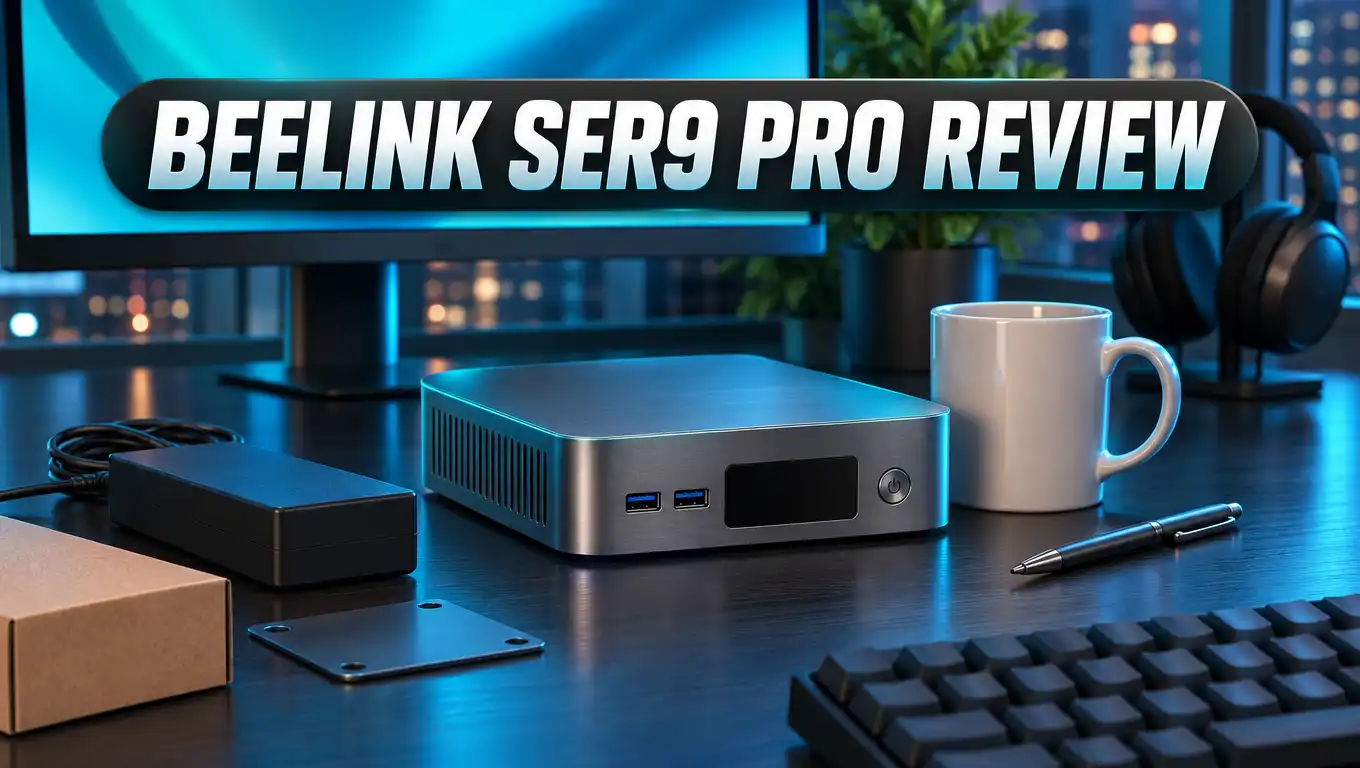
The SER9 Pro looks sharp. It has a metal body with smooth edges. The top shows Beelink’s spinning logo, which adds a nice touch.
It measures 135 x 135 x 44.7mm. That is about the size of a thick paperback book cut in half. It weighs around 780 grams, so it feels solid in your hand.
The front holds the power button, which glows when the PC is on. Four tiny microphone holes also sit on the front. The left and right sides are clean with no vents.
Beelink moved the airflow design. Cool air enters from the bottom and hot air leaves from the back. Because of this, there are no vents on the top or sides.
This makes the PC look neat. It also means you can place it near a monitor or wall without blocking side airflow. Just keep the back clear.
The bottom has a mesh dust filter. This stops dust from building up inside. Over time, this helps the fan stay quiet and the chip stay cool.
Opening the PC takes a little effort. You need to remove four rubber feet to reach the screws. Then you lift the bottom panel with care.
After that, you remove two more screws on the heat sink. Now you can see the two M.2 slots. It is not hard, but it is not a tool free design either.
Overall, the build feels premium. It looks like a product that costs more than it does. It fits nicely in a home office or living room.
Beelink SER9 Pro Specifications at a Glance
Specs tell you a lot about a mini PC. Here is what the SER9 Pro offers in simple terms.
The CPU is the AMD Ryzen 7 H 255. It has 8 cores and 16 threads. Its base clock is 3.8GHz and it boosts up to 4.9GHz. It has 16MB of L3 cache.
The chip runs at up to 65W. That is high for a mini PC. More power usually means better speed under heavy loads.
The GPU is the AMD Radeon 780M. It has 12 compute units and runs at up to 2600MHz. It is one of the best integrated GPUs from AMD’s Zen 4 generation.
The memory is LPDDR5X at 6400MT/s. You can choose 24GB or 32GB. It runs in dual channel mode for better speed. The RAM is soldered, so you cannot upgrade it later.
The storage uses dual M.2 2280 PCIe 4.0 x4 slots. Each slot supports up to 4TB. That gives you up to 8TB in total.
For networking, you get WiFi 6 with an Intel AX210 card and Bluetooth 5.2. There is also a 2.5Gbps Ethernet port. That is great for fast home networks.
For displays, you can connect up to three screens. It supports HDMI, DisplayPort, and USB4 output. Both HDMI and DisplayPort support 4K at up to 240Hz.
Other features include Wake on LAN and auto power on. You also get built in speakers and microphones. The power adapter outputs 19V at 6.32A.
Top 3 Alternative for Beelink SER9 Pro
The SER9 Pro is a great pick, but it is not your only choice. Here are three strong alternatives worth a look.

- 【Powerful Ryzen 9 8945HS】MINISFORUM UM890 Pro is equipped with a new-generation AMD AI Ryzen 9 8945HS...
- 【Large Memory & Storage Support】UM890 Pro is equipped with DDR5 32GB RAM,a SODIMM slot, and can be...
Last update on 2026-11-28 / Affiliate links / Images from Amazon Product Advertising API
The Minisforum UM890 Pro uses the Ryzen 9 8945HS. It boosts up to 5.2GHz. It also uses the same Radeon 780M graphics.
Its biggest win is upgradeable DDR5 RAM. You can swap or add memory later. It also has two USB4 ports and dual 2.5G Ethernet. That makes it great for power users and home lab fans.

- 【Advanced Gaming PC】Powered by the AMD Ryzen 7 8845HS processor with 8 C/ 16T, up to 5.1GHz, and...
- 【32GB DDR5 + 1TB SSD】Equipped with 32GB memory capacity,DDR5 speed up to 5600MHz, offering faster...
Last update on 2026-11-28 / Affiliate links / Images from Amazon Product Advertising API
The GMKtec K8 Plus runs the Ryzen 7 8845HS. It has 32GB of DDR5 RAM and a 1TB SSD. It also offers dual 2.5G LAN, HDMI 2.1, and USB4.
It often costs less than the SER9 Pro. It also has an OCuLink port on some versions for an external GPU. That makes it a smart pick for gamers on a budget.
No products found.
The Beelink SER9 Max is a sibling of the SER9 Pro. It uses the Ryzen AI 7 H 350 with up to 5.0GHz boost. Unlike the SER9 Pro, this chip has an NPU.
That means it can support Copilot+ AI features. It also uses fast LPDDR5X RAM at 8000MHz. If AI tools matter to you, this is a better fit.
All three are solid. Still, the SER9 Pro wins on quiet operation, clean design, and built in audio. Pick based on what matters most to you.
Ports and Connectivity
Ports matter a lot on a mini PC. You will plug in a monitor, keyboard, mouse, and maybe a drive. The SER9 Pro gives you a decent mix.
On the front, you get one USB C port and one USB A port. Both run at 10Gbps. There is also a 3.5mm audio jack for headphones.
On the back, you find the DC power port and one USB4 port at 40Gbps. The USB4 port supports Thunderbolt 3 devices, power delivery, and DisplayPort 1.4 output.
The back also has HDMI 2.0 and DisplayPort 1.4. Both support 4K at 240Hz. You also get three more USB A ports. One runs at 10Gbps and two run at USB 2.0 speed.
Finally, there is a 2.5G Ethernet port. This is great for fast file transfers on a home network. It also helps if you use the PC as a media server.
So what is missing? Many users wish for more USB C ports. In total, you get only two USB C ports, and only one is USB4. Many modern devices now use USB C.
The two USB 2.0 ports are also slow. They work fine for a keyboard and mouse. But you would not want to use them for an external drive.
Wireless is strong. WiFi 6 gives fast and stable connections. Bluetooth 5.2 handles headphones, controllers, and mice with ease.
For most people, these ports are enough. If you need more, the optional Mate SE dock can help. I will cover that in a later section.
CPU Performance and Benchmarks
Now let’s talk speed. The Ryzen 7 H 255 is a strong chip for daily work. It feels fast in almost every common task.
In Geekbench 6, the SER9 Pro scored about 2508 in single core. It scored around 12507 in multi core. These are solid numbers for a mini PC.
In Cinebench 2024, it scored about 101 in single core and 907 in multi core. Beelink also lists a Cinebench R23 score of 13,809. These scores show good power for creative work.
How does it compare? It scores a bit lower than the Intel Core Ultra 7 255H. It also sits a step below the Ryzen AI 9 365. But it costs less than many machines with those chips.
In real use, the PC feels snappy. Web pages load fast, even at 4K. Office apps open quickly. You can run many browser tabs without slowdowns.
It also handles photo editing in Photoshop well. Light video editing in Premiere Pro works too. For long 4K video exports, a faster chip would help.
Sustained speed is a big strength. In stress tests, the chip started at 54W and 4.9GHz. It then settled at about 3.9GHz and 42W for the rest of the test.
That is excellent stability. Many mini PCs drop speed hard under long loads. The SER9 Pro holds steady, so your work stays smooth.
For coders, office workers, and students, this chip is more than enough. It will stay useful for years.
Graphics and Gaming Performance
Can you game on the SER9 Pro? Yes, with the right settings. The Radeon 780M is one of the best integrated GPUs from AMD’s last generation.
It will not replace a gaming PC with a big graphics card. But it handles many games well at 1080p. You just need to set fair expectations.
Beelink claims about 128 fps in League of Legends. It also claims 74 fps in PUBG and 56 fps in Forza Horizon 4. CS:GO runs at around 70 fps based on Beelink’s numbers.
Independent tests show similar results. Civilization 7 ran at around 36 fps at medium settings in 1080p. FC 25 hit nearly 40 fps at ultra settings in 1080p.
Even Cyberpunk 2077 ran at around 30 fps at medium settings. That is playable for a tiny box with no graphics card. Lower settings will push frame rates higher.
Esports games are where this PC shines. Titles like Valorant, Rocket League, and Dota 2 run very smoothly. Older AAA games also run well.
Fast LPDDR5X RAM helps here. Integrated GPUs use system memory for graphics. Faster RAM means better frame rates.
You can also use tools like AMD FSR to boost fps. This helps a lot in newer games. Many games now support it.
If you want serious 1440p or 4K gaming, look elsewhere. But for casual players, this PC is a fun surprise. It can also stream games from the cloud with ease.
Cooling System and Fan Noise
Noise ruins many mini PCs. Small fans often spin fast and loud. The SER9 Pro handles this problem well.
Beelink uses its MSC 2.0 cooling system. It has three layers: a vapor chamber, a heat sink, and a quiet fan. There is also a heat sink for the SSD.
The vapor chamber pulls heat from the CPU fast. It spreads the heat across a wide surface. Then the fan pushes the hot air out the back.
Beelink rates the noise at about 32dB. That is close to a soft whisper. In normal work, you will barely hear it.
Under heavy load, the fan spins faster. Testers ran the fan at full blast in stress tests. Even so, it was hard to hear in a normal office.
Heat stays under control too. Thermal images showed the heat sink at the back took most of the heat. The rest of the case stayed cool.
This is great for people who work long hours. You won’t get a loud whine during video calls. It is also good for a quiet bedroom or living room.
A few users online have reported a faint electrical buzz on some SER9 units. This seems rare. If you notice it, contact Beelink support under warranty.
The bottom intake design also helps. Keep the PC on a flat, hard surface. Don’t place it on a carpet or soft cloth, since that blocks airflow.
Overall, cooling is one of the SER9 Pro’s best features. It stays fast and quiet at the same time.
Memory and Storage Upgrades
Memory and storage decide how long your PC will last. Let’s break down what you get.
The SER9 Pro uses LPDDR5X RAM at 6400MT/s. It is fast and power efficient. Beelink says it gives about 14 percent better write speed than DDR5 5600 in its own tests.
The catch is simple. The RAM is soldered to the board. You cannot add more later. So choose wisely when you buy.
For most people, 32GB is the sweet spot. It handles heavy multitasking, gaming, and creative work. The 24GB model is fine for office use and browsing.
Storage is more flexible. The PC has two M.2 2280 PCIe 4.0 slots. One holds the main SSD. The other is free in many units.
Each slot supports up to 4TB. That means you can reach 8TB in total. That is plenty for games, photos, and videos.
The included SSD is often a Crucial P3 Plus. It gives good speeds for daily use. It has no DRAM cache, so it is slower than top drives on paper. In real use, you will rarely notice.
Adding a second SSD is easy once you open the case. Just remove the feet, the screws, and the heat sink. Then slide in the new drive.
This makes the SER9 Pro a good choice for growing needs. You can start with 1TB and expand later. Storage upgrades are cheap and simple.
Built In Speakers and AI Microphones
Here is a feature most mini PCs skip. The SER9 Pro has built in dual speakers and four microphones.
The microphones use a special AI chip. Beelink says it separates your voice from background noise. It can pick up voices from up to 5 meters away in a full circle.
This makes video calls easy. You don’t need a headset or a webcam mic. Just talk and the PC hears you clearly.
The mics also support AI voice interaction. You can use voice commands with popular AI tools. It is a handy feature for hands free use.
The speakers are a mixed bag. They work for basic tasks like calls and YouTube clips. But reviewers say they sound a bit tinny, and the volume is not very loud.
For music or movies, you will want real speakers or headphones. Think of the built in speakers as a backup option. They are nice to have, not a main feature.
Here is a smart tip. Beelink also sells a version without speakers and mics. It costs about $40 less. If you already own good speakers and a headset, this saves money.
For office workers who take many calls, the audio kit is useful. It keeps your desk clean and free of extra gadgets. For gamers with a headset, you can skip it.
Mate SE Dock Expansion
Want more ports and storage? Beelink offers the optional Mate SE dock. It is made for the SER9 Pro and the regular SER9.
The dock matches the PC in size and style. You can place it on top of the PC or under it. It comes with two special USB C cables for each setup.
What does it add? You get an extra 2.5G Ethernet port. You also get two USB A ports at 5Gbps and two USB C ports. One USB C port works as the power input.
The dock also adds an SD 4.0 card slot on the side. It reads at up to 300MB/s and writes at up to 200MB/s. That is great for photographers and video creators.
The best part is storage. The dock has two more M.2 PCIe 4.0 slots. With the PC’s own two slots, you can run four SSDs in total.
The dock even has its own cooling fan. It also has vents on the bottom. This keeps your extra drives cool during heavy file transfers.
The Mate SE costs around $139 to $169, depending on where you buy. That is not cheap. But it turns your tiny PC into a small storage powerhouse.
Is it a must? No. Most users will be fine with the built in ports. But if you need lots of storage or a second network port, the dock is a clean solution.
Pros and Cons
Every product has good and bad sides. Here is a clear look at both for the SER9 Pro.
Pros
- Great value: The 32GB and 1TB setup offers a lot for the price. You get Windows 11 Pro included too.
- Efficient chip: The Ryzen 7 H 255 gives strong speed. It also holds its speed well under long loads.
- Good casual gaming: The Radeon 780M runs many games at 1080p. Esports titles run very smoothly.
- Quiet operation: The fan stays near silent in normal use. Even at full speed, it is hard to hear in an office.
- Easy storage upgrades: Two M.2 PCIe 4.0 slots support up to 8TB. The Mate SE dock adds even more.
- Useful audio kit: Four AI microphones make calls easy. The built in speakers work in a pinch.
- Clean design: The metal body looks premium. The dust filter keeps the inside clean.
- Long warranty: Beelink offers a three year warranty on its own store.
Cons
- Few USB C ports: You get only two USB C ports, and just one is USB4.
- Tinny speakers: The built in speakers lack volume and depth.
- Soldered RAM: You cannot upgrade memory later.
- No NPU: The chip cannot run Windows Copilot+ features.
- Slow USB 2.0 ports: Two rear ports run at old USB 2.0 speeds.
Value for Money and Final Verdict
So, is the Beelink SER9 Pro worth buying? For most people, the answer is yes.
Price changes often. The 32GB and 1TB model has sold for around $609 on Amazon during deals. On Beelink’s own store, it has been listed higher, near $779. Watch for sales to get the best deal.
At around $600, this PC is a strong value. You get a fast eight core chip, fast RAM, a 1TB SSD, and Windows 11 Pro. Few mini PCs match this mix at this price.
It shines as an office PC. It runs Word, Excel, Teams, and dozens of browser tabs with ease. The AI mics make calls clear and simple.
It also works well as a home theater PC. It supports 4K output and stays quiet. It looks good next to a TV too.
For casual gamers, it is a pleasant surprise. Esports games run smoothly, and many AAA titles are playable at 1080p. Just don’t expect high end gaming PC results.
Who should skip it? People who want Copilot+ AI features should look at the SER9 Max. People who want upgradeable RAM should consider the Minisforum UM890 Pro. Serious gamers need a dedicated graphics card.
My verdict is simple. The SER9 Pro is one of the best all round mini PCs in its price range. It is fast, quiet, stylish, and easy to expand. If it fits your budget, you will be happy with it.
Frequently Asked Questions
Can the Beelink SER9 Pro run AAA games?
Yes, at 1080p with medium or low settings. Games like Cyberpunk 2077 run at around 30 fps at medium. Esports games run much faster.
Can I upgrade the RAM on the Beelink SER9 Pro?
No. The LPDDR5X RAM is soldered to the board. Choose the 24GB or 32GB model based on your needs before you buy.
How much storage does the Beelink SER9 Pro support?
It supports up to 8TB. It has two M.2 PCIe 4.0 slots, and each slot takes up to 4TB. The Mate SE dock adds two more slots.
Does the Beelink SER9 Pro support Copilot+?
No. The Ryzen 7 H 255 has no NPU. For Copilot+ features, look at the Beelink SER9 Max or SER9 with a Ryzen AI chip.
How many monitors can I connect to the Beelink SER9 Pro?
You can connect up to three monitors. Use the HDMI, DisplayPort, and USB4 ports. It supports 4K resolution at up to 240Hz.
Is the Beelink SER9 Pro loud?
No. Beelink rates it at about 32dB. In normal use, it is near silent. Under heavy load, the fan gets louder but stays quiet in a typical office.
Does the Beelink SER9 Pro come with Windows?
Yes. It comes with Windows 11 Pro installed. You can also install Linux if you prefer.
What is the warranty on the Beelink SER9 Pro?
Beelink offers a three year warranty when you buy from its official store. Warranty terms may differ on other retailers, so check before you buy.

Dillip is the founder and editor of dillip.net, a passionate tech enthusiast and AI explorer dedicated to simplifying the world of artificial intelligence and technology for everyday users. With a keen eye for detail, he provides honest reviews, in-depth comparisons, and practical guides to help readers make smarter tech decisions.