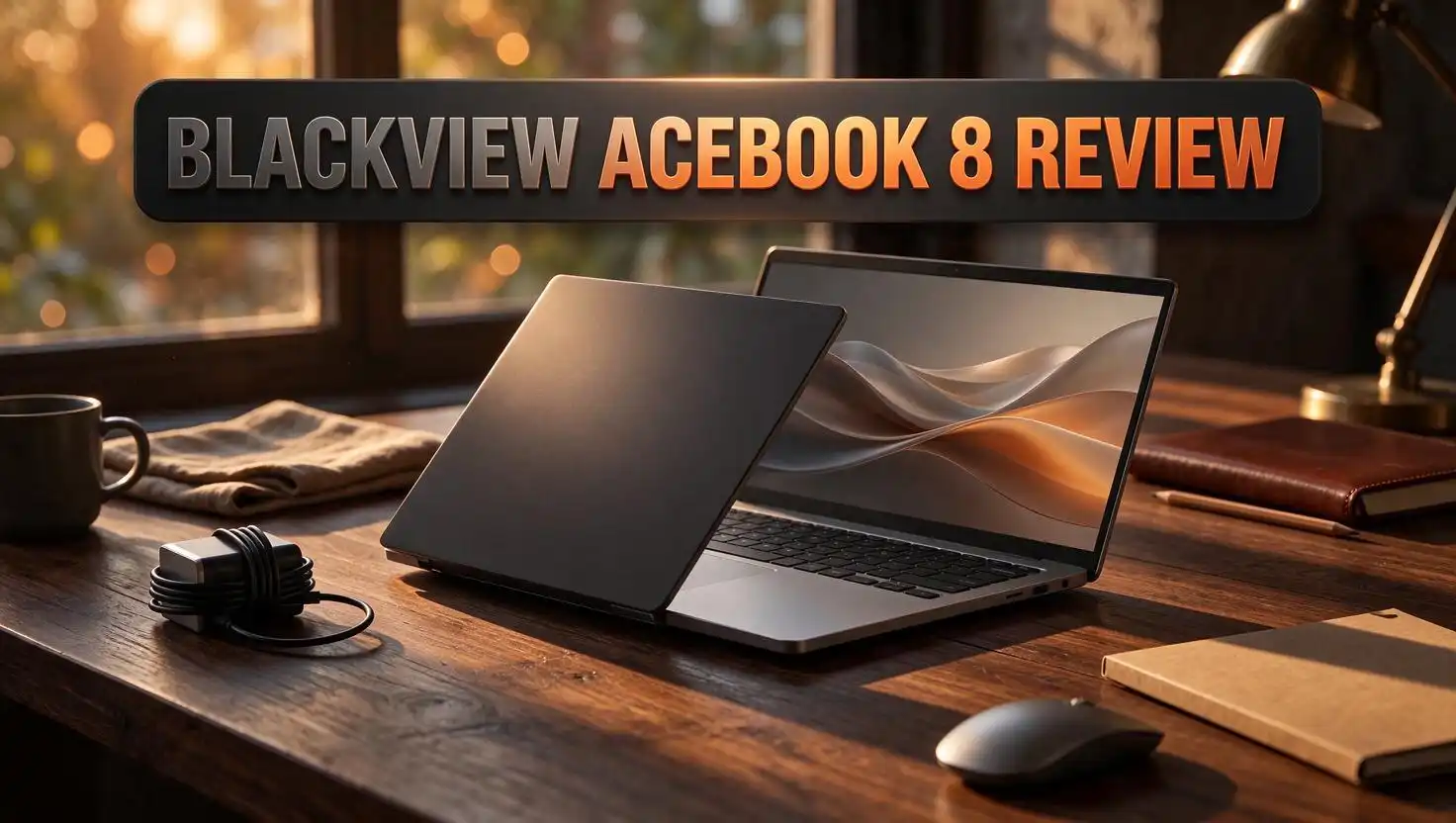
Blackview Acebook 8 Review: Laptop Worth Your Money?
Want a big screen laptop that doesn’t cost much? The Blackview Acebook 8 promises a lot for a low price. You get 16GB of RAM, a 512GB SSD, and a metal body for around the price of a good phone.
That sounds almost too good to be true. So we looked at every part of this laptop. We checked the screen, the speed, the battery, and the keyboard.
In this review, you will learn what this laptop does well and where it falls short. By the end, you will know if it fits your needs. Let’s get started.
In a Nutshell
Here is a quick summary of the Blackview Acebook 8 before we go deeper:
- Great Value for Memory and Storage: The laptop ships with 16GB of DDR4 RAM and a 512GB SSD. Most laptops at this price give you only 8GB of RAM and 256GB of storage. This extra memory keeps many browser tabs and apps running smoothly.
- Metal Body at a Low Price: The case uses a 5052 aluminum alloy. It weighs about 1.6 kg and measures 1.9 cm thick. It feels more solid than the plastic laptops in the same price group.
- Simple Intel Processor: The laptop uses an Intel N97 or the newer Intel N150 chip. Both have 4 cores and reach up to 3.6GHz. They handle web browsing, documents, and video calls well. They are not made for gaming or heavy editing.
- Average Screen: The 15.6 inch Full HD IPS screen gives sharp text and good viewing angles. But it reaches only about 220 nits of brightness, so it looks dim outdoors.
- Short Battery Life: The 38Wh battery gives about 3 to 6 hours, depending on your use. It charges at up to 36W.
- Handy Extras: You get a fingerprint reader, a USB C port with display and charging support, HDMI 2.0, and three USB A ports.
Blackview Acebook 8 Overview

- Efficient laptop‘Blackview laptop is equipped with fingerprint recognition hardware, which can be...
- Included Components: fingerprint recognition hardware;Model Number: Blackview AceBook8 512GB...
Last update on 2026-11-23 / Affiliate links / Images from Amazon Product Advertising API
The Blackview Acebook 8 is a budget 15.6 inch laptop. Blackview is better known for tough phones and cheap tablets. But the brand now makes laptops and mini PCs too.
The launch price was $319.99. You can often find it between $300 and $350. Prices change often, so check the current deal before you buy.
Here are the key specs at a glance. The laptop runs an Intel N97 or Intel N150 processor. It has 16GB of DDR4 RAM and a 512GB SSD. You can expand storage up to 1TB.
The screen is a 15.6 inch IPS panel with a 1920 x 1080 resolution. It has an 84% screen to body ratio. This means the bezels around the screen are thin.
Other specs include WiFi 5, Bluetooth 5.0, and a 1MP webcam. The battery is 38Wh with 36W charging. The laptop runs Windows 11 Home out of the box.
Blackview offers two colors: Gunmetal Grey and Frost Silver. Both look clean and simple. The laptop comes with a power adapter and a user manual.
So who is this laptop for? It targets students, home users, and office workers. These people need a large screen for simple daily tasks. They don’t need gaming power or a premium build.
In short, the Acebook 8 gives you lots of memory for little money. But Blackview had to cut some corners to reach this price. We will cover those cuts in the next sections.
Design and Build Quality
The design is one of the best parts of the Blackview Acebook 8. Most laptops at this price use cheap plastic. Blackview chose a 5052 aluminum alloy case instead.
This metal body feels solid in your hands. It does not flex much when you press on the lid. The surface also has a special finish that resists fingerprints.
The laptop weighs about 1.6 kg (3.52 lbs). That is normal for a 15.6 inch laptop. You can carry it in a backpack without much strain.
It measures 35.9 x 23.3 x 1.9 cm. At 1.9 cm thick, it looks slim on a desk. It slides into most laptop bags with ease.
The thin bezels give the laptop a modern look. The screen takes up most of the lid. This makes the laptop feel smaller than other 15.6 inch models.
The color options look classy. Gunmetal Grey feels serious and professional. Frost Silver looks lighter and brighter. Both colors suit an office or a classroom.
There are no flashy logos or bright lights. The design stays clean and simple. Some people will love this quiet style.
We do have one small note. The laptop is not built for rough use. Blackview makes rugged phones, but this laptop is not rugged. Treat it with normal care.
Overall, the build quality is above average for the price. You get a metal laptop that looks more expensive than it is. This is a big win for budget buyers.
Display Quality
The Blackview Acebook 8 has a 15.6 inch Full HD screen. The resolution is 1920 x 1080. Text looks sharp, and you won’t see pixels from a normal distance.
The good news is that it uses an IPS panel. Many cheap laptops still use TN panels. TN panels show washed out colors when you look from the side. IPS panels keep colors steady from most angles.
This makes the Acebook 8 good for watching movies with a friend. You can both see the screen clearly. It also helps when you share slides in a meeting.
Now for the weak spots. The screen brightness reaches only about 220 nits. That works fine indoors. But near a sunny window or outside, the screen looks dim and hard to read.
The color range is also limited. The panel covers about two thirds of the sRGB color space. Colors look a bit dull compared to better screens.
For most users, this won’t matter much. Documents, websites, and YouTube videos look fine. But photo editors and designers will notice the weak colors.
The screen has a 16:9 aspect ratio. This is great for movies and TV shows. It feels a bit short for reading long documents, though.
The thin bezels help a lot. With an 84% screen to body ratio, the picture feels big and open. It makes streaming more fun.
In short, the screen is good enough for daily work and movies indoors. Just don’t expect bright, rich colors. Keep it away from strong sunlight for the best view.
Top 3 Alternative for Blackview Acebook 8
The Blackview Acebook 8 gives great memory for the price. But it is not the only choice. Here are three strong alternatives that offer faster processors from big brands.
ASUS Vivobook Go 15

- 15.6” NANOEDGE DISPLAY — Super slim bezel design with a smooth 60Hz refresh rate, vibrant 45% NTSC...
- AMD Ryzen 5 7520U PROCESSOR — Designed for thin laptops, this processor gives you fast performance for...
Last update on 2026-11-23 / Affiliate links / Images from Amazon Product Advertising API
The ASUS Vivobook Go 15 uses an AMD Ryzen 5 7520U processor. This chip is much faster than the Intel N97 or N150. It has 8GB of RAM and a 512GB SSD.
ASUS adds fast charging and a webcam shield for privacy. It also meets military grade durability tests. This is a smart pick if you want more speed and a trusted brand.
Lenovo IdeaPad 1

- MULTITASKING MASTER - The IdeaPad 1 is a thin and compact laptop that offers responsive performance and...
- MORE EXPANSIVE DISPLAY - Indulge in a better binging experience by immersing yourself in your favorite...

Last update on 2026-11-23 / Affiliate links / Images from Amazon Product Advertising API
The Lenovo IdeaPad 1 runs an AMD Ryzen 5 5500U processor. This chip has 6 cores. It handles multitasking and light photo editing better than the Acebook 8.
You get 8GB of RAM, a 512GB SSD, and a 720p camera with a privacy shutter. Lenovo also adds smart noise cancelling for calls. It is a great choice for students who need extra power.
Acer Aspire 3

- Purposeful Design: Travel with ease and look great doing it with the Aspire's 3 thin, light design.
- Ready-to-Go Performance: The Aspire 3 is ready-to-go with the latest AMD Ryzen 5 7520U Processor with...
Last update on 2026-11-23 / Affiliate links / Images from Amazon Product Advertising API
The Acer Aspire 3 offers a 15.6 inch Full HD IPS screen and an AMD Ryzen 5 7520U processor. It comes with 8GB of LPDDR5 RAM and a 256GB NVMe SSD.
The Aspire 3 is slim and light. It suits people who want faster performance for daily work. The storage is smaller, so you may need cloud storage or an external drive.
All three alternatives have faster processors. But they have only 8GB of RAM. The Acebook 8 still wins on memory for the price.
Performance in Daily Use
The Blackview Acebook 8 runs on an Intel N series chip. Early units use the Intel N97. Newer units use the Intel N150. Both chips have 4 cores and 4 threads, with speeds up to 3.6GHz.
These chips belong to Intel’s low power family. They focus on saving energy, not raw speed. Still, they are much better than old Celeron chips from years ago.
So what can it handle? The Acebook 8 runs Windows 11 smoothly for basic tasks. Web browsing feels quick. Word, Excel, and Google Docs open without trouble.
Video calls on Zoom, Teams, or Google Meet work fine. Streaming Netflix and YouTube is smooth, even in high quality. The chip also plays 4K video without problems.
Now let’s talk about limits. The laptop struggles with heavy video editing and 3D design. Large Excel files with many formulas may slow it down. Big software installs also take more time.
Gaming is not its strong suit. The integrated Intel graphics can run simple browser games and very old titles. But it cannot run most modern games from the last five years.
Think of the processor as a reliable city car. It gets you to work and school every day. But it won’t win any races.
The chip runs cool and quiet most of the time. You can work in a library without fan noise bothering others.
In short, the performance fits light users well. If you mainly browse, write, stream, and video chat, you will be happy. If you need more power, look at the Ryzen alternatives above.
Memory and Storage
This is where the Blackview Acebook 8 shines brightest. It comes with 16GB of DDR4 RAM. Most laptops at this price offer only 8GB.
Why does RAM matter? Modern browsers like Chrome use lots of memory. Every open tab eats some RAM. With 8GB, your laptop may slow down after 10 or 15 tabs.
With 16GB of RAM, you can keep many tabs open at once. You can also run Spotify, Word, and a video call together. The laptop stays smooth and responsive.
This extra RAM also helps the laptop last longer. Apps and websites grow heavier every year. A 16GB laptop will stay useful for more years than an 8GB one.
There is one small catch. The RAM may be the slower DDR4 type found in many cheap laptops. Blackview does not share the exact speed. Also, the RAM is likely not upgradeable, so 16GB is what you keep.
Now let’s look at storage. The laptop has a 512GB SSD. That is double what many budget laptops offer. You get plenty of room for photos, documents, music, and apps.
The SSD makes the laptop feel fast. Windows boots in seconds. Apps open quickly. Files load without delay.
Blackview says you can expand storage up to 1TB. This is great news if you store lots of videos or photos.
The laptop also has a microSD card slot for extra storage. But note that the card reader is slow, at under 30 MB/s. It works for backups, not for fast file transfers.
Keyboard, Touchpad and Fingerprint Reader
The Blackview Acebook 8 has a full size keyboard. The keys have a good size and decent spacing. Typing long essays or emails feels comfortable.
The keyboard uses a standard US QWERTY layout. This is easy for English speakers. Users in other countries may need to change the language settings in Windows.
There is one big miss. The keyboard has no backlight. Typing in a dark room or on a night flight will be harder. You may need to turn on a lamp or learn to type by touch.
The touchpad is wide and simple. It handles basic Windows gestures like scrolling and zooming. For long work sessions, a wireless mouse will feel even better.
Now for a nice surprise. The Acebook 8 includes a fingerprint reader. This is rare in laptops at this price. It sits in the power button for quick access.
You just touch the button to log in. No need to type your password every time. It works with Windows Hello and feels fast and secure.
Blackview also lists a “Face Unlock” feature. But this uses the basic 1MP webcam. It is simple 2D face recognition, not a secure 3D system. The fingerprint reader is the safer choice.
Overall, the typing experience is decent for the price. The fingerprint reader adds real daily value. The missing backlight is the main weak point here.
Battery Life and Charging
Battery life is one area where the Blackview Acebook 8 cuts corners. It has a 38Wh battery. That is small for a 15.6 inch laptop.
So how long does it last? In real use, expect about 3 to 6 hours. Light tasks like reading and typing at low brightness give longer life. Video streaming and many tabs drain it faster.
This is not an all day laptop. A full school day or work day will need a charger. Keep the adapter in your bag if you travel.
The good news is the efficient processor. The Intel N97 and N150 chips use little power. This helps stretch the small battery as far as possible.
Here are simple tips to get more battery life. Lower the screen brightness. Close unused browser tabs. Turn on Battery Saver mode in Windows 11. Turn off Bluetooth when you don’t need it.
Charging is a bright spot. The laptop supports charging at up to 36W. It comes with a DC power adapter in the box.
The USB C port also supports Power Delivery. This means you may charge it with a compatible USB C charger. That is handy if you already own one for your phone or tablet.
In short, the battery life is the weakest part of this laptop. It works best near a desk or power outlet. If you need long battery life on the go, consider a laptop with a bigger battery.
Ports and Connectivity
The Blackview Acebook 8 offers a great mix of ports. You won’t need a dongle for most daily tasks. This is a big plus for students and office workers.
Here is what you get. There are two USB 3.0 ports for fast external drives. There is one USB 2.0 port for a mouse or printer.
You also get a USB C 3.1 port. It supports DisplayPort video output and Power Delivery charging. You can connect an extra monitor through this port.
There is an HDMI 2.0 port too. You can plug the laptop into a TV or a second monitor. This is great for presentations or movie nights.
Other ports include a 3.5mm audio jack for headphones. There is a microSD card slot and a DC power jack. This covers almost every daily need.
Now let’s talk about wireless connections. The laptop supports dual band WiFi 5. It works on both 2.4GHz and 5GHz networks. The connection is stable and fast for home use.
It does not support WiFi 6 or WiFi 7. Most people won’t notice the difference for browsing and streaming. But crowded networks may feel slower.
The laptop also has Bluetooth 5.0. You can pair wireless earbuds, a keyboard, or a mouse with ease. The connection stays steady.
Overall, the port selection is excellent for the price. Many premium thin laptops offer only two USB C ports. The Acebook 8 gives you more options without extra adapters.
Webcam, Speakers and Microphones
The Blackview Acebook 8 has a 1MP webcam with 720p resolution. This is the bare minimum for video calls today.
On Zoom or Teams, people can see you clearly enough. But the image looks soft and grainy in low light. Sit near a window or lamp for a better picture.
If you take many video calls for work, think about an external webcam. A cheap 1080p webcam will make a big difference. It plugs into one of the USB ports.
Now let’s talk about audio. The laptop has dual stereo speakers. They work fine for YouTube videos, podcasts, and calls.
The sound is clear for voices. But the bass is weak, and the volume is limited. Music and action movies will sound thin.
For the best sound, use headphones. The 3.5mm jack and Bluetooth 5.0 make this easy. You can enjoy your music with much better quality.
The laptop also has dual microphones with noise reduction. This helps block some background noise during calls. Your voice comes through clearly in a quiet room.
In a noisy cafe, the mics may pick up sounds around you. A headset with a built in mic works better in these places.
Overall, the webcam and audio are basic. They handle online classes and simple meetings well. But they won’t impress content creators or music lovers.
Who Should Buy the Blackview Acebook 8
The Blackview Acebook 8 is not for everyone. But it fits some people very well. Let’s see if you are one of them.
Students will love the value. The 16GB of RAM handles research with many tabs open. The 512GB SSD stores notes, projects, and files. The big screen helps with online classes.
Home users will find it a great family laptop. It handles email, online shopping, bill payments, and streaming. The large screen makes movies more fun on the couch.
Office workers can use it for light tasks. Word, Excel, email, and video calls run smoothly. The fingerprint reader adds quick and safe logins.
Seniors and first time buyers will enjoy its simple setup. Windows 11 comes ready out of the box. Just turn it on and follow the setup steps.
Now let’s look at who should skip it. Gamers should look elsewhere, since the graphics are too weak. Video editors and designers need more power and better screen colors.
Frequent travelers may also feel let down. The small battery won’t last a full day. The dim screen is hard to see outdoors.
People who type at night should note the missing keyboard backlight. This can get annoying in dark rooms.
In short, the Acebook 8 is perfect for light daily tasks on a tight budget. If that matches your needs, it is a smart buy.
Pros and Cons
Every laptop has strengths and weak points. Here is an honest list for the Blackview Acebook 8.
Pros
- 16GB of RAM is rare at this price. It keeps multitasking smooth and helps the laptop stay useful for years.
- 512GB SSD storage gives plenty of room for files and apps. You can also expand it up to 1TB.
- The aluminum alloy body feels solid and looks more expensive than it is.
- The fingerprint reader in the power button makes logins fast and secure.
- The port selection is excellent, with USB C, HDMI 2.0, three USB A ports, and a microSD slot.
- The IPS screen gives sharp Full HD images and wide viewing angles.
- Windows 11 Home comes preinstalled, so the laptop is ready to use right away.
Cons
- The screen is dim at about 220 nits. It is hard to see in bright light.
- Colors look dull since the panel covers only about two thirds of sRGB.
- Battery life is short, with about 3 to 6 hours of real use.
- The keyboard has no backlight, which makes typing in the dark harder.
- The 1MP webcam gives soft and grainy video.
- The processor is basic and not suited for gaming or heavy editing.
- The microSD reader is slow, at under 30 MB/s.
Look at this list and think about how you will use the laptop. If the pros match your daily needs, the cons may not bother you much.
Final Verdict
So, is the Blackview Acebook 8 worth buying? For the right person, the answer is yes.
This laptop gives you 16GB of RAM and a 512GB SSD at a very low price. Few laptops in this range match that combo. Add a metal body and a fingerprint reader, and the value looks even better.
The Intel N97 or N150 chip handles daily tasks well. Browsing, documents, streaming, and video calls all run smoothly. The thin bezels and IPS screen make the 15.6 inch display pleasant indoors.
But Blackview made clear cuts to reach this price. The screen is dim, and colors look flat. The battery is small and won’t last a full day. The keyboard lacks a backlight, and the webcam is basic.
Think about your daily routine. Do you mostly work at a desk or at home? Do you need lots of tabs and storage? Then the Acebook 8 is a great match.
Do you travel often or work outdoors? Do you need more processing power? Then a Ryzen based laptop like the ASUS Vivobook Go 15 or Lenovo IdeaPad 1 may suit you better.
Our final take is simple. The Acebook 8 is a strong value pick for students and home users. It won’t win awards for speed or battery life. But it gives you plenty of memory, a solid build, and useful features for little money.
Frequently Asked Questions
Is the Blackview Acebook 8 good for students?
Yes, it is a good choice for students. The 16GB of RAM handles research with many tabs. The 512GB SSD stores notes and projects. The large screen helps with online classes and writing papers.
What processor does the Blackview Acebook 8 use?
The laptop uses an Intel N97 or Intel N150 processor, depending on the version. Both chips have 4 cores and reach speeds up to 3.6GHz. They work well for daily tasks but not for heavy work.
Can the Blackview Acebook 8 play games?
It can run simple browser games and very old titles. The integrated Intel graphics are too weak for most modern games. Gamers should choose a laptop with a dedicated graphics card.
How long does the battery last?
The 38Wh battery gives about 3 to 6 hours of real use. Light tasks at low brightness give longer life. Streaming video and heavy browsing drain it faster.
Does the Blackview Acebook 8 have a backlit keyboard?
No, the keyboard has no backlight. Typing in dark rooms may be harder. You can use a desk lamp or a USB keyboard light as a simple fix.
Can I upgrade the RAM or storage?
Blackview says you can expand the storage up to 1TB. The RAM is likely not upgradeable, so plan to keep the 16GB it ships with.
Does it have a fingerprint reader?
Yes, the laptop has a fingerprint reader in the power button. It works with Windows Hello for fast and secure logins.
Can I connect an external monitor?
Yes, you can. The laptop has an HDMI 2.0 port and a USB C port with DisplayPort support. You can connect a monitor or TV with either port.
What WiFi standard does it support?
The Acebook 8 supports dual band WiFi 5 on 2.4GHz and 5GHz networks. It also has Bluetooth 5.0 for wireless accessories.
Is the Blackview Acebook 8 made of metal?
Yes, the case uses a 5052 aluminum alloy with a finish that resists fingerprints. This makes it feel sturdier than most plastic laptops at the same price.

Dillip is the founder and editor of dillip.net, a passionate tech enthusiast and AI explorer dedicated to simplifying the world of artificial intelligence and technology for everyday users. With a keen eye for detail, he provides honest reviews, in-depth comparisons, and practical guides to help readers make smarter tech decisions.